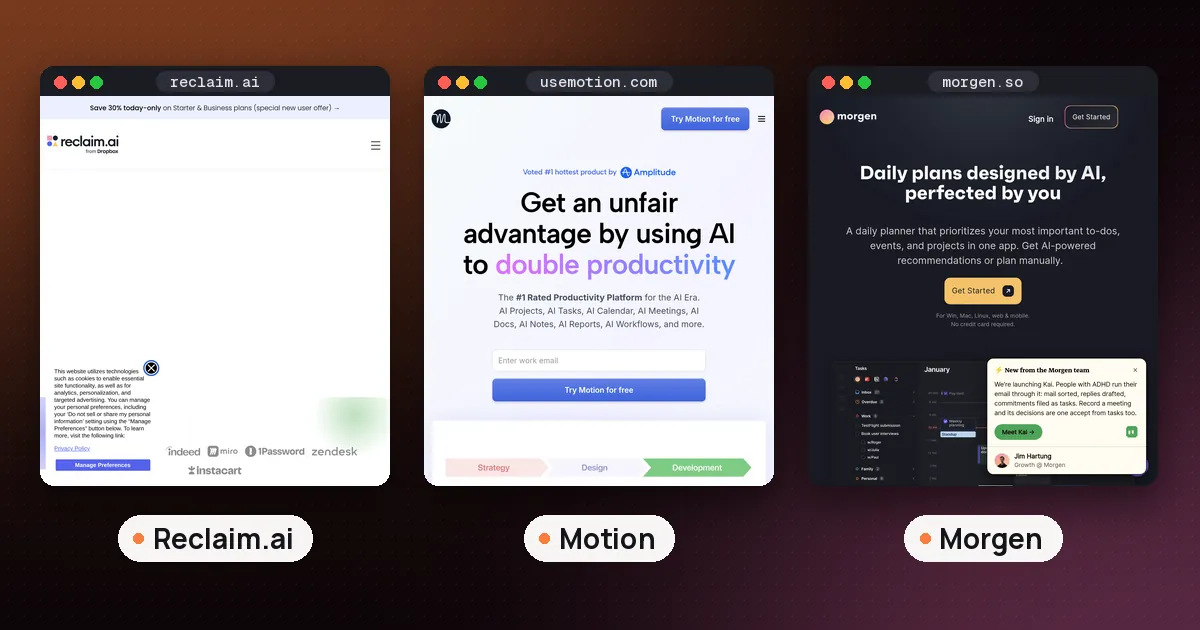
The best AI calendar planner for most people in 2026 is Reclaim: it works on the Google Calendar or Outlook calendar you already use, defends focus time and habits automatically, and has a free plan. Pick Motion if you want AI to schedule every task and project for you, and pick Morgen if you want an AI that drafts your day but waits for your approval before it touches the calendar.
An AI calendar is a calendar app, or a layer on top of Google Calendar or Outlook, that places tasks, focus time and meetings for you instead of waiting for you to drag blocks around.
That's the short answer. The longer one depends on how much control you want to hand over, because "AI calendar planner" covers three quite different kinds of app. Below we sort them by planning style, compare prices checked on each vendor's official pricing page on October 16, 2026 (Reclaim's rechecked on October 21, 2026), and finish with a one week setup plan.
The best AI calendar planner picks at a glance
| Planner | Planning style | Free plan | Paid from | Best for |
|---|---|---|---|---|
| Reclaim | Auto defends time on your calendar | Yes (Lite) | $10 per seat per month, billed yearly | Most people, meeting heavy weeks |
| Motion | Auto schedules all your tasks | No (trial) | $19 per seat per month (Pro AI) | Deadlines and projects in one app |
| Morgen | Drafts a plan you approve | No (14 day trial) | $15 per month, billed yearly | Control plus many task sources |
| Sunsama | Guided daily planning ritual | No (trial) | $17 per month, billed yearly | Calm, intentional days |
| Akiflow | Task inbox plus time blocking | No (7 day trial) | $19 per month, billed yearly | Tasks arriving from everywhere |
| Gemini and Google Calendar | Assistant that adds and finds events | Depends on your Google plan | Included with eligible plans | Quick scheduling by chat |
In plain words: Reclaim is the only one of the dedicated planners above with a permanent free plan. Motion, Morgen, Sunsama and Akiflow are paid after a trial, and Gemini's calendar features depend on which Google account and plan you have.
Three kinds of AI calendar planner
Before you compare features, decide which of these you actually want.
1. Auto schedulers. You give the app goals, tasks and rules, and it places and replaces blocks on your calendar by itself. Reclaim and Motion live here. They save the most time, but they also move things without asking, which some people love and others find unsettling.
2. Approve first planners. The AI proposes a plan for your day or week, and nothing lands on the calendar until you accept it. Morgen is the clearest example, and Sunsama and Akiflow lean the same way with their daily planning rituals.
3. Chat assistants with calendar access. You type or say what you want, such as "add a dentist appointment Tuesday at 3", and the assistant creates or edits the event. Gemini in the Gemini app works like this. It's handy, but it doesn't plan your week for you.
If you've tried a to do list and a paper planner and still end every day behind, an auto scheduler is worth a trial. If you've tried an auto scheduler and felt like a passenger in your own week, try an approve first planner instead.
Reclaim: best AI calendar planner for most people
Reclaim sits on top of your existing Google Calendar or Outlook calendar rather than replacing it. Its AI agents handle Focus Time (a weekly deep work goal it defends around your meetings), Habits such as lunch or a daily review, Buffer Time after meetings, and Smart Meetings that move recurring meetings to better slots. It also syncs tasks from Google Tasks, Todoist, Asana, ClickUp, Jira and Linear, and books time for them before they're due.
Reclaim's pricing page now lists a Planner view that brings all of your calendars together, plus an AI assistant you can chat with to find time, fix conflicts and set up new agents. It also lists integrations with ChatGPT, and MCP connectors for Claude and Microsoft Copilot, so you can manage your schedule from those assistants too.
Pricing: the Lite plan is free forever for one user, with 5 AI agents, a one week scheduling range, one calendar sync and one scheduling link. Starter is $10 per seat per month billed yearly or $12 monthly, with an 8 week range. Business is $15 billed yearly or $18 monthly, with a 12 week range. Reclaim's pricing page also lists a 50% discount for 12 months for students, educators and faculty.
- Pros: real free plan, keeps your current calendar and task app, strong focus time protection.
- Cons: not a task manager itself, and the free plan only plans one week ahead.
Motion: best for planning every task automatically
Motion asks you to keep your tasks, projects, deadlines and priorities inside Motion. Its AI Calendar then schedules your days based on deadlines, durations and priorities, flags when you've taken on more than you can fit, and replans the day when a meeting runs long or something urgent comes up.
Pricing: Motion's pricing page lists Pro AI at $19 per seat per month with 7,500 AI credits per seat, and Business AI at $29 with 15,000 credits, plus team capacity planning, Gantt views and time tracking. There's a free trial but no free plan, so check the page for the current monthly versus annual terms.
- Pros: the most hands off planning, tasks and calendar in one place, apps for iOS, Android and desktop.
- Cons: works best only if you move all your work into it, and AI use is metered by credits.
We compare these two head to head in Motion vs Reclaim. If you came from Clockwise, which shut down in March 2026, see our Clockwise alternatives guide. If you already live in Notion, our guide on how to use Notion AI calendar features shows what Notion Calendar and Notion AI can do before you add a separate planner.
Morgen: best AI daily planner if you want the final say
Morgen is a calendar app with an AI Planner that turns your to do list into time blocks. You set up Frames, which are recurring windows for a type of work such as deep work, quick wins or personal errands, and the planner fills them with matching tasks. Morgen says its suggested plans are only scheduled with your approval, and you can plan one to seven days at a time.
A few touches make the plans more realistic: an option to pad time estimates by 20%, splitting long tasks into several sessions, and break settings for long work stretches. If an event later clashes with a planned task, Morgen notifies you and can reschedule it in one click. It pulls tasks from Notion, Todoist, Linear, ClickUp, Obsidian, Microsoft To Do and Google Tasks, and connects calendars including Google, Outlook and iCloud.
Pricing: Morgen's pricing page lists $30 per month billed monthly or $15 per month billed yearly, with a 14 day free trial that needs no credit card. Apps cover Windows, macOS, Linux, mobile and the browser. Morgen says it stores data in Switzerland or the EU and offers 25% off for students, nonprofits and people in education.
- Pros: you stay in control, broad task and calendar integrations, desktop apps on all three major systems.
- Cons: no free plan, and the monthly price is high unless you pay yearly.
Sunsama and Akiflow: planners for people who like a ritual
Sunsama is built around a guided daily planning routine: each morning you pull tasks onto a timeline and decide what's realistic. Its single Pro plan is $17 per month billed yearly or $22 monthly, and includes AI, MCP and Zapier, according to Sunsama's pricing page. Sunsama says it doesn't offer a free forever plan and doesn't ask for a card until your trial ends.
Akiflow collects tasks from different tools into one inbox, then you time block them on your Google or Outlook calendar. Its Aki AI assistant and an MCP connector are included in Pro, which Akiflow's pricing page lists at $34 per month billed monthly or $19 per month billed yearly (marked as a promotion). There's no free plan; the 7 day trial requires a card. Akiflow also lists 40% off Pro Yearly for verified university students and researchers, and an optional AI meeting assistant addon for $19 per month.
Both suit people who want to plan their own day with AI help, rather than have AI plan it for them.
Free AI calendar planner options
If you don't want to pay, you have three realistic routes.
- Reclaim Lite. The strongest free AI calendar planner on this list: Focus Time, Habits, Buffer Time and Smart Meetings on Google Calendar or Outlook, limited to one week ahead.
- Gemini in the Gemini app. Google's help page says you can ask Gemini to create, find and edit events in Google Calendar once you connect the Google Workspace app, and you can say which calendar to use. You need to be signed in and have Keep Activity turned on. Google also warns that Gemini can make mistakes, so check each event it creates. See Google's Gemini calendar help.
- Suggested times in Google Calendar. On eligible Google Workspace plans, Gemini in Google Calendar can suggest meeting times that work for your guests when you create or reschedule an event. It works on a computer, not in the Android or iPhone apps, and not for events longer than eight hours.
A free task app such as Todoist connected to Reclaim Lite covers a surprising amount of what paid planners do. If you're a student, our guide to the best AI tools for students shows how a planner fits alongside study apps.
How to choose the right AI calendar planner
Ask yourself four questions:
- Where do your tasks live? If they're already in Todoist, Asana, Jira or Linear and you're happy there, choose Reclaim or Morgen, which sync them. If you're ready to move everything, Motion makes sense.
- How much control do you want? Want it fully automatic? Reclaim or Motion. Want to approve each plan? Morgen, Sunsama or Akiflow.
- Is your week mostly meetings or mostly tasks? Meeting heavy weeks favor Reclaim. Deadline heavy weeks favor Motion or Morgen.
- What's your budget? Only Reclaim has a free plan among the dedicated planners. Paying yearly halves Morgen's price, and Akiflow says yearly billing saves 44%.
If you're replacing Clockwise, which shut down in March 2026, read our Clockwise alternatives guide for a feature by feature migration.
Set up an AI calendar planner in one week
- Day 1: connect one work calendar only. Set your working hours and a realistic daily cap on meetings.
- Day 2: add your top ten tasks with honest time estimates and due dates. Leave the rest of your backlog out for now.
- Day 3: create one protected block, such as a daily focus session or a lunch habit, and let the planner defend it.
- Days 4 to 6: follow the plan, and each evening note which blocks you actually used.
- Day 7: adjust estimates, then decide whether to keep going, switch planning style, or try a second app's trial.
Avoid running two auto schedulers on the same calendar at once. They can fight over the same free time.
FAQ
What is the best AI calendar planner?
For most people, Reclaim, because it works on your existing Google or Outlook calendar and has a free plan. Motion is better if you want every task scheduled automatically, and Morgen is better if you want to approve each plan first.
What is an AI calendar?
An AI calendar is an app that schedules for you. Reclaim and Motion place focus time, habits and tasks around your meetings automatically, while Morgen drafts a daily plan and waits for your approval before it changes anything.
Is there a free AI calendar planner?
Yes. Reclaim Lite is free forever for one user and plans one week ahead. You can also ask the Gemini app to create and edit Google Calendar events after connecting Google Workspace, though it adds events rather than planning your week.
Does Motion have a free plan?
No. Motion offers a free trial, and its pricing page lists paid plans starting with Pro AI at $19 per seat per month.
Can an AI calendar planner work with Outlook?
Yes. Reclaim supports Google Calendar and Outlook, Morgen connects Google, Outlook and iCloud calendars, and Akiflow syncs with both Google and Outlook calendars.
Is an AI daily planner worth paying for?
It's worth it if you regularly lose focus time or miss deadlines. Start with a free plan or trial for a week, track whether you finish more of your important work, and only pay if the answer is clearly yes.