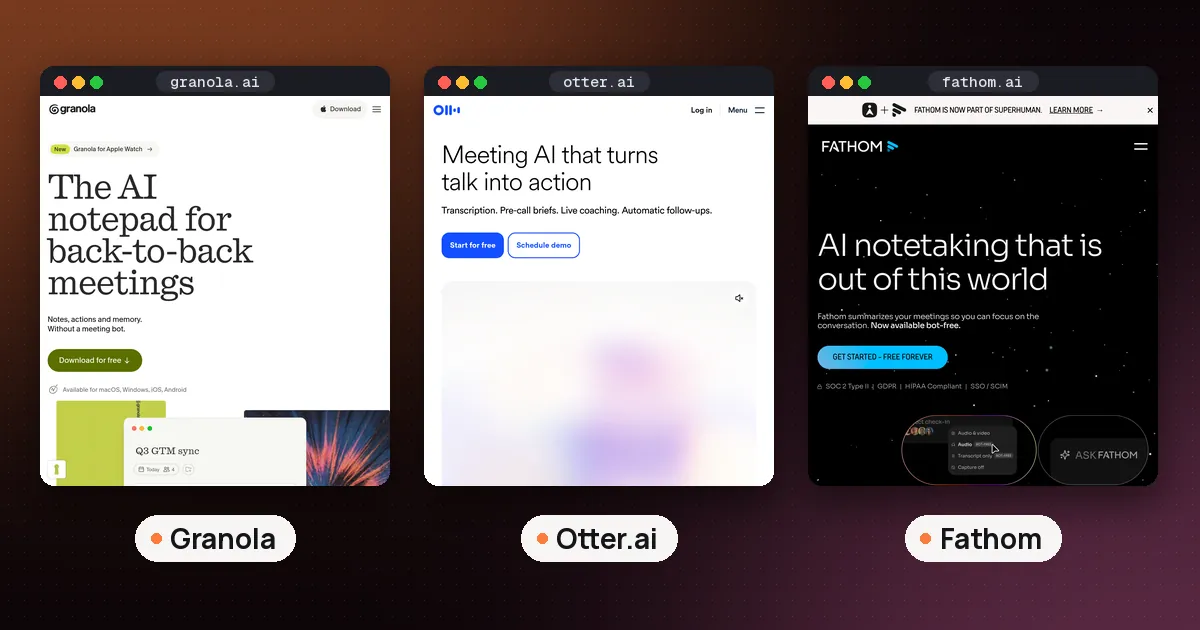
The best AI note taker for Google Meet is the one already inside it: Gemini's Take notes for me, if you host the call and have an eligible Google Workspace edition or a Google AI Pro or Ultra plan. If you don't host, don't pay Google, or need notes from other people's calls, pick Fathom for a free plan with no recording cap, Granola for notes with no bot in the room, or Otter for a searchable transcript archive.
That is the short version. Google Meet is a special case because Google ships its own note taker, and it only works for some accounts. This guide explains who gets it, how to turn it on, what lands in your Drive, and which third party tools make sense when Gemini can't help. Facts were checked against Google's help pages and each vendor's pricing page on October 24, 2026. For a wider comparison across Zoom and Teams too, see our guide to the best AI note taker for meetings.
What is the AI note taker in Google Meet?
When people search for the AI note taker in Google Meet, they usually mean Take notes for me, the Gemini feature that shows up as a pencil icon at the top right of a call. According to Google's Meet Help page, it captures notes into a Google Doc, offers a "Summary so far" if you join late, and emails the organizer a link to the recap shortly after the meeting ends. The link is also attached to the Calendar event.
The notes document has two tabs. Quick notes holds a short summary of the main takeaways and action items. Full notes holds a longer write up with a summary, decisions, action items and details. Hosts can also choose a Standard or Longer notes length, and beta users can pick which sections appear.
It is different from the plain Transcripts feature. Transcripts, described on a separate Meet Help page, give you the words people said, saved as a file in the organizer's Drive. Take notes for me gives you an AI summary. You can run both in the same call.
Who can use Take notes for me
This is where most confusion comes from. Google's help page says the feature needs either a work or school account on an eligible Google Workspace edition, or a personal account on an eligible Google AI plan.
For personal accounts, the Google Keyword announcement from June 29, 2026 says Google AI Pro and Ultra subscribers can use it on web and mobile, for meetings they host. The Google AI plans page lists Google AI Pro at $19.99 a month in the US and AI Ultra from $99.99 a month, and its comparison table labels the Meet feature as English only for these plans. Google AI Plus ($4.99 a month) is not named in the announcement, so don't buy Plus expecting meeting notes.
A few limits apply to everyone:
- The organizer's plan is what counts. Google's help page says the organizer must have an edition that includes the feature. Joining someone else's call with your own Pro plan doesn't give you notes of that call.
- Languages. The Meet Help page lists English, French, German, Italian, Japanese, Korean, Portuguese and Spanish, one language per meeting. Mixed language meetings aren't supported.
- Length. Google recommends it for meetings of 15 minutes up to 8 hours. Very short calls may produce thin or missing notes.
- Admins and host controls. On work and school accounts, your admin may have it switched off, or switched on automatically for certain meetings. With host management on, only hosts and cohosts can start or stop it.
How to turn on AI notes in Google Meet
There are three places to switch it on.
During a call
- Join the meeting at meet.google.com on your computer.
- Click Take notes for me at the top right.
- Optionally open Settings to choose who gets the notes, the notes length, the meeting language and which sections to include.
- Click Start taking notes. Everyone in the call sees a pencil icon and a notice that notes are being taken.
Before the meeting, from Google Calendar
- Open the event and click Edit event.
- Make sure Google Meet is added, then open Video call options.
- Choose Meeting records and tick Take notes with Gemini.
The same Meeting records panel lets hosts set transcripts to start automatically. The Google announcement also mentions a setting in Google Meet settings to turn it on for all your calls.
Who gets the notes
The organizer picks one of three sharing options: all invited guests (including people outside the organization), invited guests inside the organization, or hosts and cohosts only. Google notes that "invited guests" means people on the Calendar invite, not who actually showed up. If you invite a group email, members still have to request access to the doc one by one.
Where the notes are saved
Google's help page says the notes document is created shortly after the meeting ends and saved in the organizer's Google Drive, in a "Google Meet" folder with a subfolder for each meeting. Older notes from the previous "Meet Recordings" folder are being moved into a "Legacy Meet Recordings" folder inside it, starting September 2026, so if you're hunting for an old recap, look there.
Because the output is a normal Google Doc, you can edit it, share it, or ask Gemini about it later. On work accounts, the doc follows your organization's Meet retention policy.
The best AI note takers for Google Meet when Gemini isn't enough
Gemini covers hosts with the right plan. Everyone else needs a separate tool. Here are the options that work in Google Meet, checked against each vendor's pricing page.
| Tool | How it hears Meet | Free plan | Paid from | Best for |
|---|---|---|---|---|
| Gemini Take notes for me | Built into Meet | No (needs eligible Workspace or AI Pro/Ultra) | Google AI Pro, $19.99 a month | Hosts already paying Google |
| Fathom | Bot, or bot free capture in beta on Mac | Yes, unlimited recordings | Premium $16 a month billed annually | Free use with no cap |
| Granola | Device audio, no bot | Yes, 30 days of history | Business $14 per user a month | Notes that read like yours |
| Otter | Bot, live notes in Meet, or apps | Yes, 300 minutes a month | Pro $16.99 a month ($8.49 annual offer) | Transcript archive |
| Fireflies | Bot, or Chrome extension without the bot | Yes, limited | See the vendor's pricing page | Search and analytics |
| Read AI | Bot and apps | Yes, 5 meetings a month | Pro $15 per user a month billed annually | Meeting reports and coaching |
Fathom: best free AI note taker for Google Meet
If you want an AI note taker for Google Meet for free, start with Fathom. The Fathom pricing page lists a Free plan for individuals with unlimited recordings and transcriptions, instant AI call summaries, clips and search across calls. It also lists a choice between bot capture and bot free capture, with the bot free option in beta for Mac. The Premium plan, at $16 a month billed annually or $20 monthly, adds advanced summaries, AI action items and a meeting assistant you can chat with. Fathom lists Google Meet among the places it works.
- Pros: no recording cap on the free plan, works in calls you don't host.
- Cons: the bot free mode is still in beta and Mac only; action items need Premium.
Granola: best with no bot in the call
Granola listens to your computer's audio, so nothing joins the Meet call. You type rough notes and it merges them with the transcript after the call. The Granola pricing page lists the free Basic plan with AI notes and chat across meetings but only 30 days of history, and the Business plan at $14 per user a month with unlimited history, integrations with Notion, HubSpot and Zapier, and API access. It has desktop, iOS, Android and Apple Watch apps. Because there's no bot, tell people you're taking AI notes. For a direct matchup, read Granola vs Otter.
Otter: best for a searchable transcript
Otter supports Zoom, Microsoft Teams and Google Meet on its free Basic plan, according to the Otter pricing page. Basic includes live transcription, speaker identification, AI chat across meetings and 300 transcription minutes a month, with 20 AI chat queries per user. The page lists live notes and captioning for Google Meet, plus an assistant that joins calls to write and share notes. Pro costs $16.99 a month, or $8.49 a month on annual billing (an offer the page marks for first time subscribers), with up to 90 minutes per meeting. Students and teachers with a .edu address get 20% off Pro.
Fireflies: best Google extension that skips the bot
If you want an AI note taker as a Google Chrome extension, Fireflies is the clearest match. Its pricing page lists recording Google Meet, Zoom and Teams, plus recording through a Chrome extension without the Fireflies bot. Plan limits change often, so check the page before you commit.
Read AI and tl;dv
Read AI adds meeting reports and a personal coach. Its plans page lists a free plan with 5 meeting transcripts a month and Pro at $15 per user a month billed annually. tl;dv records and transcribes Meet calls and sends notes to other tools; its pricing is listed in euros, so check the vendor's pricing page for your region.
Already paying for Zoom or Notion?
Zoom My Notes also works in Google Meet calls on the desktop app, with no bot, if you have a paid Zoom plan. Details are in our Zoom My Notes guide. And if your team runs on Notion's Business plan, Notion AI Meeting Notes is worth a test before buying another tool. Note that meeting notes start using Notion AI credits on December 1, as covered in Notion AI credits explained. If your notes end up in Mem, Reflect or Capacities, any of these tools can export a summary you paste in.
How to choose
- You host most calls and already pay for Google AI Pro or Workspace: use Take notes for me. It's included and the notes land in Drive next to the Calendar event.
- You join other people's calls: Gemini won't help, because the organizer's plan decides. Use Fathom for free, or Granola if you don't want a bot.
- Your company blocks meeting bots: Granola, Fireflies through its Chrome extension, or Fathom's bot free beta on Mac.
- You need every word: Otter, or Meet's own Transcripts on Workspace.
- Your calls mix Meet, Zoom and Teams: a third party tool beats a built in one. Teams users can also read how to transcribe a meeting with Copilot.
Whatever you pick, tell people up front that AI is taking notes, check names, numbers and dates before you act on a summary, and stop the notes during sensitive parts of a call. Google says any internal participant can stop Take notes for me at any time when host controls are off.
FAQ
Is there a free AI note taker for Google Meet?
Yes, but not from Google for personal accounts. Take notes for me needs an eligible Workspace edition or Google AI Pro or Ultra. Fathom's free plan lists unlimited recordings and transcriptions, Otter's free plan gives 300 minutes a month, and Granola's free plan keeps 30 days of history.
Can I use Take notes for me in a meeting I didn't create?
Usually not for your own notes. Google says the organizer must have an edition that includes the feature, and the AI Pro and Ultra announcement covers meetings you host. Ask the host to turn it on, or use a third party tool.
Does Gemini note taking work on mobile?
Google's June 29, 2026 announcement says AI Pro and Ultra subscribers can use it on web and mobile. The Meet Help page's step by step instructions are written for a computer, so start on desktop if you can't find the option on your phone.
Will other people know an AI note taker is running?
With Gemini, yes. Google Meet tells all participants that notes are being taken and shows a pencil icon. Admins can also require explicit consent before notes, recording or transcripts start. Third party bots appear as a participant, but bot free tools like Granola don't, so say so yourself.
Why can't I see Take notes for me?
Google lists three common reasons: the organizer's plan doesn't include it, a work or school admin hasn't turned it on, or smart features are disabled in your account settings. The meeting language also has to be one of the eight supported languages.