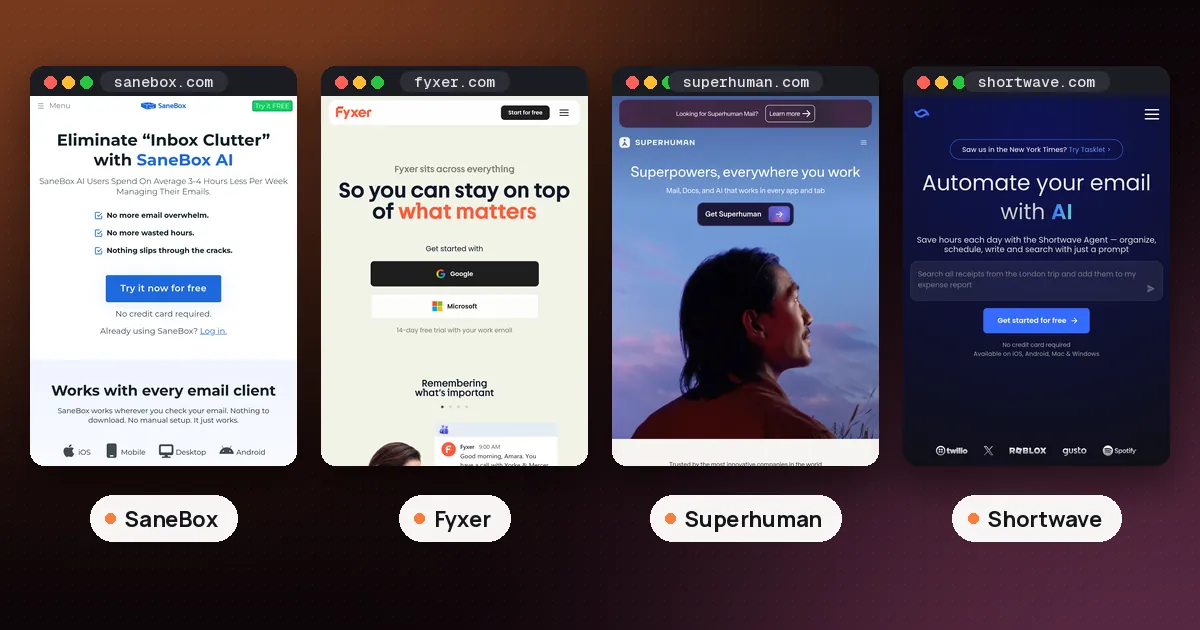
In the SaneBox vs Fyxer choice, pick SaneBox if you only want the noise filtered out of your inbox, you use a provider other than Gmail or Microsoft 365, or you don't want an AI reading the body of your mail. Pick Fyxer if you want an assistant that also drafts replies in your tone and takes meeting notes, and your mail lives in Gmail or a cloud Microsoft 365 account. SaneBox is a quiet filter; Fyxer is a writing and follow up assistant that happens to sort mail too.
Both work inside the inbox you already have, so neither asks you to switch email apps. That is where the similarity ends. This guide compares SaneBox and Fyxer on how they sort, what they write for you, which accounts they support, privacy and cost. Facts were checked on October 30, 2026 against Fyxer's pricing page, the Fyxer Help Center, SaneBox's FAQ and SaneBox's help article on how it works. We did not connect either tool to a real inbox for this guide.
SaneBox vs Fyxer at a glance
| Item | SaneBox | Fyxer |
|---|---|---|
| Main job | Filters low priority mail out of your inbox | Sorts mail, drafts replies, records meetings |
| Drafts replies | No | Yes, on Pro and above |
| Email providers | Gmail, Microsoft 365, Exchange, iCloud, Yahoo, Fastmail, most IMAP accounts | Gmail and cloud Microsoft 365 (Exchange Online) only |
| What it reads | Header data such as sender, subject and date | Full messages, so it can write replies |
| Free option | 1 week free trial, no free plan | Free plan with 400 credits a month (no inbox sorting) |
| Paid plans | Three plans (Snack, Lunch, Dinner) | Pro $37 and Team $64 per person a month, billed annually |
| Meeting notes | No | Yes |
The rest of this guide explains each row, because the conditions matter more than the checkmarks.
How each one sorts your inbox
SaneBox works at the server level. When you sign up, it connects to your mail server, looks at your past behavior (which messages you open, which you answer, how fast, and how long you've known the sender) and then asks the server to move unimportant mail into a folder called @SaneLater. By default, mail from real people stays in your inbox. Because @SaneLater is an ordinary server folder, it shows up in every email app on every device, with nothing to install. A Daily Digest email lists what landed in your Sane folders so you can skim it in one sitting.
Training is as simple as moving a message. Drag something out of @SaneLater back to the inbox and SaneBox learns that sender matters. You can also edit trainings from your SaneBox dashboard or from the digest. If you're nervous about mail disappearing, Manual Mode leaves everything in the inbox until you train it. SaneBox also says that if its service goes offline, your mail still arrives in the inbox, just unsorted, until it comes back.
Fyxer sorts by meaning rather than by sender history alone. When you connect, its Learning Hub says it organizes your 300 most recent emails within seconds and labels them by priority: To respond or To do first, then FYI, then lower categories such as Notification and Marketing. You choose a layout in the Fyxer dashboard: Standard, Focused (only To respond and FYI stay in the inbox), Show everything, or Custom. Fyxer says it never deletes or hides mail permanently, and everything stays searchable.
The two behave differently in Gmail and Outlook. In Gmail, Fyxer adds colored labels and a message can sit in the inbox and under its label at once. In Outlook, Fyxer creates folders plus colored category tags, and a message lives in only one folder at a time.
The practical difference: SaneBox mostly answers "should this interrupt me?" while Fyxer answers "what kind of email is this and does it need a reply?"
Drafted replies: the biggest difference
This is where Fyxer pulls ahead for people who spend their day answering mail. For anything it files under To respond, Fyxer writes a draft reply in your tone and leaves it in your drafts folder. Its pricing page is clear that Fyxer can't send email on your behalf. You review, edit and press send yourself. Pro and above also record your video meetings, draft a follow up email afterward and keep a running follow up list.
SaneBox does not write replies. Its extra features are about attention, not writing: BlackHole sends a sender you never want to hear from straight out of your inbox, Reminders nudge you when someone hasn't answered, and Snooze moves a message away until a time you pick. You can also set SaneLater to archive or delete old mail automatically.
If drafting is the job you want help with, SaneBox simply isn't the tool. If you'd like drafts but also want to stay in the email app you know, see our best AI email assistant roundup, which covers Fyxer next to Superhuman, Shortwave and Spark.
Which email accounts work
SaneBox wins clearly on compatibility. Its homepage says it works with every major service, including Gmail, Microsoft 365, Apple iCloud, Yahoo Mail and Fastmail, plus any IMAP, Microsoft Exchange or ActiveSync server. The FAQ notes one exception: POP accounts, because POP doesn't support folders. Depending on the plan, one subscription covers up to 4 email accounts, and support can arrange more.
Fyxer is narrower. Its Help Center lists Google Workspace, personal Gmail and cloud hosted Microsoft 365 or Exchange Online. It names several setups that can't run Fyxer reliably: POP3 and IMAP inboxes, on premises Exchange, hybrid Outlook deployments, GoDaddy hosted Microsoft 365 and alias only accounts. It also lists Apple Mail, Thunderbird, Spark, Superhuman and Notion Mail as unsupported, so plan to read Fyxer's labels and drafts in Gmail or Outlook. Work accounts may need IT approval before Fyxer can connect.
So if your main address is on iCloud, Yahoo, Fastmail or a web host's IMAP server, the SaneBox vs Fyxer question is already settled: SaneBox.
Privacy: header data vs full messages
SaneBox makes a strong, specific promise. Its FAQ says it analyzes only header data and never looks at the body of your emails, and its homepage adds that it never stores full emails or attachments. Your mail stays on your own server, and your login credentials are encrypted. That design is why SaneBox can't write replies: it never looks at what people actually said.
Fyxer has to read your messages to draft answers to them. Its pricing page says only the data needed to deliver features is accessed, data is encrypted, Fyxer never sells it, and the AI providers it works with can't use it to train their own models. You can also opt out of Fyxer's own model training. Fyxer lists SOC 2 Type II, ISO/IEC 27001 and GDPR compliance, with HIPAA available on Enterprise.
Neither approach is wrong, but they suit different comfort levels. If your inbox holds client contracts or medical details and your employer is strict about outside AI tools, SaneBox's header only design is the easier sell. If you're fine with an assistant reading mail, Fyxer gives you much more for that access.
Pricing, free plans and trials
Is there a free plan?
Fyxer has one. The Free plan costs $0 and comes with 400 credits a month, but it does not sort your inbox and does not draft replies. What you get is a daily dashboard briefing, a weekly email briefing, audio meeting notes and chat. Fyxer's pricing table says 400 credits covers about 20 chat messages, or about 6 hours 40 minutes of recording if used only for that. When credits run out on Free, metered actions pause until they renew.
SaneBox has no free plan. Its FAQ offers a free trial of 1 week, and canceling puts your folders back the way they were. SaneBox also offers a 25% discount to educational, nonprofit and government organizations.
What the paid plans cost
Fyxer Pro is $37 per person a month billed annually, or $49 monthly. Team is $64 per person a month billed annually, or $99 monthly. Enterprise is priced by contract. Signing up starts a 14 day trial of the Team plan, and you drop to Free afterward unless you pay. Paid plans run on credits: as a launch offer, credits are unlimited for the first 3 months, then Pro includes 3,000 credits a month per paid member. Inbox sorting costs one credit per five emails and recording costs one credit per minute, so Fyxer's own example of Pro usage is about 5,000 sorted emails, 25 recording hours and 25 chat messages a month. If you run out, sorting pauses first while recording continues.
SaneBox sells three plans named Snack, Lunch and Dinner, billed monthly, yearly or every two years. Its pricing page lets you pick 2 extra features on Snack, 6 on Lunch, and includes all of them on Dinner, counted per connected account. We couldn't load the live prices on the day we checked, so see the vendor's pricing page for current figures. One thing in SaneBox's favor: its plans are limited by accounts and features, not by usage credits, so a busy month doesn't change what you can do.
SaneBox vs Fyxer: who should pick which
- You just want fewer interruptions. SaneBox. It filters quietly, works in any app, and you never have to check a dashboard.
- Your mail is on iCloud, Yahoo, Fastmail or IMAP. SaneBox, because Fyxer doesn't support those accounts.
- You answer dozens of emails a day. Fyxer Pro. Drafted replies save more time than sorting alone.
- You also want meeting notes and follow ups in one place. Fyxer, since its meeting recorder feeds the same follow up list.
- Your employer limits AI access to email content. SaneBox, or the AI already built into your work account. Microsoft 365 users can try Copilot first, and our guide to Copilot Prioritize retiring shows how to rebuild a priority inbox with Outlook's own tools.
- You're on Gmail and want something free first. Try Gmail's own features before paying for either; our Gmail AI Inbox guide explains what Google now includes.
We would avoid running both on the same inbox. Each one moves mail into its own folders based on its own rules, so you'd end up training two systems that disagree.
FAQ
Does Fyxer send emails without asking?
No. Fyxer writes drafts in your Gmail or Outlook drafts folder, and you decide what gets sent. Its pricing page states plainly that it can't send emails on your behalf.
Does SaneBox read my emails?
SaneBox says it analyzes only header data, such as sender, subject and date, and never reads or stores the body of your messages or attachments. Your mail stays on your own email server.
Is SaneBox free?
No. SaneBox offers a 1 week free trial and then three paid plans. Schools, nonprofits and government agencies can get 25% off.
What do you get on the Fyxer free plan?
Fyxer's Free plan includes 400 credits a month for chat and audio meeting notes, a daily dashboard briefing and a weekly email briefing. Automatic inbox labeling and drafted replies start on Pro.
Does Fyxer work with Apple Mail or Yahoo?
Fyxer supports Gmail and cloud Microsoft 365 accounts only. Its Help Center lists IMAP and POP3 inboxes and the Apple Mail app as unsupported, so Yahoo or iCloud users should look at SaneBox instead.
Can I stop using SaneBox or Fyxer and get my inbox back?
Yes for both. SaneBox says canceling puts everything back the way it found it, and you can choose whether to keep the Sane folders. Fyxer says deleting your account returns your inbox to how it was before.