The best AI email assistant is often the one you already have. Gmail now gives everyone free AI drafting and thread summaries, and many Outlook work accounts include Copilot Chat. Upgrade only when you hit a clear limit: Shortwave for AI search across a Gmail inbox, Superhuman for speed and auto-drafts on Gmail or Outlook, SaneBox to filter noise without changing apps, and Spark for a free multi-account client with optional AI.
This guide sorts the options by the job you need done, then compares price and platform support. Everything was checked on vendor sites on October 5, 2026.
Step one: check what your inbox already includes
Before you buy anything, open your current email app and look for these built-in features.
Gmail. On January 8, 2026, Google announced that Help Me Write, Suggested Replies and AI Overview summaries of long threads were rolling out to all Gmail users at no cost, starting in the US in English (Google's announcement). Asking your inbox questions in plain language and the Proofread feature need a Google AI Pro or Ultra subscription.
Outlook. Microsoft says Copilot Chat is available in Outlook for eligible Microsoft 365 work and school accounts, even without the paid Microsoft 365 Copilot add-on. It can help summarize and draft, with deeper access to your organization's data when the add-on is licensed (Microsoft's Copilot in Outlook help).
If these cover your summaries and drafts, you may not need another tool. The dedicated apps below earn their price with speed, search, automation or filtering.
AI email assistants compared
| Tool | What it is | Works with | Free option | Paid from |
|---|---|---|---|---|
| Gemini in Gmail | Built-in AI in Gmail | Gmail | Yes, core features | Google AI Pro for extras |
| Copilot in Outlook | Built-in AI in Outlook | Microsoft 365 work and school accounts | Copilot Chat for eligible accounts | Microsoft 365 Copilot add-on |
| Superhuman Mail | Fast AI email client | Gmail and Microsoft 365 / Outlook | No | $25 per member per month billed annually |
| Shortwave | AI-native email client | Gmail and Google Workspace only | Yes | $30 per seat per month (Business) |
| Fyxer | AI assistant inside your existing inbox | Gmail and Outlook | Yes | $37 per person per month billed annually (Pro) |
| Spark | Multi-account email client | Most providers | Yes | $8.25 per month billed yearly (Plus) |
| SaneBox | AI filtering on top of any inbox | Gmail, Outlook and most IMAP accounts | Free trial | See the vendor's pricing page |
The best AI email assistants by job
For fast triage and auto-drafts: Superhuman Mail
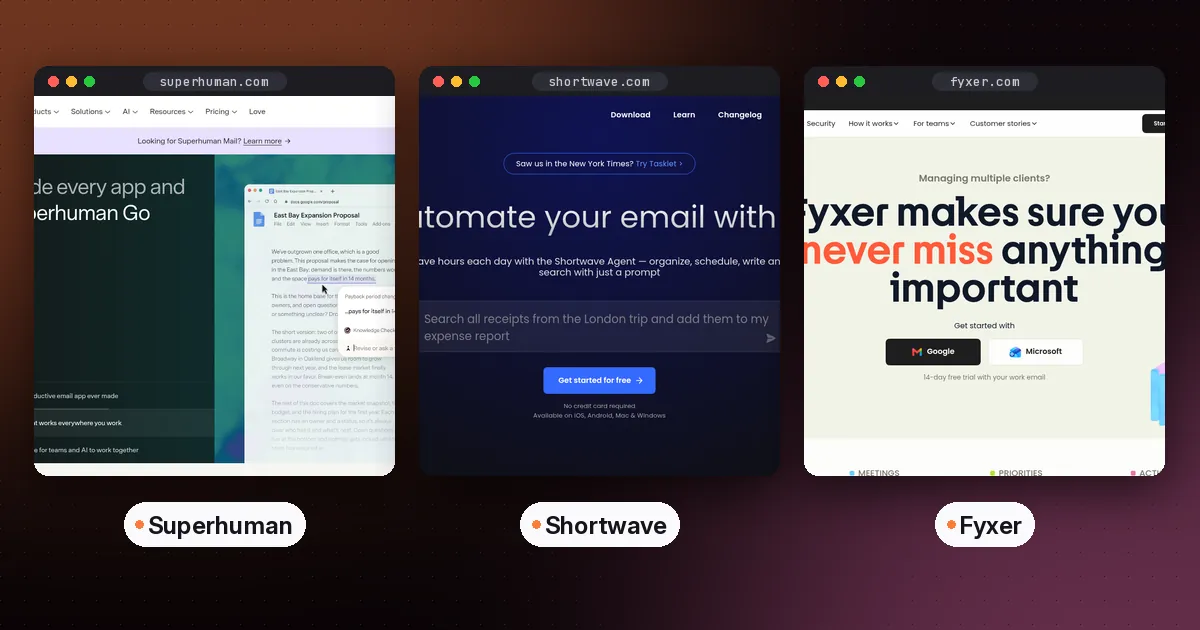
Superhuman is a keyboard-driven client for Gmail and Microsoft 365 accounts. According to Superhuman's Mail plans page, its Starter plan ($25 per member per month billed annually) includes AI writing, Instant Reply, Auto Summarize, Auto Labels, Split Inbox, snippets and reminders. The Business plan ($33 billed annually) adds Auto Drafts, Ask AI across your email, voice and tone matching, custom AI labels, a Mail MCP server and HubSpot and Salesforce integrations. It also bundles Grammarly, Docs and Go.
A note on names: Grammarly renamed its company to Superhuman in October 2025, and the Grammarly writing product kept its name, as Grammarly's help center explains. So "Superhuman" can mean the company or the email app. Here it means the email app.
- Pros: very fast, strong drafts on Business, supports both Gmail and Outlook.
- Cons: no free plan, and the best AI features need the higher tier.
- Who it's for: executives, founders and salespeople who handle hundreds of emails a day.
For AI search across a Gmail inbox: Shortwave
Shortwave is built around an AI assistant that can search years of email, summarize threads, write in your style and run AI filters on new mail. According to its billing documentation, Shortwave is free to start, and its free plan includes most productivity features and the AI assistant. Paid plans listed on its pricing page are Business ($30 per seat per month, 5 years of AI search history, 3 AI filters), Premier ($45) and Max ($120), with a 14-day trial.
Shortwave works only with Gmail and Google Workspace. Its sign-in support docs say Microsoft 365 and Exchange aren't supported, and other providers work only by forwarding mail into Gmail.
- Pros: excellent AI search, bundles and splits, team comments and shared threads.
- Cons: Gmail only, and the strongest AI is on pricey tiers.
- Who it's for: Gmail power users who often ask "where's that email about…".
For AI drafts without switching apps: Fyxer
Fyxer works inside the Gmail or Outlook inbox you already use, rather than replacing it. It labels incoming mail so the important messages rise to the top, drafts replies in your tone, records meetings and keeps a running list of follow-ups. Fyxer's pricing page lists a free plan, Pro at $37 per person per month billed annually ($49 monthly) and Team at $64 per person per month billed annually ($99 monthly), each paid plan with a 14-day free trial.
- Pros: no new email app to learn, works with both Gmail and Outlook, and combines email and meeting follow-ups.
- Cons: paid plans cost more than most email clients, and AI usage is measured in monthly credits.
- Who it's for: busy professionals and small teams who want drafted replies but like their current inbox.
For a free client with optional AI: Spark
Spark has a free plan with a smart inbox, unlimited email accounts and a calendar. Plus is $99 a year (or $10 monthly) and adds Spark +AI, an AI assistant and 40 AI meeting notes. Pro is $199 a year (or $20 monthly), per Spark's pricing page. Spark +AI is turned off by default, which is reassuring if you're cautious about AI reading your mail.
- Pros: strong free tier, works with most providers, AI is opt-in.
- Cons: AI features run on a monthly quota.
- Who it's for: people juggling several personal and work accounts.
For filtering out noise without switching apps: SaneBox
SaneBox works on the server side. It moves low-priority mail into folders such as SaneLater, so your normal inbox in Gmail, Outlook or Apple Mail shows only what matters. There's nothing new to learn, and it works with most providers. SaneBox offers a free trial and three paid plans. See the vendor's pricing page for current prices.
- Pros: no new app, works almost everywhere.
- Cons: it doesn't write replies, and it's another subscription.
- Who it's for: anyone buried in newsletters and notifications who likes their current app.
For polishing what you write: Grammarly
If your problem is tone rather than volume, Grammarly checks and rewrites emails inside Gmail, Outlook and most browsers. Its free plan covers spelling, grammar and tone detection. See our Grammarly vs QuillBot comparison for detail.
How to pick in five minutes
- Which provider are you on? If it's Outlook or Microsoft 365, remove Shortwave from your list.
- Is your problem reading, writing or finding? For reading, use summaries (built-in) or SaneBox. For writing, use built-in drafting, then Superhuman Business. For finding, use Shortwave or Gmail's paid AI Overviews.
- Will you switch clients? If not, stick to built-in AI, Fyxer, SaneBox or Grammarly.
- Budget per month? Under $10, try Spark Plus or built-ins. Around $25 to $35, consider Superhuman or Shortwave Business.
- Run a one-week trial and count emails handled per hour before and after.
Privacy tips for any AI email tool
- Read where your email is processed and whether it's used for training. Most vendors publish this on a security or trust page.
- Turn off auto-send features until you trust the drafts.
- Keep sensitive threads, such as legal, medical or HR, out of third-party AI tools if your employer's policy says so.
For handling meetings the same way, see our guide to the best AI note taker for meetings. If you'd rather speak your replies than type them, our Wispr Flow vs Superwhisper comparison covers AI dictation that works in any email app.
FAQ
What is the best free AI email assistant?
For Gmail users, the built-in Gemini features are the best free option, now that Help Me Write and thread summaries are free for everyone. Spark's free plan and Shortwave's free plan are good alternatives if you want a different client.
Is there an AI email assistant for Outlook?
Yes. Eligible Microsoft 365 work and school accounts can use Copilot Chat in Outlook. Superhuman Mail supports Outlook accounts, and SaneBox and Spark work with Outlook too. Shortwave doesn't support Microsoft 365 or Exchange.
Is Superhuman worth it?
It's worth it if you process a lot of email and value speed, keyboard shortcuts and auto-drafts. If you get a few dozen emails a day, built-in Gmail or Outlook AI is likely enough.
Superhuman vs Shortwave: which is better?
Superhuman is better for speed and supports both Gmail and Outlook. Shortwave is better at AI search across your inbox, has a free plan, and costs less at the entry tier, but it only works with Gmail and Google Workspace.
Can AI answer my emails automatically?
Some tools draft replies for you automatically, such as Superhuman's Auto Drafts on the Business plan. It's wise to review drafts before sending, especially for anything involving money, commitments or sensitive information.