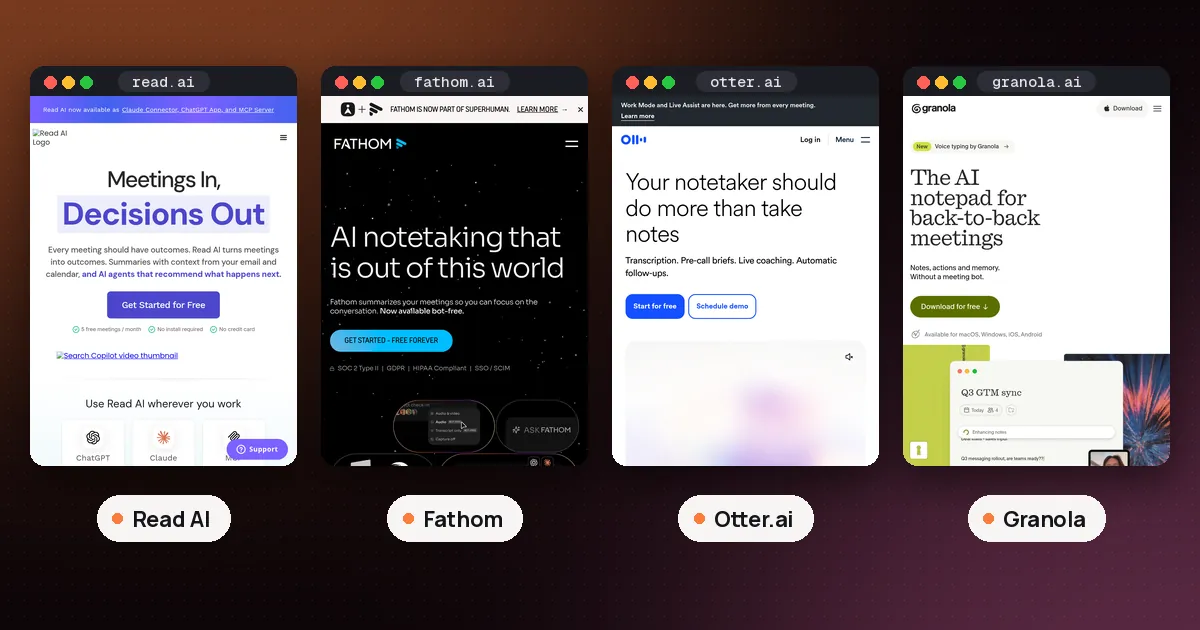
In the Read AI vs Fathom choice, pick Fathom if you attend your own calls and want the most you can get for free: unlimited recordings and transcripts with no monthly meeting cap. Pick Read AI if you need a note taker to cover Teams or Google Meet calls you can't attend, want to upload recordings, or want one search across meetings, email and chat. Both have paid plans that start at about $15 to $16 a user a month when billed annually, so the real difference is how each one works, not price.
That short answer hides a few catches. Fathom's free plan gives its best summaries to only 5 calls a month, and it can't record a call unless you're in it. Read AI's free plan stops at 5 meeting reports a month and leaves each meeting after 1 hour. This guide compares Read AI and Fathom on the points that decide most choices. Everything was checked on October 30, 2026 against Fathom's pricing page, the Fathom Help Center, Read AI's pricing page and the Read Help Center. We did not install either tool or run a test meeting for this guide.
Read AI vs Fathom at a glance
| Item | Fathom | Read AI |
|---|---|---|
| Free plan | Unlimited recordings and transcripts | 5 meeting reports a month |
| Longest free meeting | No limit listed | 1 hour |
| Advanced AI on free | First 5 calls a month | Summaries on each of the 5 reports |
| Cheapest paid plan | Premium, $16 a month billed annually ($20 monthly) | Pro, $15 a month billed annually ($19.75 monthly) |
| Records calls you skip | No, you must be on the call | Yes for Teams and Google Meet |
| Bot free capture | Yes, Mac desktop app (Fathom 3.0) | Yes, desktop Record button (audio only) |
| Upload a recording | Not supported | Paid plans only |
| Platforms the bot joins | Zoom, Google Meet, Microsoft Teams | Zoom, Google Meet, Microsoft Teams |
Prices are per user. Fathom's team plans need at least 2 users. The sections below explain each row, because a table can't show the conditions attached to them.
Free plans: Fathom gives more meetings, Read AI gives more search
If you judge only by the free plan, Fathom wins for most people. Its Free vs Premium article lists unlimited recordings and storage plus unlimited transcription in 38 languages. You also get instant AI call summaries, clips, playlists and search across your calls. New accounts get a free preview of Premium features for 30 days after sign up, and then drop to Free unless you upgrade.
The limit is on the smarter AI features. On Free, advanced summaries cover your first 5 calls each month. After that you get only the General/Enhanced summary template. Premium features such as AI action items, AI follow up emails, custom summaries and Ask Fathom sit behind the paid plan, with the same 5 call allowance on Free. Free users also get CRM sync with HubSpot, Salesforce or Close for up to 3 users per email domain, plus a personal Zapier integration.
Read AI's free plan works the other way around. You get full reports, but only 5 a month. Read AI's pricing page says each free report comes with a summary, transcription and search. The plan also includes unlimited enterprise search (Ask Read), a personal meeting coach, basic integrations, Topic Readouts and apps for Windows, macOS, Android and iOS. The Help Center adds two conditions: free meetings stop recording at 1 hour, and audio or video uploads aren't included.
So the free plan question comes down to volume. Several calls a week favor Fathom. A handful of important meetings a month, plus searching across your work tools, favor Read AI. Our guide to whether Read AI is free with Teams explains how Read AI's 5 report quota counts shared reports and what happens when you run out.
Fathom vs Read AI pricing on paid plans
Both tools price per user, and both discount annual billing by about 25 percent.
Fathom lists these plans on its pricing page:
- Premium (individuals): $16 a month billed annually, or $20 month to month. Adds advanced call summaries, AI action items, the conversational meeting assistant and a custom meeting bot name.
- Team: $15 per user a month billed annually, or $19 monthly, with a 2 user minimum. Adds global search across calls, shared highlight playlists, comments, folders and keyword alerts.
- Business: $25 per user a month billed annually, or $34 monthly, also with a 2 user minimum. Adds CRM field sync, Deal View, coaching metrics, AI scorecards and custom summaries.
- Enterprise: talk to sales. Adds SSO and SCIM, organization wide security controls and custom data retention.
Read AI lists these plans:
- Pro: $15 per user a month billed annually, or $19.75 monthly. Unlimited meeting reports, meetings up to 4 hours, 100 minutes of uploads a month and premium integrations such as Notion, Salesforce, HubSpot, Jira, Confluence, Zapier and webhooks.
- Enterprise: $22.50 billed annually, or $29.75 monthly. Adds audio and video playback, video highlights, 200 upload minutes and priority support.
- Enterprise+: $29.75 billed annually, or $39.75 monthly, with a 5 license minimum. Adds HIPAA compliance, SAML and SCIM, custom retention, 8 hour meetings and 300 upload minutes.
One difference matters if you want to watch calls back. Fathom records video on every plan, including Free. On Read AI, audio and video playback starts at Enterprise, so Pro gives you text reports without playback.
How each one joins your meetings
This is where the two tools differ most.
Fathom needs you on the call
Fathom's help article on joining calls without you is blunt: Fathom can only record a Zoom, Microsoft Teams or Google Meet call if you are also on it, and it leaves when the meeting ends. If you're double booked, Fathom can't cover the meeting you miss. It also can't join more than one meeting at a time.
Fathom's device compatibility article says it records on Mac and Windows computers, and the iOS app records in person conversations. It doesn't support Chromebooks, Linux, iPads, phone calls such as Zoom phone calls, Teams group chat instant meetings, webinars or breakout rooms.
Read AI can go where you aren't
Read AI's platform support article says Read joins Zoom, Teams and Google Meet meetings from your connected calendar. For Teams and Meet, it can join even if the person with the Read license doesn't attend. Zoom is the exception: you have to connect your Zoom account to Read and be in the meeting, signed in to that account. On Google Meet, Read can also skip joining as a participant and use Google Meet native recording.
Read can't join Teams calls started from the Chat tab, and it can't get past Teams CAPTCHA verification. For Webex, GoTo Meeting or RingCentral, use the desktop app's audio recording or upload a file. Uploads take MP4 or M4A files up to 5 GB, on paid plans only.
If you mostly run Teams meetings, check your company's lobby and bot settings before picking either tool. Our Copilot meeting transcription guide covers the option that needs no outside bot at all.
Fathom bot free recording vs Read AI desktop recording
Both tools now offer a way to take notes without a bot in the participant list, but each comes with limits.
Fathom's bot free experience is part of Fathom 3.0. Its upgrade guide says 3.0 is available only on Mac for now, for eligible users on macOS 14.2 or newer who are included in the rollout. Windows bot free recording is in a limited Microsoft Teams alpha. Once upgraded, you choose a capture mode before each meeting:
- Capture Off: Fathom sits out.
- Transcript Only (bot free): no recording is saved, only a transcript and summary.
- Audio Only (bot free): audio is captured on your device, without video.
- Audio & Video (Bot): a bot joins and records the full call.
Fathom 3.0 also adds a live summary, a private scratch pad and an optional Recording Notice that posts a consent message in the meeting chat. The pricing page lists bot free capture on the Free plan too, marked as a beta for Mac.
Read AI's desktop app runs on 64 bit Windows 10 and 11 and on macOS 14 or later. Its Record button captures audio from any app on your computer, which covers Slack huddles, Teams calls and Webex. Desktop recordings are audio only, though, and Read says those reports don't currently include coaching or participant level metrics. Unlike Fathom's bot free mode, it works on Windows today.
If no bot at all is your top priority, Granola records from your device by design. Our Granola vs Otter comparison covers that approach.
Sharing, search and the rest of your work
Fathom keeps sharing simple. Its help article on sharing recordings says the people you share with don't need a Fathom account. Each link can be open to anyone with the link, to your email domain or only to people you add, and it includes the video and transcript.
Read AI aims wider. Ask Read searches your meeting reports and any apps you connect, and the Free plan lists it as unlimited. Pro adds the premium integrations listed above and, per the Help Center, direct access to Claude and GPT models inside Ask Read. If you want one assistant that answers questions across meetings, email and chat, that's Read AI's strongest argument.
Fathom has its own search and lists Claude and ChatGPT integrations, Zapier, Make, a public API and MCP on its pricing page. Its focus stays on the meeting itself.
Which should you pick?
- You want a free note taker for lots of calls: Fathom.
- You're often double booked on Teams or Google Meet: Read AI, because Fathom needs you on the call.
- You need to process recordings from Webex or a phone recorder: Read AI Pro, since Fathom doesn't accept uploads.
- You want to watch video replays on a cheap plan: Fathom, which records video even on Free.
- You want bot free notes on Windows today: Read AI's desktop Record button, audio only.
- You run a small sales team that lives in a CRM: compare Fathom Business with Fireflies, which our best AI note taker for meetings roundup also covers alongside Otter.
If your calls are mostly on Google Meet, also read our AI note taker for Google Meet guide, since Gemini's built in notes may already be included in your plan. Whichever tool you choose, tell people when a note taker is recording. Fathom and Read AI both prompt you about consent, and that habit keeps meetings friendly.
FAQ
Is Fathom better than Read AI?
For free use, usually yes. Fathom's Free plan has unlimited recordings and transcripts, while Read AI's Free plan stops at 5 meeting reports a month of up to 1 hour each. Read AI is better if you need it to join Teams or Google Meet calls you can't attend, or if you want uploads and search across connected apps.
Is Fathom really free?
Yes. Fathom says its Free plan for individuals is free forever, with unlimited recordings, storage and transcription. The catch is that advanced summaries and AI features such as action items and follow up emails cover only your first 5 calls each month. After the first 30 days, Premium features end unless you upgrade.
Can Fathom record a meeting if I'm not there?
No. Fathom's Help Center says it can only record a Zoom, Teams or Google Meet call when you are also on it, and it leaves when the meeting ends. Read AI can join Teams and Google Meet meetings without you, though not Zoom meetings.
Which is cheaper, Read AI or Fathom?
They're close. Read AI Pro is $15 per user a month billed annually or $19.75 monthly. Fathom Premium for individuals is $16 a month billed annually or $20 monthly, and Fathom's Team plan is $15 per user billed annually with a 2 user minimum. For free use, Fathom gives you far more meetings.
Does Read AI or Fathom work without a bot?
Both can. Fathom's bot free capture is in Fathom 3.0 on Mac, with transcript only and audio only modes, and Windows support is still in a limited Teams alpha. Read AI's desktop app for Windows and Mac can record audio from your computer with no bot, but those reports skip video and coaching metrics.
Can I upload a recording to Fathom or Read AI?
Only to Read AI, and only on paid plans. Read AI accepts MP4 or M4A files up to 5 GB, and Pro includes 100 upload minutes a month. Fathom's help center says it records and transcribes only live meetings on Zoom, Google Meet and Teams, and doesn't support uploaded calls.