Yes, Gemini can edit PDFs, with one catch. Since October 29, 2026, the Gemini app lets you create a PDF in a chat, preview it, then change it by typing directly in the file, by highlighting a passage and asking Gemini to rewrite it, or by asking for a revised version. PDF editing works on the web and in the mobile app. Google Docs, Sheets, slide decks, Markdown, TXT and code files can also be edited in the chat, but only on the web at gemini.google.com. The catch: Google describes this as editing files Gemini generates, so a PDF you already have is handled differently (see below).
Google announced the change on The Keyword blog and in a Workspace Updates post the same day, and The Verge and 9to5Google covered it the same day. This guide explains what changed, how to edit each file type, what to do with a PDF you already own, and where Gemini still falls short. Every claim was checked against Google's own pages on October 31, 2026. We did not test the feature first hand for this guide.
What changed on October 29, 2026
Gemini has been able to generate files since April 2026. Google's April file generation post lists the formats: Google Docs, Sheets and Slides, PDF, Word (.docx), Excel (.xlsx), CSV, LaTeX, plain text, Rich Text Format and Markdown, with one file per prompt. Until now, though, the file was a finished product. If you wanted a change, you asked again and got a new file, or you opened it somewhere else.
The October update adds a preview and an editor inside the chat. According to Google, you can now:
- Expand a file to full screen and type edits yourself.
- Highlight text to ask a question about it or to have Gemini change just that part.
- Ask Gemini to refine the whole file in a follow up message.
Google's example is a student who uploads photos of handwritten lecture notes, asks for a PDF study guide, then edits it by hand and highlights sections for Gemini to fix. The Verge adds another example from Google: highlight a table and ask Gemini to turn it into a graph.
There is no admin switch for this feature. If Gemini works on your account, file editing should too. Google says it is available to all users in every language the Gemini app supports, including personal Google accounts, Workspace customers and Workspace Individual subscribers.
Can Gemini edit PDFs? What works where
The single biggest source of confusion is the device. Here is what Google's announcement says for each format.
| File type | Edit on gemini.google.com | Edit in the mobile app | Where it can go next |
|---|---|---|---|
| Yes | Yes | Download, or upload to Drive | |
| Google Docs | Yes | No | Upload to Drive |
| Google Sheets | Yes | No | Open in Google Sheets |
| Slide decks | Yes | No | Open in Google Slides, or download as PPTX or PDF |
| Markdown and TXT | Yes | No | Upload to Drive |
| LaTeX | Yes | Not stated | Upload to Drive |
| Code | Yes | No | Not stated |
Word (.docx), Excel (.xlsx), CSV and RTF are still on the list of formats Gemini can generate, but Google's October post doesn't name them among the formats you can preview and edit in the chat. If you need a Word file in the end, the safer route is to have Gemini build a Google Doc, edit it in the chat, then download it as .docx from Google Docs.
How to create and edit a PDF in Gemini
- Sign in. Google's Use Gemini Apps help page says file upload and other account features are not available when you're signed out. A work account needs a qualifying Workspace edition and you must be 18 or over; a school account works only if your administrator has turned Gemini on.
- Ask for the file by name. Say what you want and that it should be a PDF, for example "Turn these notes into a two page PDF study guide with a summary table." Gemini may also offer to format an answer as a file on its own.
- Open the preview. The file appears in the chat. Expand it to full screen to see the whole layout.
- Make small edits by hand. Click into the text and type, the same way you'd fix a typo in a document.
- Make bigger edits with a highlight. Select a paragraph, a heading or a table and tell Gemini what to change: "shorter," "add a source line," "turn this table into a bar chart."
- Check, then export. Download the PDF or upload it to Google Drive. Read it once more after export, because charts and fonts can shift between the preview and the final file.
On a phone, the same steps work for PDFs only. For a Google Doc, sheet or deck, switch to gemini.google.com on a computer. The help page lists Chrome, Safari, Firefox, Opera and Edge as supported browsers.
Can Gemini edit a PDF you already have?
This is the question most people searching "can Gemini edit PDF" actually mean, and Google's pages don't give a clear yes. Both announcements describe previewing and editing files that Gemini generates in the chat. Neither says that an uploaded PDF, such as a signed lease or a form from your bank, opens in the new editor so you can change it in place.
What Gemini can do with an existing PDF is read it. The upload and analyze files help page says you can add up to 10 files to one prompt, and each non video file can be up to 100 MB. So the practical workflow is:
- Upload your PDF and ask Gemini to recreate it as a new PDF or Google Doc with your changes ("same content, but fix the dates in section 2 and shorten the intro").
- Edit the new file in the chat preview.
- Compare it against the original before you send it anywhere.
That gives you an edited copy, not an edited original. Layout, fonts, signatures and form fields from the source file may not carry over, and Google doesn't promise they will. For a PDF where exact layout matters (contracts, tax forms, anything signed), use a dedicated PDF editor instead.
There is also an older Google route for text heavy PDFs. In Google Drive, right click a PDF and choose Open with Google Docs. Drive's convert PDF help page says this works best for files of 2 MB or less, and that bold, italics and font sizes usually survive while lists, tables, columns and footnotes usually don't. Once the text is in a Doc, you can edit it with Gemini in Docs if your plan includes it.
Editing Docs, Sheets and slides in the chat
The same editor handles Google's own formats on the web.
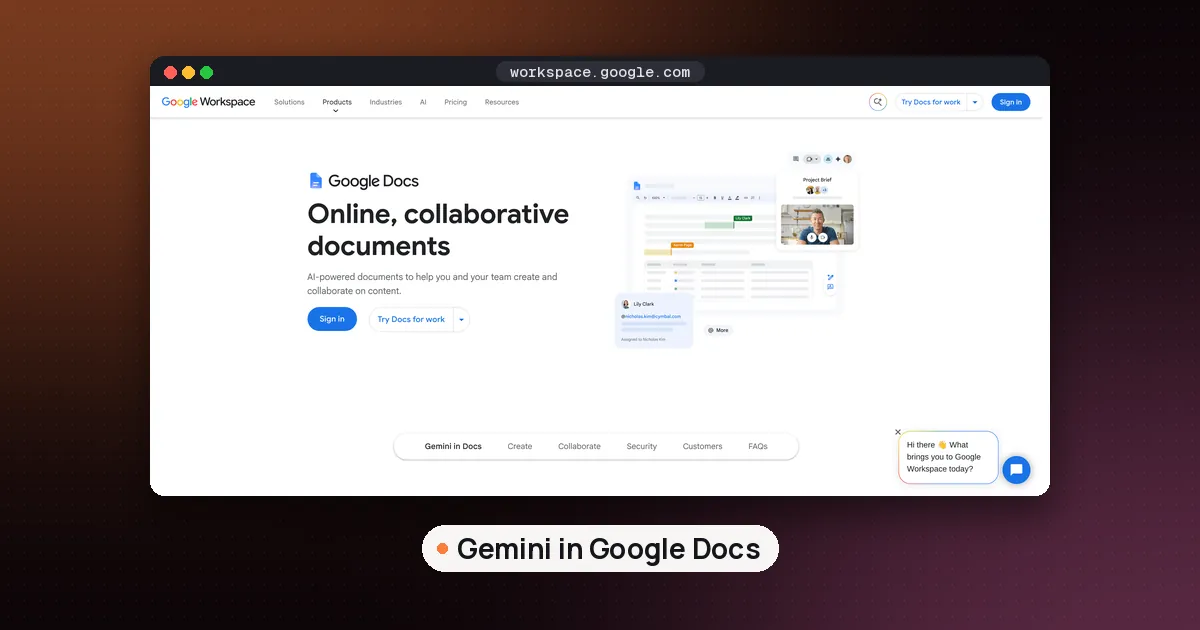
Docs. Draft a Google Doc, LaTeX, Markdown or TXT file, edit it inline or in full screen, then upload it to Drive. This suits short documents such as a cover letter, a meeting summary or a one page plan. For long documents you'll keep editing for weeks, the Doc itself in Google Docs is still the better home.
Sheets. Ask for a tracker, table or simple data model, preview it, then open it directly in Google Sheets. A related update in Sheets itself, announced October 28, adds web source citations to each cell filled by Gemini and raises the limit to 3,000 cells per request, per Google's Sheets update. That one needs a paid Workspace edition or a Google AI Pro or Ultra plan.
Slides. Ask for an outline or slide content, preview the layout, adjust tone and structure, then open the deck in Google Slides or download it as PPTX or PDF. Separately, Google said on October 30 that Gemini in Google Slides can now edit an entire presentation from one prompt, such as restyling every slide or merging three slides into one. That deck wide editing is a paid feature (Business Standard and Plus, Enterprise Standard and Plus, Google AI Pro and Ultra) with an extended rollout that started October 29.
So there are now two ways to work: build the first draft in the Gemini app and edit it there, or open the file in Docs, Sheets or Slides and use Gemini in the side panel. The first is free and quick for new files. The second is better for files that already exist in Drive.
Limits to know before you rely on it
- Mobile is PDF only. Everything except PDFs needs the web app for now.
- One file per prompt. Google's April post says Gemini generates one file per prompt, so ask for a deck and its handout in two messages.
- Upload caps. Up to 10 files per prompt, up to 100 MB each for documents, and rolling limits on chats with files that reset over time. Google AI Pro and Ultra raise those limits.
- Storage. Gemini has its own storage limit for chats and uploaded files, separate from Drive. If you see "Delete data to upload file," clear old Gemini activity.
- Temporary chats. They can't use Connected Apps or anything that needs Keep Activity, and adding files from Drive needs Keep Activity on and Google Workspace connected.
- Accuracy. Google's help page says Gemini can make mistakes. Read every number, name and date in a generated file before you share it.
How Gemini compares with Claude and ChatGPT
Gemini isn't first here. Claude has offered docs and slides you can edit beside the chat on every plan since October 8, 2026, with export to Word, PowerPoint, PDF and Google formats (see how to use Claude Docs, Slides and Design free). ChatGPT has a full deck editor in Space, but ChatGPT Slides is limited to Pro, Business and Enterprise.
Gemini's case is reach and Drive. It's available to every Gemini user, PDF editing works on a phone, and Sheets and Slides output opens straight in Google's apps. If your files live in Microsoft 365, Claude's Word and PowerPoint export is the closer fit. For polished presentation design, a dedicated tool like Gamma still does more; our best AI tools for PowerPoint guide compares the options. For studying from your own PDFs with citations rather than producing new files, Gemini Notebook remains the better choice, as covered in how to use NotebookLM for studying.
Who should use it
Use Gemini's file editor if you want a quick first draft of a PDF, doc, sheet or deck and you're happy to fix it in the same window. Students turning notes into study guides, and anyone who writes short reports or trackers in Google Workspace, get the most from it.
Skip it for editing an existing PDF where the layout must stay exactly as it is, or for long documents with many collaborators. In those cases, keep the file in a real editor and use Gemini as a helper on the side.
FAQ
Can Gemini edit a PDF I upload?
Google's announcement covers editing PDFs that Gemini creates in the chat. It doesn't say an uploaded PDF opens in the editor. You can upload a PDF, ask Gemini to recreate it with your changes as a new PDF or Google Doc, and edit that copy. Layout and form fields may not carry over.
Can Gemini create a PDF?
Yes. Ask for the answer "as a PDF" in the Gemini app. PDF is one of the formats Google lists for file generation, alongside Docs, Sheets, Slides, Word, Excel, CSV, LaTeX, TXT, RTF and Markdown. You can download most generated files or export them to Google Drive.
Can Gemini edit Google Docs?
Yes, in two ways. In the Gemini web app you can generate a Google Doc and edit it in the chat preview, then upload it to Drive. Inside Google Docs, Gemini in the side panel works on existing documents, depending on your plan.
Can Gemini edit Word documents?
Gemini can generate .docx files, but Google's October 29 post doesn't list Word among the formats you can preview and edit in the chat. A reliable workaround is to create a Google Doc in Gemini, edit it, then download it from Google Docs as a Word file.
Is Gemini file editing free?
Google says it is available to all Gemini app users in every supported language, with no admin control, so you don't need a paid plan. Paid Google AI plans raise upload limits, and some related features, like editing a whole deck from Gemini in Google Slides, require a paid plan.
Why can't I edit my file in the Gemini mobile app?
On mobile, only PDFs can be previewed and edited. Google Docs, Sheets, slide decks, Markdown, TXT and code files are web only for now, so open gemini.google.com in a computer browser.