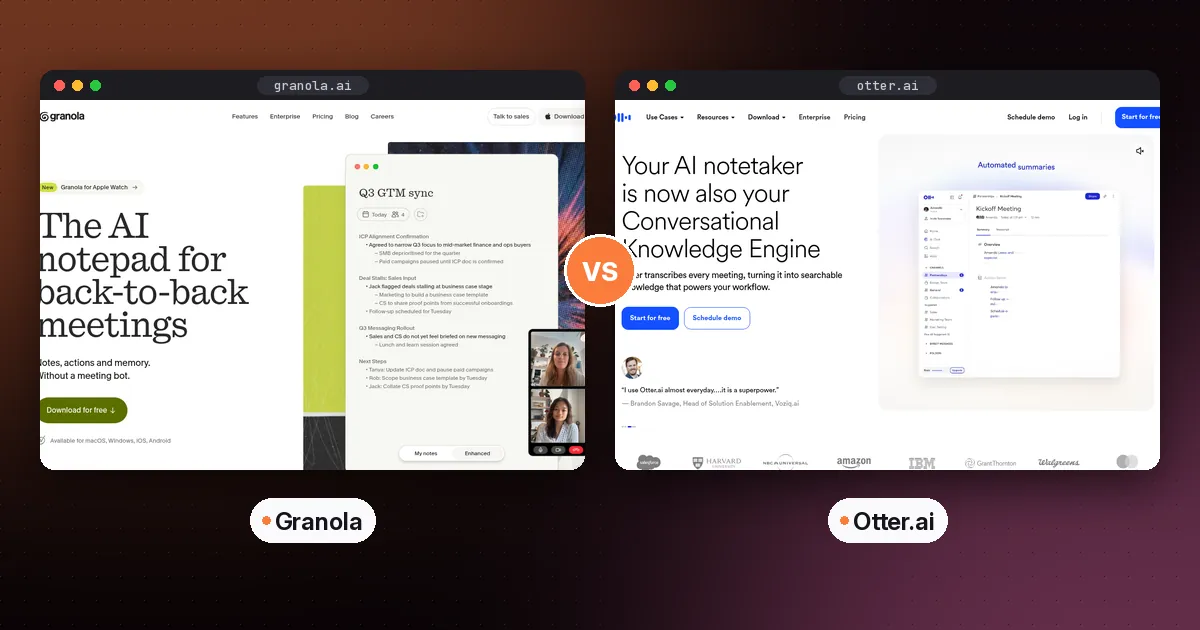
In the Granola vs Otter matchup, pick Granola if you take part in your meetings and want polished notes in your own words without a bot. Pick Otter if the transcript itself matters most, for example for interviews, lectures or searching what someone said months ago. Both now record without a bot, so the real difference is notes-first versus transcript-first, plus how each free plan limits you.
This guide compares them on capture, output, free plans, pricing, privacy and everyday use, with prices checked on each vendor's site on October 5, 2026.
Granola vs Otter at a glance
| Item | Granola | Otter |
|---|---|---|
| Core idea | AI notepad that improves your rough notes using the transcript | Live transcript with summaries and AI chat on top |
| Bot-free recording | Yes, always (device audio) | Yes, through the desktop app; a bot is also available |
| Meeting bot | No | Yes, for Zoom, Microsoft Teams and Google Meet |
| Free plan limit | 30 days of meeting history | 300 transcription minutes a month |
| Paid entry plan | Business, $14 per user per month | Pro, $16.99 per user per month on monthly billing (annual is cheaper) |
| Apps | Desktop, iOS, Android, Apple Watch | Web, desktop, iOS, Android |
| Live transcript during the call | Transcript feeds the notes | Yes, a core feature |
| Integrations on paid plan | Notion, HubSpot, Attio, Affinity, Zapier, MCP, API | Salesforce, HubSpot, Zapier on Pro |
| Student discount | Not listed | 20% off Pro with a .edu email |
How they capture your meeting
Granola never joins a call. It records your computer's audio and your microphone, so it works on any platform and with headphones. You start it yourself, usually from a calendar reminder.
Otter gives you a choice. Its Notetaker bot can join Zoom, Teams and Google Meet automatically, which is useful when you're double-booked or want a recording of a meeting you can't attend. Its desktop app for Mac and Windows records without a bot across Zoom, Google Meet, Slack Huddles and in-person conversations. It also reminds you before scheduled calendar events and gives you a floating controller to pause or stop recording.
Verdict: if you never want a bot, both work. If you sometimes want a bot to attend meetings for you, only Otter does that.
What you get after the meeting
This is the biggest practical difference.
Granola's output is a structured note. Your own bullet points stay at the top, and the AI fills in detail, decisions and action items from the transcript. Because your notes guide the summary, it emphasizes what you thought was important. You can chat with a single meeting or across many meetings, and use templates for recurring formats like one-to-ones or sales calls.
Otter's output centers on the transcript. You get speaker-labeled text you can play back, edit and highlight, plus an automated summary, action items and AI chat. Otter is better when you need the exact words. Think of a quote for an article, a lecturer's definition, or an agreement someone made last quarter.
Verdict: Granola for readable notes, Otter for a verbatim record.
Free plans compared
The two free plans limit different things, so the better one depends on your habits.
- Granola Basic has no published minute cap, but it only lets you see 30 days of meeting history. It still includes AI notes, AI chat, shared folders, templates and multi-language support.
- Otter Basic keeps your history but caps transcription at 300 minutes a month. Only 3 audio or video file imports are allowed over the life of the account, and AI chat queries are limited.
If you have many meetings but rarely look back more than a month, Granola's free plan goes further. If you have a few important conversations you need to keep and search, Otter's free plan fits better.
Pricing
Granola has three tiers: Basic (free), Business at $14 per user per month, and Enterprise at $35 per user per month. Business unlocks unlimited history, advanced AI models, integrations, pre-meeting briefs, follow-up emails, MCP and API access. One detail that catches teams out: Granola's subscriptions and billing help page explains that billing is per workspace, so every member of a workspace shares the same plan. If only one person on your team wants the paid features, check how that affects your seat count before you upgrade.
Otter lists Pro at $16.99 per user per month on monthly billing, with a large discount for annual billing. Business is listed at $30 per user per month on monthly billing. Pro allows meetings of up to 90 minutes, and Business allows up to 4 hours. Students and teachers get 20% off Pro with a .edu address.
Prices change often, so check Granola's pricing page and Otter's pricing page before you subscribe.
Privacy and trust
According to its pricing page, Granola is SOC 2 Type II certified, deletes audio after transcription, and lets every user opt out of model training. HIPAA-compliant workspaces and SSO are available only on Enterprise. You can also choose to notify participants that you're using Granola.
Otter's Enterprise plan adds SSO, SCIM and a HIPAA add-on. Paid team plans add admin controls, and Otter can send a recording disclaimer email. Either way, tell people when you're recording. Consent rules vary by location.
Pros and cons
Granola
- Pros: no bot ever, notes in your own voice, strong templates, mobile and Apple Watch apps.
- Cons: the free history window is short, it can't attend meetings for you, and there's no student discount.
Otter
- Pros: excellent searchable transcripts, live transcription, both bot and bot-free options, student discount.
- Cons: the free minutes cap is tight, file imports are very limited on free, and summaries read less like your own thinking.
Who should choose which
- Product managers, founders, consultants: Granola. You're in the meeting anyway, and clean notes matter more than verbatim text.
- Students recording lectures: Otter, especially with the student discount. The transcript makes revision easier. Pair it with a study tool like Gemini Notebook. See our guide on how to use NotebookLM for studying.
- Journalists and researchers: Otter, for quotes and search. If you interview people away from a desk, compare it with a hardware recorder in our AI note taker device guide.
- People who are often double-booked: Otter, because its bot can attend without you.
- Privacy-conscious teams: either can work. Compare their enterprise controls against your policy.
How to test both in one week
- Install both and connect the same calendar.
- For three meetings, run Granola and Otter's desktop app side by side (tell participants).
- Afterwards, ask each the same question, such as "What did we decide about the launch date?"
- Count how many corrections each summary needs.
- Keep the one you'd actually open the next morning.
If neither fits, Fathom has a generous free plan, and Fireflies suits CRM-heavy teams. See our full roundup of the best AI note taker for meetings. If the notes end up in a wider knowledge base, our best AI note-taking app guide covers where to keep them.
FAQ
Is Granola better than Otter?
Neither is better for everyone. Granola is better for people who want concise, readable notes without a bot. Otter is better if you need full transcripts, a bot that can attend for you, or a student discount.
Does Granola use a bot?
No. Granola records your device's audio and microphone, so no bot joins the meeting. That's why it works with headphones and on any call platform.
Does Otter have a free plan?
Yes. Otter Basic is free and includes 300 transcription minutes a month, live transcription, speaker identification and mobile apps. It also includes 3 lifetime file imports.
Can Otter record without joining as a bot?
Yes. Otter's desktop app for Mac and Windows records system audio without a bot in Zoom, Google Meet, Slack Huddles and in-person conversations.
Which is better for students, Granola or Otter?
Otter usually suits students better. Lectures benefit from a full transcript, and Otter offers 20% off Pro for .edu email addresses. Granola is fine for group projects where you're taking notes yourself.