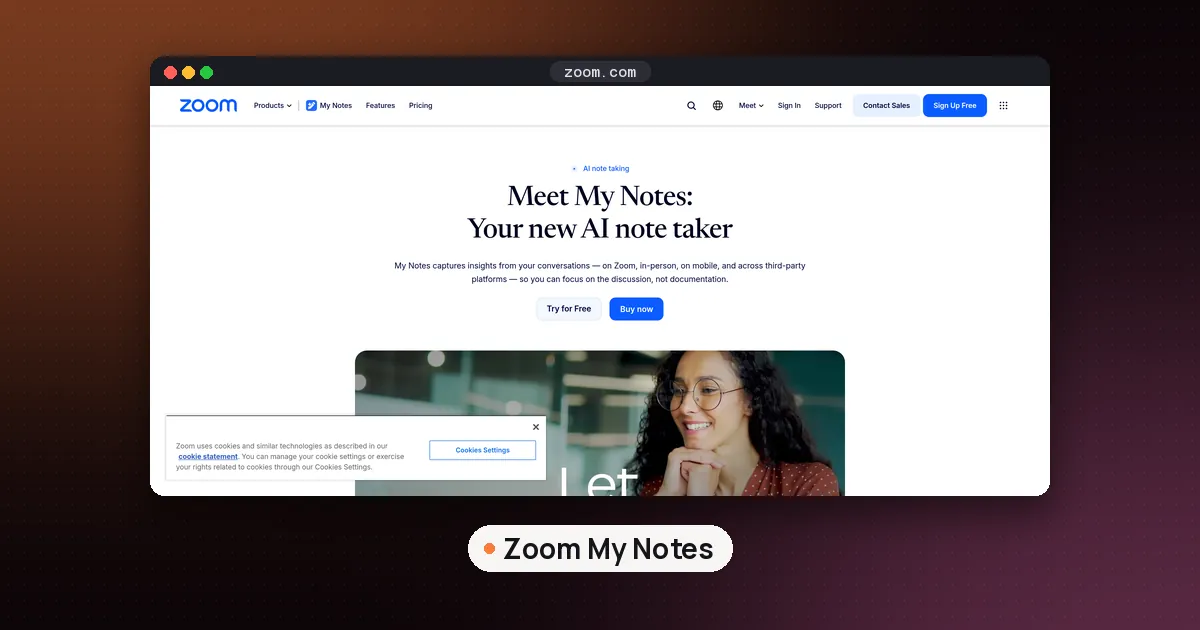
Zoom My Notes is Zoom's personal AI note taker. You type your own notes during a meeting, turn on transcription, and after the call My Notes merges your notes and the transcript into a summary with key takeaways and action items. It needs a paid Zoom account (Pro, Business or Enterprise) or a My Notes standalone account, and it works in Zoom meetings, in person and, on desktop, in meetings on other platforms such as Microsoft Teams and Google Meet.
My Notes got a lot of attention this week because Zoom used its Zoomtopia conference on October 20, 2026 to announce a standalone My Notes mobile app, a "Follow Meeting" option that attends calls for you, and hardware partners. Most of those pieces aren't out yet. This guide covers what works today, how to set it up, the limits by plan, how to turn it off, and which announced features have dates. Facts were checked against Zoom's support articles and Zoom's Zoomtopia announcement on October 21, 2026.
What Zoom My Notes is
Zoom My Notes is a notebook that belongs to you, not to the meeting. Zoom's Using My Notes help article describes it as a personal note taking feature for meetings, webinars and phone calls, and it says the notes you create aren't automatically shared with the host or other participants.
That last point is what sets it apart from a meeting summary sent to everyone. My Notes behaves more like Granola: you write a few rough lines, the transcript fills in the gaps, and the result reads like your notes rather than a generic recap. Zoom's own product page says it captures notes "no bots required", so nobody sees an extra participant join the call.
You can use it in four places, according to Zoom:
- The Zoom Workplace desktop app for Windows and macOS
- The Zoom Workplace mobile app for iOS and Android
- The Zoom Web App in a browser
- Zoom Rooms
Who can use it: plans and app versions
Zoom's support pages list the same requirements for using and managing My Notes:
- Plan: a Pro, Business or Enterprise account, or a My Notes standalone account. Free Basic accounts aren't on the list.
- Desktop app: Zoom Workplace 6.7.5 or higher. For full functionality you need macOS 14.2 or later, or Windows 10 version 21H1 or later.
- Mobile app: Zoom Workplace 7.0.3 or higher on iOS or Android.
- Browser: the Zoom Web App works in Chrome or Edge. Other browsers can capture your microphone but not system audio, so they can't transcribe the other side of a third party call.
Zoom also notes that hosts and participants both need recent app versions for full My Notes features inside a Zoom meeting, including the controls that let someone disable My Notes transcription for individual participants.
Transcription limits by plan
Zoom's comparison page for its AI tools lists My Notes transcription limits by plan tier:
| Plan | Monthly transcription | Per meeting |
|---|---|---|
| Pro | 1,200 minutes | 90 minutes |
| Business and up | 6,000 minutes | 4 hours |
In plain terms, a Pro user can transcribe roughly 20 hours of meetings a month, and any single session stops at an hour and a half. If your weekly team call runs long, Business is the tier that covers it. The same page says core AI features are included with paid Zoom Workplace plans starting at $14.16 per user per month, and that ZoomMate, Zoom's agent for search, workflows and document completion, starts at $20 per user per month with included AI credits. Prices change, so confirm on Zoom's pricing page before you buy.
How to set up Zoom My Notes
Setup happens in the Zoom web portal, then in the app. Zoom's enabling and disabling article gives these steps for your own account:
- Sign in to the Zoom web portal.
- Click your profile picture or initials in the top right, then My account.
- Click Settings in the side menu, then Notes.
- Turn on Enable My Notes.
- Turn on Transcribe my meetings with My Notes if you want transcripts. Without this, My Notes is a plain notepad.
- Allow Zoom AI to generate content in My Notes if you want summaries and AI enrichment of your notes.
Then give the desktop app microphone and system audio access when your operating system asks. Zoom says both are needed to get transcripts. On a Mac, that means approving the permission prompts in System Settings under Privacy and Security.
If a toggle is grayed out, your admin has locked it at the account or group level. Only they can change it.
Using it in a meeting
Zoom's product page sums up the flow in three steps. Start or join a meeting (on Zoom, Teams, Google Meet or in person), click the My Notes icon to begin, then type quick thoughts and turn on transcription. Zoom shows a visible indicator in the meeting while transcription is active. After the meeting, My Notes organizes your notes and the transcript into a summary with takeaways and action items.
A few habits make the summary better:
- Write the agenda first. Three or four lines of context before the call give the AI something to hang the transcript on.
- Mark decisions as they happen. A short line like "decided: ship Friday" is easy for you to type and hard for a summary to miss.
- Check names and numbers. Like every transcript, this one can mishear jargon, prices and dates. Confirm anything you plan to act on.
Limits to know before you rely on it
Zoom's support article lists several limitations, and they matter most for mobile and browser users:
- Using My Notes with third party meeting platforms isn't supported in the mobile app. For Teams or Google Meet calls, use the desktop app.
- Using My Notes with Zoom Webinars isn't supported in the mobile app.
- Automatic voice activity detection, the feature that notices you're in a conversation and offers to take notes, doesn't work in the mobile app or the Web App.
- In the Web App, system audio capture for third party and in person meetings only works in Chrome and Edge.
- My Notes isn't designed for Zoom Contact Center participants.
If you mainly meet in Teams, Microsoft's own tools may be simpler. See how to transcribe a meeting with Copilot.
How to turn off Zoom My Notes
"Zoom My Notes turn off" is one of the most common searches about the feature, and the answer depends on who you are.
For yourself: go to the web portal, then My account, Settings, Notes, and switch off Enable My Notes. To keep the notepad but stop transcription, switch off only Transcribe my meetings with My Notes.
For a whole account (admins): go to Admin Center, Settings, Notes. Zoom's article lists separate toggles to disable My Notes for everyone, to block transcription, and to turn off AI enrichment, email notifications and mobile auto saving of non Zoom recordings. Admins can also lock these so users can't change them.
For your meetings as a host: admins can turn off Allow participants to transcribe meetings with My Notes, which Zoom says stops anyone joining meetings hosted by that account from creating a My Notes transcript, whether or not the host uses My Notes. A host can also manage participants' access to My Notes from the in meeting host controls.
That last setting is the one to check if your company records sensitive calls and doesn't want guests producing their own transcripts.
What Zoom announced at Zoomtopia 2026
At Zoomtopia on October 20, 2026, Zoom described My Notes as the center of a new "Unified Context Layer" that ties meeting, chat and phone conversations to company knowledge and connected apps. Here is what was announced for My Notes, with the timing Zoom gave:
| Feature | What it does | Zoom's timing |
|---|---|---|
| My Notes Workflows | Sends summaries to tools like Zoom Chat or Salesforce, with templates and a "describe it" builder | Expected October 2026 |
| Standalone mobile app | Records and transcribes in person meetings without the Zoom Workplace app | Expected December 2026 |
| Follow Meeting | Sends My Notes to a Zoom meeting you can't attend, then gives you a transcript and summary; includes an auto start option | Expected December 2026 |
| Screen Capture in Transcript | Saves screenshots tied to the moment in the transcript | Expected December 2026 |
| DTEN Action Card | A card sized recorder that sends in person conversations to My Notes | Expected November 2026 |
| Bota Leaf and Bean | A magnetic phone card and a wearable recorder that connect to My Notes | Expected first quarter of 2027 |
Two things are available now, according to the announcement: agentic search across Zoom Meetings, Phone, Chat and more than 40 third party apps, and ZoomMate's AI Agent Teams. Zoom also says its meeting context can be reached from other AI tools through MCP connectors and APIs, and that starting in November users will be able to launch Zoom workflows from Claude and Codex.
So if you searched "Zoom My Notes release" after the keynote, the honest answer is that the notes feature itself is out, Workflows is due this month, and the mobile app and Follow Meeting are planned for December.
Zoom My Notes vs dedicated note takers
My Notes is a strong default if your company already pays for Zoom. You get transcripts and summaries without another subscription or another vendor holding your audio. The tradeoffs are the plan caps above and the gaps on mobile.
Here is how it compares with the tools covered in our best AI note taker for meetings guide:
- Granola also captures device audio without a bot and works across platforms. It's the closer match if you take most calls outside Zoom. Our Granola vs Otter comparison has the plan details.
- Otter is the pick when you need a searchable archive of every transcript, including lectures.
- Superwhisper launched Superwhisper Meetings on October 14, 2026, and its announcement describes a bot free recorder that can run on its own models, your model endpoints or a fully local stack. That suits people who don't want meeting audio in the cloud. For another local option, see Google AI Edge Foresight.
- Hardware recorders such as Plaud cover in person meetings today, which is the gap Zoom's December mobile app and partner devices aim to close. Our AI note taker device guide compares them.
FAQ
Is Zoom My Notes free?
Not on a free Zoom account. Zoom lists a Pro, Business or Enterprise plan, or a My Notes standalone account, as a requirement. Zoom says core AI features are included with paid Zoom Workplace plans, and transcription minutes depend on the tier.
Where do I find my Zoom My Notes transcript?
The transcript is attached to the note you created for that meeting, alongside your typed notes and the AI summary. Notes sync between the desktop and mobile apps, so you can start on one and finish on the other.
Can other people see my notes?
Not by default. Zoom says notes you create aren't automatically shared with hosts or participants. You can choose to share summaries through Zoom Canvas or Chat.
Does Zoom My Notes work with Microsoft Teams and Google Meet?
Yes, on desktop. Zoom says My Notes can take notes in Teams, Google Meet and other third party platforms without a bot. The mobile app doesn't support third party platforms.
How is My Notes different from Zoom's meeting summaries?
Meeting summaries are part of the core AI features in paid Zoom Workplace plans. My Notes is your personal notebook: your own typed notes plus a transcript, private unless you share it, and usable in in person and non Zoom meetings too.
Why is Zoom My Notes not working?
Check four things: your plan is Pro or higher, your app is at least version 6.7.5 on desktop or 7.0.3 on mobile, transcription is switched on under Settings and Notes, and the app has microphone and system audio permission. If a setting is grayed out, ask your admin.