The best AI note taker for meetings in 2026 is Granola if you want bot-free notes that still read like your own. Choose Fathom if you want the most generous free plan, and Otter if you need a searchable transcript of everything that was said. Teams that live in a CRM should look at Fireflies or Fathom's paid tiers. Read AI and tl;dv are solid picks for people who want meeting analytics or a free recorder that joins calls for them.
That's the short answer. The rest of this guide explains the one decision most comparisons skip, which is how the tool hears your meeting. Then it covers what each free plan really limits and who each tool is for.
How to choose an AI note taker for meetings
Before you compare features, decide how you want audio captured. Each method has real trade-offs.
- Meeting bot. A visible participant joins Zoom, Google Meet or Microsoft Teams and records. It works even when you skip the call, but some companies block bots and some clients find them off-putting.
- Device audio (bot-free). A desktop or phone app records your microphone and your computer's audio, so nobody else sees a bot. You have to be running the app, but it works with headphones and on any call platform.
- Browser extension. Some tools record through a Chrome extension instead of a bot. That's handy for Google Meet but tied to the browser.
Then check three things: how much history the free plan keeps, whether it caps minutes or meetings, and where your notes need to end up, such as Notion, Slack or a CRM.
Quick comparison
| Tool | Capture method | Free plan | Paid from | Best for |
|---|---|---|---|---|
| Granola | Bot-free device audio (desktop, iOS, Android) | Yes, 30 days of meeting history | $14 per user per month (Business) | Notes that read like yours |
| Fathom | Bot, plus bot-free capture in beta on Mac | Yes, unlimited recordings and transcripts | $16 per month billed annually (Premium) | Best free plan |
| Otter | Bot, or bot-free desktop app | Yes, 300 transcription minutes a month | $16.99 per user per month on monthly billing (Pro) | Searchable transcripts, lectures |
| Fireflies | Bot, Chrome extension or desktop app | Yes | See the vendor's pricing page | Sales teams and CRM sync |
| Read AI | Bot and apps for Windows, macOS, iOS, Android | Yes, 5 meeting transcripts a month | $15 per user per month billed annually (Pro) | Meeting metrics and coaching |
| tl;dv | Bot for Meet, Zoom and Teams | Yes | See the vendor's pricing page | Recording plus CRM notes |
Prices were checked on each vendor's pricing page on October 5, 2026. Annual and monthly prices differ, so confirm before you buy.
The tools, one by one
Granola: best overall for people who take their own notes
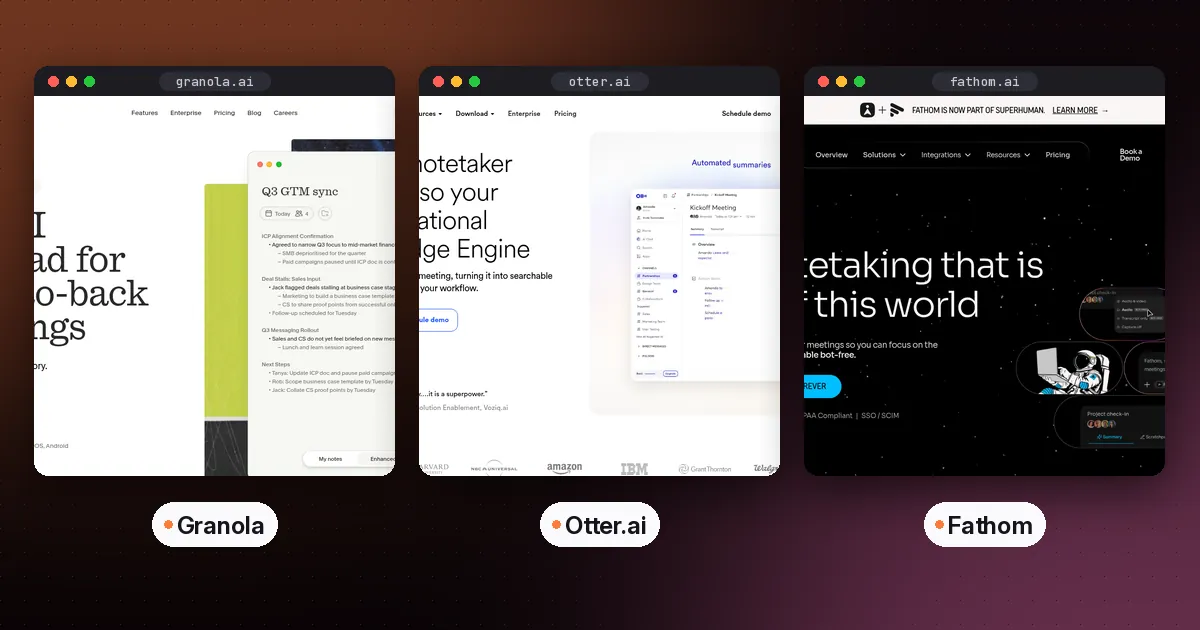
Granola works like a notepad. You jot rough notes during the call, and afterwards it merges them with the transcript to produce clean, structured notes. It captures device audio, so no bot joins the meeting. According to Granola's pricing page, the free Basic plan includes AI notes, chat across meetings, templates and shared folders, but only 30 days of meeting history. The Business plan, at $14 per user per month, adds unlimited history, integrations with Notion, HubSpot, Attio, Affinity and Zapier, plus MCP and API access.
- Pros: no bot, notes stay in your own words, apps for desktop, iOS, Android and Apple Watch, and audio is deleted after transcription.
- Cons: the free plan's 30-day history is short, and it's less useful if you want to skip meetings entirely.
- Who it's for: founders, product managers, consultants and anyone on client calls where a bot would feel awkward.
Fathom: best free AI note taker
Fathom gives individuals unlimited recordings and transcriptions on its free plan, plus instant summaries, clips and search across calls. Most people use its bot. Fathom's pricing page also lists a bot-free capture option, currently in beta for Mac. Premium adds advanced summaries, AI action items and a conversational assistant. Team and Business plans add shared playlists, CRM field sync and coaching metrics.
- Pros: the free plan is hard to beat, and the summaries are quick.
- Cons: bot-free capture is still a Mac beta, and team features need a minimum of two paid seats.
- Who it's for: freelancers, job seekers and small teams who want strong results before paying anything.
Otter: best for searchable transcripts
Otter is transcript-first. Its free Basic plan, as listed on Otter's pricing page, includes live transcription, speaker identification, AI chat across meetings, iOS and Android apps, and 300 transcription minutes a month. Otter's desktop app for Mac and Windows can record without a bot across Zoom, Google Meet, Slack Huddles and in-person conversations. Pro raises the limits, and Otter offers a 20% student and teacher discount on Pro for .edu email addresses.
- Pros: strong for interviews, lectures and anything where exact wording matters, and it now offers both bot and bot-free options.
- Cons: the free minute cap fills up quickly if you have many meetings, and AI chat queries are limited on the free plan.
- Who it's for: students, researchers, journalists and teams who search old conversations.
Fireflies: best for sales and CRM-heavy teams
Fireflies records through a meeting bot, a Chrome extension that works without the bot, or a desktop app. Its pricing page lists conversation intelligence on higher tiers, such as sentiment analysis, speaker talk-time and topic trackers, along with integrations and API access. English is the primary language, and over 100 other languages are in beta.
- Pros: a deep integration and analytics stack, with several capture modes.
- Cons: more platform than notepad, which is overkill for one person.
- Who it's for: sales, customer success and recruiting teams that want calls logged automatically.
Read AI: best for meeting metrics
Read AI adds live metrics and a personal meeting coach on top of summaries. Its free plan covers 5 meeting transcripts a month, and paid plans start at $15 per user per month billed annually, according to Read AI's plans page.
- Pros: apps for every major platform, and summaries cover email and messaging too.
- Cons: the free plan runs out quickly for anyone with daily meetings.
- Who it's for: managers who want data on how their meetings go.
tl;dv: a free recorder with CRM notes
tl;dv records and transcribes Google Meet, Zoom and Teams calls and pushes notes into CRMs and other tools. It promotes a free-forever plan. Check its site for current limits, which change often.
What about Notion AI Meeting Notes?
If your team already pays for Notion's Business plan, Notion AI includes AI Meeting Notes with no bot needed, according to Notion's pricing page. It's worth testing before you buy a separate tool, especially if your notes end up in Notion anyway.
How to set up an AI note taker in 15 minutes
- Pick your capture method. If bots are blocked at your company or your clients dislike them, start with Granola, Otter's desktop app or Fathom's Mac beta.
- Connect your calendar, but turn off auto-join for external meetings until you've decided on your disclosure policy.
- Tell people you're recording. Recording consent laws vary by country and state. A one-line note in the invite ("I use an AI note taker; let me know if you'd prefer I don't") covers most situations.
- Create one template for your most common meeting type, such as a one-to-one, client call or lecture. Give it fixed headings for decisions, action items and open questions.
- Send notes somewhere you'll see them. Route them to Notion, Slack or your CRM, so they don't stay stuck in another app.
- Review the first five summaries against your own memory. Fix any wrong names using the custom vocabulary feature.
Which one should you pick?
- You attend every meeting and want no bot: Granola.
- You want the best free plan: Fathom.
- You need exact transcripts or record lectures: Otter.
- You run a sales team: Fireflies, or Fathom Business.
- You want metrics on meeting quality: Read AI.
If you want meeting notes to land in a broader notes system, see our guide to the best AI note-taking apps.
For a head-to-head of the two most-searched tools, read Granola vs Otter. If you also dictate emails and documents, see our comparison of Wispr Flow and Superwhisper, and for turning lecture or meeting transcripts into study material, read how to use NotebookLM for studying. Follow-up emails are the other half of most meetings, so our AI email assistant guide covers the tools that draft those replies.
FAQ
What is the best free AI note taker for meetings?
Fathom has the most generous free plan for individuals, with unlimited recordings and transcriptions. Otter's free plan gives you 300 transcription minutes a month. Granola's free plan has no minute cap, but it only keeps 30 days of meeting history.
Is there an AI note taker that doesn't join the meeting as a bot?
Yes. Granola records device audio and never sends a bot. Otter's desktop app can also record without a bot. Fathom offers bot-free capture as a Mac beta, and Fireflies can record through a Chrome extension without its bot.
Can AI note takers record in-person meetings?
Several can. Otter's desktop and mobile apps record in-person conversations, and Granola has iOS and Android apps. Place the phone or laptop close to the speakers for better accuracy. If you record in person every day, a dedicated recorder such as Plaud may be worth it; see our guide to choosing an AI note taker device.
Is it legal to use an AI note taker?
It depends on where you and the other participants are. Some places require everyone's consent to record. Tell participants, and follow your company's policy. This guide isn't legal advice.
Are AI meeting notes accurate enough to rely on?
They're good for summaries and action items, but they can mishear names, numbers and jargon. Check anything important, such as prices, dates or commitments, against the transcript before you act on it.