Here is how to make flashcards with AI: upload your own notes, slides or readings to a tool such as Gemini Notebook (formerly NotebookLM), ChatGPT or Claude, and ask for short question and answer cards on the key terms. Check every card against the source before you study it. Then practice in the tool itself, or move the cards into a spaced repetition app like Anki or Quizlet so reviews come back on a schedule.
The AI part takes about a minute. The checking and the reviewing are where the learning happens, so most of this guide is about those two steps. Features below were checked against each vendor's official help pages on October 25, 2026.
How to make flashcards with AI: the quick method
- Start from your own material. Lecture slides, your notes, a textbook chapter, a lecture transcript or a PDF reading. Cards built from what your course actually covers beat cards built from a topic name, because a general model will happily add details your instructor never taught.
- Pick one tool. Gemini Notebook if your material is spread across many files, ChatGPT if you want cards inside a chat you already use, Claude if you want a custom deck you can tweak. All three work on free plans.
- Ask for a small, focused deck. One lecture or one chapter at a time. Say how hard the cards should be and what to leave out.
- Check every card against the source. Delete, split or fix anything vague or wrong.
- Study with active recall. Read the front, answer out loud or on paper, then flip. Mark what you missed.
- Review on a schedule. Either come back to the tool's "missed" pile, or export the deck to a spaced repetition app.
Best tools for AI flashcards
| Tool | Where the flashcard feature lives | Export | Free plan |
|---|---|---|---|
| Gemini Notebook | Studio panel, Flashcards button | CSV download | Yes |
| ChatGPT | Ask in any chat; decks save to your library | Not documented; ask for a text list | Yes |
| Claude | Ask for a flashcard artifact | Copy the content; ask for a text list | Yes |
Gemini Notebook: best for cards from many sources
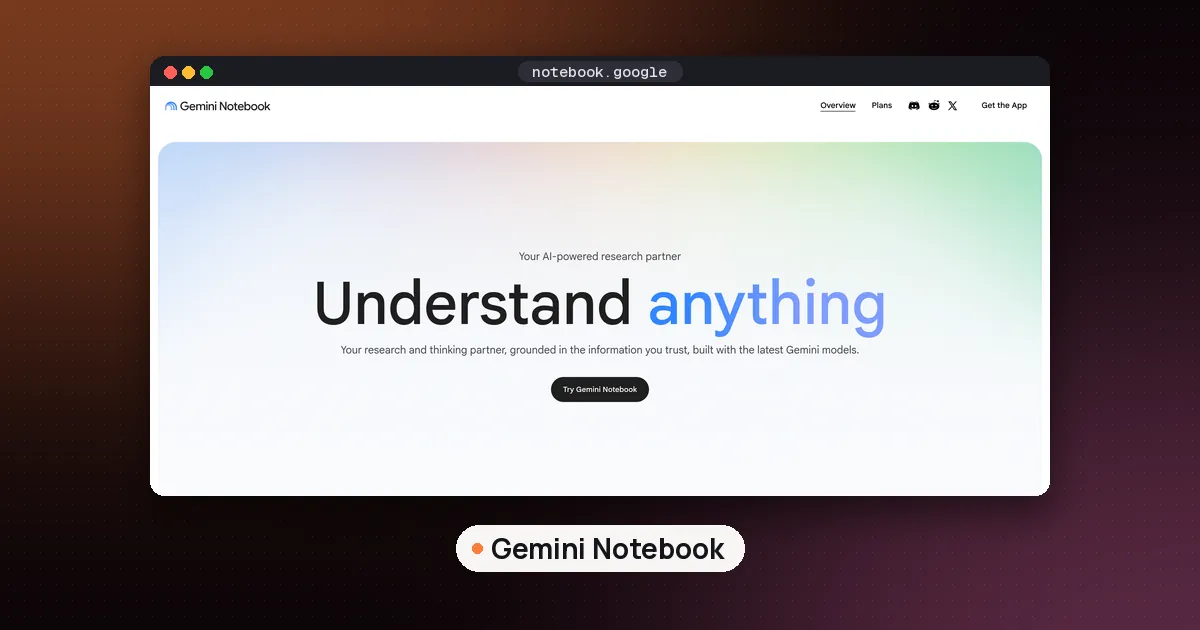
Gemini Notebook has a dedicated flashcard tool. Google's help page on generating flashcards or quizzes walks through it: open a notebook with your sources, then select Flashcards in the Studio panel. Click the pencil icon first if you want to customize. You can choose easy, medium or hard, pick fewer, standard or more cards, and type a prompt that sets the focus, audience or style. The mobile app also lets you choose a language and select which sources to include.
While you study, you can ask for an explanation of any card, mark each one "Got it!" or "Missed it!", shuffle, and delete cards you don't want. At the end you can practice the same cards again, all cards, or only the ones you missed. The notebook remembers your progress if you leave and come back. You can also download the deck as a CSV file, which is the cleanest route into Anki or Quizlet. Google notes one exception: if a notebook uses a Play Books ebook as a source, the publisher's restrictions may block the download.
Because the cards come from your uploaded sources, Gemini Notebook is the strongest option when a unit spans slides, readings and a lecture recording. Our guide on how to use NotebookLM for studying covers setting up one notebook per class and the free plan limits.
ChatGPT: best if you already study in a chat
ChatGPT added interactive flashcards in September 2026. OpenAI's flashcards help page says you can ask for cards on a topic or upload notes and ask ChatGPT to turn them into a deck. The cards appear right in the reply. Tap a card to flip it, mark a check if you knew it or a cross to practice it again later, and shuffle to change the order. You can ask ChatGPT to add or rewrite cards in the same conversation, for example "Rewrite this definition in simpler language." Decks save to your library automatically.
The ChatGPT release notes list the feature on mobile and web for all ChatGPT plans, Free included. OpenAI's help page does not describe a file export, so if you want the cards in another app, ask ChatGPT to also print them as plain text, one card per line (the prompt below does this). If you're a student weighing plans, see is ChatGPT free for students.
Claude: best for a custom deck you can reshape
Claude doesn't have a flashcard button. Instead you ask for a deck and it builds one as an artifact, which Anthropic's help center describes as anything from a document to a small interactive tool that opens beside the chat. Its artifacts help page lists artifacts on the Free, Pro, Max, Team and Enterprise plans. Ask for "an interactive flashcard deck with flip, got it and review again buttons" and Claude builds a deck you can click through, then change by asking for edits in the same chat.
The tradeoff is that Claude's deck is only what you describe, and Anthropic doesn't document saved study progress or review schedules for it. For long term review, have Claude output the cards as text and import them into a spaced repetition app.
Where your notes come from
If you record lectures, a transcript makes a good source. Otter and the other apps in our best AI note taker for college students guide produce transcripts you can upload to any of the tools above. For the wider toolkit, see the best AI tools for students.
A flashcard prompt that makes good cards
The default output of most tools is fine for vocabulary and weak for concepts. A specific prompt fixes that. Paste this after uploading your material, and change the parts in brackets:
Make flashcards from the attached [lecture slides on cell respiration].
Rules:
1. One fact or idea per card. Split anything with "and" in the answer.
2. Front: a question, not a bare term. Back: an answer under 25 words.
3. Mix definitions, "why" questions and "what happens if" questions.
4. Use only information in the attached file. If something is unclear, skip it.
5. Skip [course logistics and the history slides].
6. After the cards, list them again as plain text, one per line, as: front;back
Why these rules work:
- One idea per card makes each review a clear pass or fail. A card with three facts on the back is one you'll half know forever.
- Questions instead of terms force recall in the direction exams ask. "What does the electron transport chain produce?" tests more than "Electron transport chain."
- "Only the attached file" keeps the model from filling gaps with general knowledge that may not match your course.
- The plain text list at the end gives you something you can paste straight into Anki or Quizlet.
For terms that need a blank instead of a question, ask for cloze cards: "Write each card as a sentence with the key term replaced by a blank."
Checking AI flashcards for mistakes
Both OpenAI and Google warn about this. OpenAI's help page says ChatGPT can make mistakes and tells you to check cards against your original notes before an exam. Google's mobile app help says flashcards and quizzes are AI generated and may contain inaccuracies. Drilling a wrong card is worse than not having it, because you'll remember the error.
A quick check for each deck:
- Read the back first. Does the answer match your slides word for word on the parts that matter, such as numbers, dates, names and units?
- Look for answers that are too long. If the back runs to three lines, split it.
- Look for vague fronts. "What is important about X?" has no single right answer. Rewrite it so it does.
- Use the citations. In Gemini Notebook, click Explain or the source reference to see where a card came from.
- Delete what you already know cold. A smaller deck gets reviewed. A huge one gets abandoned.
Moving cards into a spaced repetition app
The built in practice modes in Gemini Notebook and ChatGPT let you mark cards and retry the ones you missed. What they don't document is a review schedule that brings a card back days later, right before you'd forget it. That is the job of a spaced repetition app.
Anki's manual explains the idea behind it: you rate how well you recalled each card, and Anki schedules the next review so easy cards come back less often and hard ones more often. Anki is open source, the desktop app is free for Windows, macOS and Linux, and the free AnkiWeb service syncs cards between devices, according to the Anki download page.
Importing into Anki
- Save your cards as a plain text file in UTF-8, one card per line, with the front and back separated by a semicolon, comma or tab. A Gemini Notebook CSV download or the plain text list from the prompt above both work.
- If an answer itself contains a semicolon, wrap that field in double quotes.
- In Anki, choose Import, pick the file, choose the deck, and check that the fields map to Front and Back in the preview.
Anki's text file import guide covers the details, including a header line such as #separator:Semicolon that forces the separator, and a tags column.
Importing into Quizlet
Quizlet's import help page says to separate each term and definition with a comma, tab or dash, and each card with a new line or semicolon. Then select Create, choose Flashcard set, give it a title, select Import and paste your text. Import works on the Quizlet website only, but you can study the set in the iOS or Android app afterward.
Good habits for AI flashcards
- Make cards the same day as the lecture, while you still remember what was emphasized.
- Answer before you flip, every time. Recognizing an answer is not the same as recalling it.
- Rebuild weak cards. If you keep missing one, the card is often the problem, so ask the AI to rewrite it or split it.
- Keep integrity in mind. Making study cards from your own course material is studying. Follow your course's AI policy for anything you hand in.
FAQ
Can AI make flashcards from a PDF?
Yes. Gemini Notebook accepts PDFs as sources, and ChatGPT and Claude both take uploaded files. Ask for cards from one chapter or section at a time, and say "use only the attached file" so the cards match your reading.
Which free AI flashcard maker works best?
For course material spread across several files, Gemini Notebook, because it builds cards from all your sources and lets you download them as a CSV. For quick decks inside a chat, ChatGPT's flashcards are on the Free plan. Claude is the most flexible if you want to design the deck yourself.
Is it cheating to use AI flashcards?
Making flashcards to study from your own notes is a study aid, not submitted work. That said, policies differ by course and school, so check your syllabus or ask your instructor if you're unsure.
How many flashcards should I make per lecture?
There's no fixed number. Make one card for each idea you'd expect to be tested on, then cut cards you already know well. Gemini Notebook's "fewer" setting is a good starting point if a deck feels too big.
Can I put ChatGPT flashcards into Anki?
OpenAI doesn't document an export button for ChatGPT flashcards. Ask ChatGPT to list the cards as plain text, one per line with a semicolon between front and back, save that as a UTF-8 text file, and import it into Anki.
Does Gemini Notebook use spaced repetition?
Google's help page describes marking cards as "Got it!" or "Missed it!" and retrying only the missed cards, and it saves your progress. It does not describe a spaced review schedule, so use Anki or a similar app for that.