The best AI note taker for college students in 2026 is Otter if you need live lecture transcripts, Gemini Notebook if you want quizzes and study guides from your own slides and recordings, and Capacities if you need a free long term home for course notes. Pick by the job: capture in class, revise after class, or keep a semester knowledge base. This guide is about those three jobs, not a full student toolkit.
Our broader roundup of best AI tools for students covers writing, planning and slides. The best AI note taking apps guide compares Notion, Mem and friends for everyday knowledge work. Here we stay on lectures, seminars and exam prep. Facts and plan limits were checked on vendor pages on October 10, 2026. Always confirm current prices and campus recording rules before you subscribe or hit record. If you want ChatGPT for school, see is ChatGPT free for students for the current student offer.
Best AI note taker for college students: quick picks
| Job | Best pick | Free starting point | Student deal (verified) |
|---|---|---|---|
| Live lecture transcript | Otter | Yes, 300 transcription minutes a month | 20% off Pro with a .edu email |
| Study from your own materials | Gemini Notebook | Yes on personal and many school accounts | Higher limits if your school or Google AI plan upgrades you |
| Long term course notes | Capacities | Yes, Basic with unlimited objects | Back to school 40% off annual Pro when offered |
| Visual maps and PDF research | Heptabase | No free plan listed | See vendor pricing |
| Shared class workspace | Notion Education | Free Education Plan (Plus like features) | Full Notion AI still needs Business or a limited trial |
| Local Markdown notes | Reflect Open | Free Mac app | Bring your own AI key |
How to choose an AI note taker for college students
College note taking is different from workplace meetings. Lectures often run past an hour, recording may need the lecturer's permission, and your notes have to survive until finals. Ask four questions before you pick a tool.
- Where does the audio happen? In a hall with your phone, on Zoom or Teams, or from a posted recording.
- Do you need a full transcript or structured study notes? Transcripts help when you missed a definition. Study notebooks help when you need flashcards and quizzes.
- Where should notes live for the whole semester? A meeting app with short history is a poor semester archive.
- What does your syllabus allow? Many courses ban recording without consent. AI rewritten essays submitted as your own work can also violate integrity rules even when lecture capture is allowed.
If your main need is workplace calls rather than classes, start with our best AI note taker for meetings guide instead.
Best for live lectures: Otter
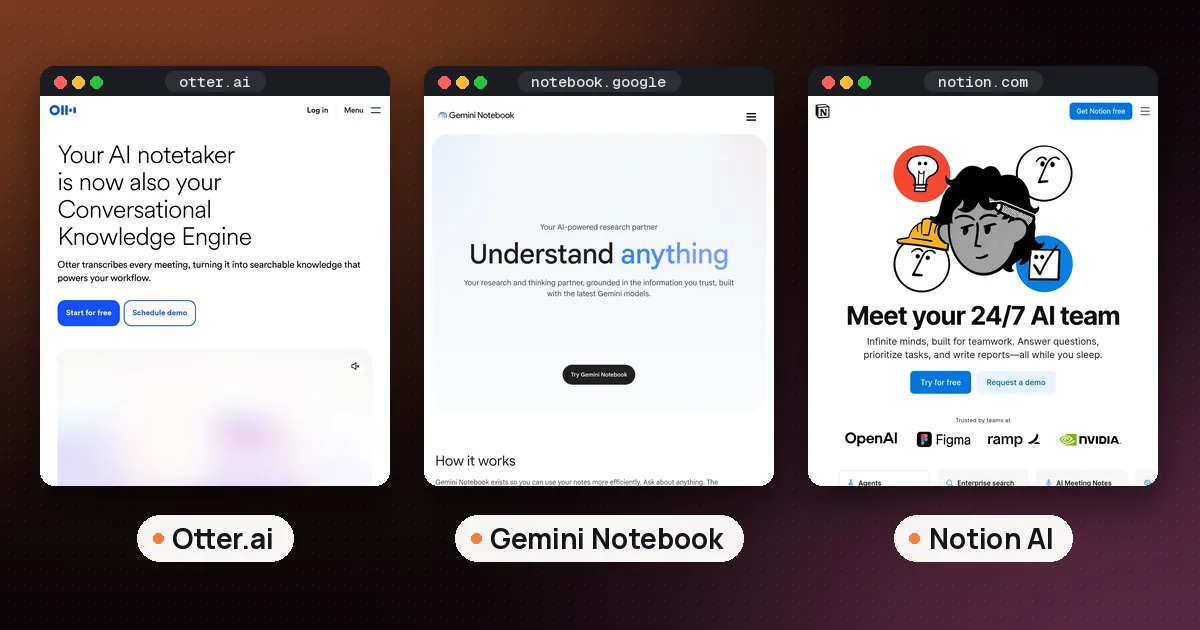
Otter is the practical pick when you sit in class and need a searchable transcript. It records on phone or desktop, labels speakers when it can, and lets you search what was said later. According to Otter's pricing page, Basic includes 300 monthly transcription minutes, live transcription, speaker identification and apps for iOS and Android, plus a tiny lifetime import allowance of three audio or video files. Pro raises in app recording minutes and import limits; list prices on that page show Pro from about $16.99 per user per month on monthly billing, with a lower annual rate.
Students and teachers with a .edu email get 20% off individual Pro plans. Otter lists the discounted rates as $13.59 per month on monthly billing, or $6.67 per month when billed $79.99 annually. The steps are on Otter's pricing FAQ and its student and teacher discount help article: sign up with .edu, open Upgrade plan, then choose Student & Teacher Discount. The discount is for individual Pro, not Business or Enterprise.
- Pros: strong for in person and online lectures, real student pricing, search across what was said.
- Cons: free minutes go fast if you record every long lecture; lifetime free imports are almost useless for a full term of uploaded files.
- Who it's for: students who want a safety net transcript and will still take their own rough notes for attention.
Otter also works when a class uses Microsoft Teams. For deeper Teams meeting workflows, see the meetings guide linked above rather than buying a second tool.
Best for turning lectures into study materials: Gemini Notebook
Capture is only half the semester. Gemini Notebook (the product formerly called NotebookLM) shines after class: upload your transcript, slides, syllabus and readings, then ask for summaries, flashcards, quizzes, mind maps and Audio Overviews grounded in those sources. Google documents standard access numbers such as 100 notebooks and 50 sources per notebook on many school accounts, with higher tiers when your institution or Google AI plan includes them. Details change by account type, so check the in app limits and Google's Gemini Notebook help.
Eligible college students may also see time limited Google AI student offers that raise Gemini and notebook limits. Treat those as promotions with their own terms, not permanent free Pro.
- Pros: citations back to your materials, excellent free study loop, mobile apps.
- Cons: it is not primarily a live hall recorder; accuracy still depends on the sources you upload.
- Who it's for: anyone who already has slides or a transcript and needs revision tools, not another blank notebook.
For a step by step study workflow, read how to use NotebookLM for studying.
Best free long term course notes: Capacities
Capacities organizes notes as objects such as courses, lectures, people and books instead of endless folders. Its Basic plan stays free with unlimited spaces and objects, sync, offline support and full import/export, per Capacities' pricing page. Pro adds the AI assistant, calendar integrations, smart queries and media analysis. List pricing shows Pro around $9.99 a month on monthly billing, with a yearly discount. Capacities often runs a back to school promotion (40% off annual Pro at the time of writing); confirm the banner on the pricing page before you buy.
- Pros: generous free core, structured semester knowledge base, exportable notes.
- Cons: AI features need Pro; it will not replace a dedicated lecture recorder.
- Who it's for: students who want one place for readings, lecture summaries and exam outlines without paying first.
Best for visual learners and research PDFs: Heptabase
Heptabase fits students who think on whiteboards and highlight long PDFs. You place cards on maps, pull PDF highlights into the same space and use AI on paid plans. Heptabase's pricing page lists Pro at $8.99 a month billed yearly with a Gemini based agent and 100 AI credits, and Premium at $17.99 a month billed yearly with broader model access, unlimited PDF parsing and an AI tutor. There is no free plan listed.
- Pros: excellent for literature reviews, lab projects and exam maps spanning many sources.
- Cons: paid from day one; overkill if you only need a weekly lecture dump.
- Who it's for: visual learners and research heavy courses.
Notion Education vs full Notion AI
Notion AI is a common campus request, but the free Education Plan and full AI are not the same thing. Notion's education help page describes a free Education Plan for individual students and teachers signed in with an eligible school email: unlimited uploads, 30 day version history and up to 100 guests in a one member workspace. Notion's pricing page also states that the Plus plan with a one member limit is free for students and educators.
Full Notion AI features such as Notion Agent and AI Meeting Notes sit on Business according to Notion's current pricing, while Free, Plus and Education carry only a limited AI trial. So Notion can be a free class wiki and assignment tracker for students, but it is usually a poor sole pick if your goal is unlimited AI lecture notes on a student budget. Use Education for organization, then pair it with Otter or Gemini Notebook for capture and study.
Mem and Reflect: capture and privacy options
Mem helps when you want voice capture that turns into structured notes with little filing. Per Mem's pricing page, Free includes 25 messages, 25 new notes a month and 3 hours of Voice Mode; Plus is $9 a month with higher caps. That can cover office hours or a quick voice dump after class, but heavy lecture weeks will hit Voice Mode limits fast.
Reflect Open is the privacy minded option: a free, open source Mac app that stores notes as local Markdown files, with AI only when you add your own provider key. Reflect's July 14, 2026 announcement describes iCloud or Git sync and private notes that never go to AI. iPhone access exists; Windows and Android are not available yet. Choose Reflect if you want ownership of files more than a polished lecture pipeline.
A practical lecture to exam workflow
- Before class: skim the slides. Create a course object in Capacities or a page in Notion Education.
- During class: take short handwritten or typed notes for attention. Start Otter only if recording is allowed.
- Same day: export or copy the transcript into Gemini Notebook with the slides. Ask for the three hardest ideas and a short quiz.
- Weekly: move cleaned summaries into Capacities or Heptabase so the semester graph stays searchable.
- Before exams: generate mixed quizzes across units in Gemini Notebook, and keep flashcards only for what you miss.
Budget tip: a free stack of Otter Basic, Gemini Notebook, Capacities Basic and Notion Education costs nothing. If you upgrade one thing for a heavy lecture term, Otter Pro with the .edu discount is usually the best value paid seat.
Academic integrity, consent and Teams classes
Ask before you record. Many universities treat lecture recording as a consent issue, and some ban it outright. Never share a classmate's question or a lecturer's unpublished material without permission.
Use AI as a study aid, not a ghostwriter. Summarizing a lecture you attended is different from submitting AI prose as your own essay. When a class runs on Microsoft Teams, Otter or a dedicated meeting note taker can join or capture the call, but group project ethics still apply: tell teammates if a tool is listening. For workplace style Teams note takers, see best AI note taker for meetings. For tools that help you find and cite sources, see best AI tools for research paper writing.
FAQ
What is the best AI note taker for college students if I can only pick one?
If you must pick one paid or free capture tool, choose Otter for live lectures and add free Gemini Notebook for revision. One tool rarely covers both hour long hall audio and spaced repetition study artifacts well.
Is there a free AI note taker for college students?
Yes. Otter Basic, Gemini Notebook on many accounts, Capacities Basic and Notion Education are free starting points. Free plans still have minute, import or AI trial limits, so check the vendor page for your course load.
What about AI note taker for college students on Reddit threads?
Reddit threads often recommend Otter for transcripts, NotebookLM or Gemini Notebook for studying, and Capacities or Obsidian style apps for long term notes. Treat anecdotes as leads, then verify plan limits on official pricing pages before you buy.
Can I use an AI note taker with Microsoft Teams classes?
Yes. Otter supports Microsoft Teams among other meeting apps, and several meeting note takers can join or capture Teams sessions. Confirm whether your school allows bots or local recording, then follow the meetings guide for tool by tool capture methods.
Is Notion AI free for students?
Notion's Education Plan is free for eligible students and adds Plus style workspace features. Full Notion AI capabilities such as AI Meeting Notes are tied to higher paid plans, with only a limited trial on Education, Free and Plus. Check Notion's education and pricing pages for your account.
Should I use a hardware AI note taker device instead?
Wearable recorders such as Plaud can help in long halls, but phones plus Otter cover most students. Compare dedicated gadgets in our AI note taker device guide if you need offline hardware.