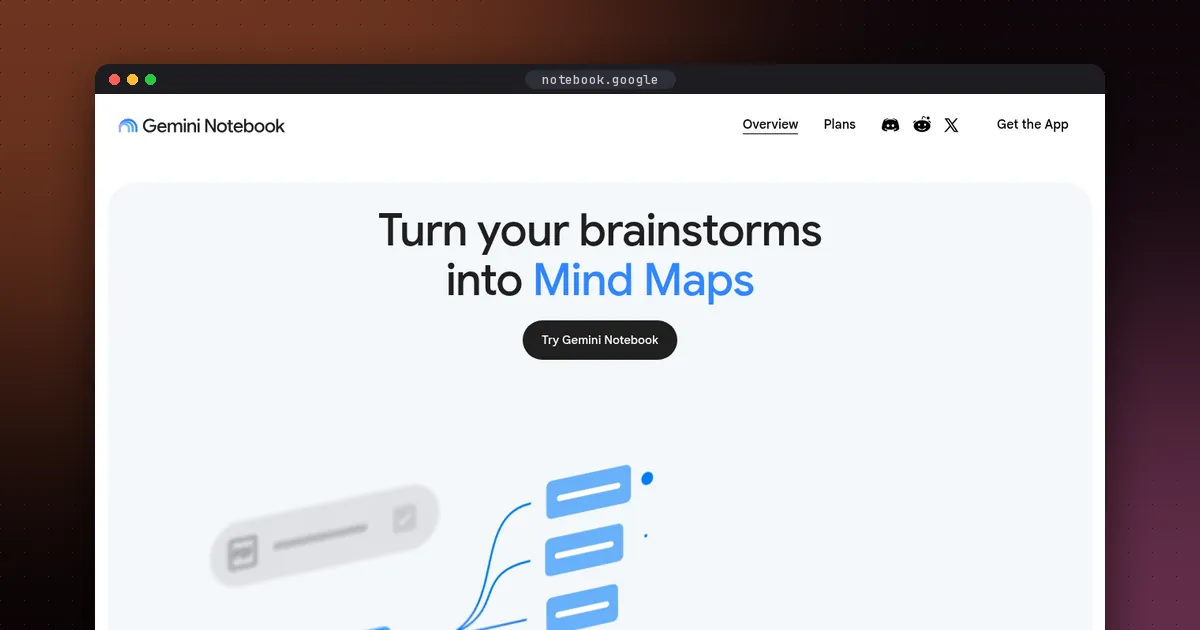
To use NotebookLM for studying, create one notebook per class and upload your syllabus, slides, readings and lecture recordings. Ask questions that it answers with citations to your own material, then turn the material into flashcards, quizzes, mind maps and audio reviews. NotebookLM has a new name: Google renamed it Gemini Notebook on July 16, 2026, but it's the same product, and your old notebooks still work.
This guide covers what changed, the free limits, and a week-by-week workflow that uses active recall instead of passive rereading. Features and limits were checked against Google's official pages on October 5, 2026.
NotebookLM vs Gemini Notebook: what changed
Google announced the rename on its official blog. It's the same standalone research tool, now also available inside the Gemini app with your notebooks synced between the two. Google says notebooks are coming to AI Mode in Search, too. The same post says every notebook is getting a secure cloud computer that can write and run code for data analysis. That started with Google AI Ultra and some Workspace customers, with Pro users on the web next.
For students, the useful part is that nothing breaks. Google's student page confirms that all existing notebooks remain fully accessible.
Why it works well for studying
Gemini Notebook is source-grounded. It answers from the documents you upload and shows citations you can click to see the exact passage. That makes it better suited to coursework than a general chatbot. You can check every claim against your own readings, and it's less likely to drift into material your course didn't cover.
What you can make from your sources, according to Google's student page:
- Flashcards with explanations
- Quizzes with explanations for wrong answers
- Mind maps that show how ideas connect
- Audio Overviews, a podcast-style discussion between two AI hosts
- Video Overviews and slide decks for visual review
- Reports, such as study guides and outlines
New study features from September 2026
Google's back-to-school update added several features aimed at students, and the Gemini Notebook team's September 15 post walks through them with examples.
- Interactive learning overviews under Reports. They weave summaries together with quizzes, flashcards and mind maps into one guided study session.
- More quiz formats, including short answer and fill in the blank. You can also edit quizzes and flashcards, and ask the chat about your results to find weak spots.
- An audio recorder in the Android and iOS apps, for capturing lectures right next to your sources.
- Real-time voice conversations with your notebook in the mobile app, in nearly 100 languages, for users 18 and older.
- Short Video Overviews, bite-sized videos of about 60 seconds in more than 80 languages.
Some features roll out gradually, so you may not see all of them yet.
Free limits and paid plans
| Plan | Notebooks | Sources per notebook |
|---|---|---|
| Standard (free) | 100 | 50 |
| Google AI Plus | 200 | 100 |
| Google AI Pro | 500 | 300 |
| Google AI Ultra | 500 | 500 or 600, depending on the Ultra plan |
Each source can be up to 500,000 words, or 200 MB for a local upload, according to Google's help center. Paid Google AI plans also come with higher usage limits, and Google's plans page adds that Pro and Ultra remove the visible watermark from generated content in most countries. Daily quotas reset after 24 hours and monthly quotas after 30 days, so if you hit a limit the night before an exam, it helps to know when it comes back. For most students, the free plan covers a full semester. Schools on Google Workspace for Education may get expanded access through their account.
On privacy, Google says personal accounts' data isn't used for training unless you submit feedback. Workspace and Workspace for Education accounts aren't reviewed by humans or used to train models.
A week-by-week study workflow
Week 1: build the notebook
- Create one notebook per course, not one per assignment. Name it with the course code and term.
- Upload the syllabus first. Then ask: "List every topic and reading by week, with assessment dates." Save the answer as a note.
- Add slides, readings and your own notes. Photos of handwritten notes work too.
- Record or upload lectures. Use the mobile recorder, or a transcript from a tool like Otter.
Every week: understand, then test
- Ask before you read. Try: "What are the three hardest ideas in this week's readings, and why?"
- Make a mind map of the week's topic, then explain it out loud without looking.
- Generate a 10-question quiz right after class. Take it with no notes.
- Ask about your mistakes. For example: "Explain question 4 from the source, then give me a new example."
- Make flashcards only for the concepts you missed, so your deck stays small.
Before exams: interleave and simulate
- Select all sources for the unit, and create an interactive learning overview or a study guide.
- Ask for practice questions in the format of your exam, such as short answer, essay prompts or problem sets.
- Listen to an Audio Overview on your commute as a review, not as your first exposure to the material. If you'd rather hear the readings word for word, see Speechify vs ElevenReader.
- Two days before the exam, take one mixed quiz across all units and fix only the gaps it shows.
Good prompts for students
- "Quiz me on Chapter 6 one question at a time. Wait for my answer and tell me where I went wrong, citing the text."
- "Compare how Reading A and Reading B define this concept. Where do they disagree?"
- "Turn my lecture notes into a one-page outline with the key terms in bold."
- "What would a professor likely ask about this topic? Give five questions of rising difficulty."
Pros and cons
- Pros: answers grounded in your own materials with citations, a strong free plan, many study formats, and mobile apps with lecture recording.
- Cons: it's only as good as what you upload, some features roll out gradually, and audio and video overviews can oversimplify. Always check against the source.
Academic integrity
Use Gemini Notebook to understand and practice, not to produce work you hand in as your own. Follow your course's AI policy. When in doubt, ask your instructor how AI study aids may be used.
Tools that pair well with it
- Readwise Reader to save and highlight articles before adding the important ones as sources.
- Reclaim to book weekly study blocks automatically. It lists a 50% student discount.
- Capacities as a long-term notes app, since it has a free plan for building knowledge across courses.
See our full list of the best AI tools for students, and compare long-term options in best AI note-taking apps.
FAQ
Is NotebookLM the same as Gemini Notebook?
Yes. Google renamed NotebookLM to Gemini Notebook on July 16, 2026. It's the same product, and existing notebooks remain accessible.
Is Gemini Notebook free for students?
Yes. The free Standard plan allows up to 100 notebooks with 50 sources each, which is enough for most courses. Paid Google AI plans raise those limits.
Can Gemini Notebook make flashcards and quizzes?
Yes. It generates flashcards and quizzes from your sources, with explanations for wrong answers. You can now edit them and ask the chat about your performance.
Can I upload lecture recordings?
Yes. You can upload audio as a source, and the mobile app includes an audio recorder for capturing lectures alongside your notes.
Is Gemini Notebook accurate?
It's grounded in your sources and shows citations, which reduces errors compared with a general chatbot. It can still misread or oversimplify, so check important answers against the cited passage.