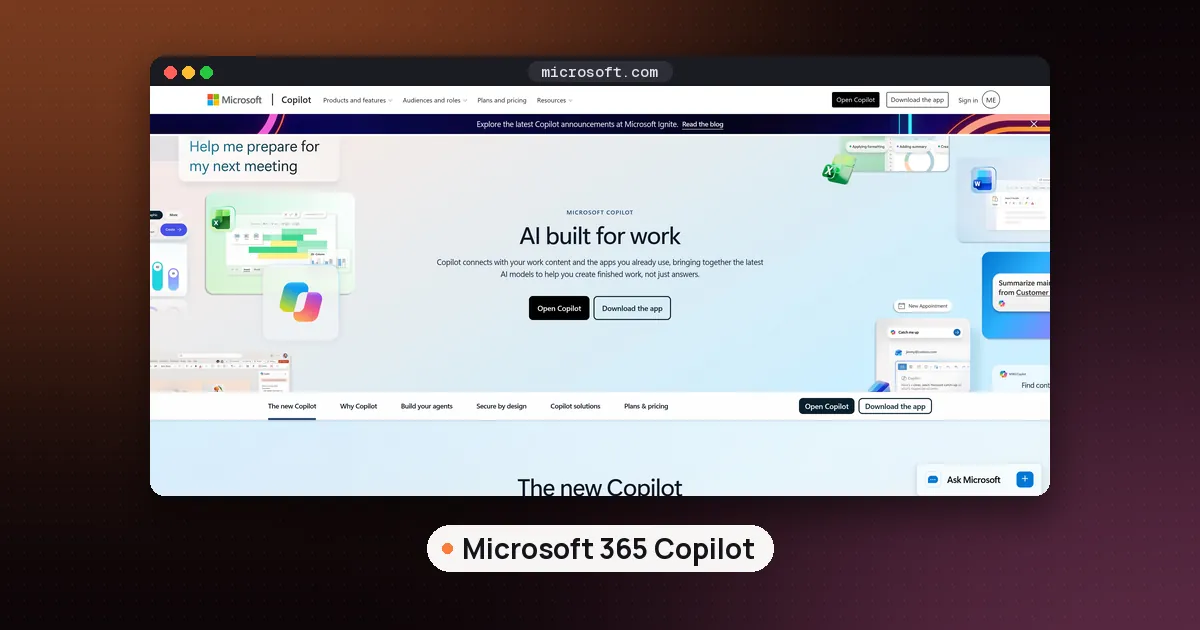
Office in Copilot lets you create and edit Word documents, Excel workbooks and PowerPoint decks inside the Microsoft Copilot app. You type a request in Chat or Cowork, the file opens next to the conversation, and you keep refining it with follow up prompts or by editing it directly, with sharing, comments and coauthoring built in. Microsoft made it generally available at Ignite on November 17, 2026, but you still need a paid Microsoft 365 Copilot license, and your organization must have Anthropic models switched on, because the Word, Excel and PowerPoint agents run only on those models.
That last condition is the one most people miss. If your Copilot app shows no Word, Excel or PowerPoint option this week, the cause is usually licensing or an admin setting, not a broken app. This guide explains what changed, who can use it, the exact steps, what it costs and how to fix a missing agent. Facts were checked against Microsoft's own blog posts, support pages, Microsoft Learn admin docs and pricing page on November 19, 2026. We have not tested it first hand.
What Office in Copilot is and what changed at Ignite
Microsoft first announced Office in Copilot on October 9, 2026, in a Microsoft Community Hub post, and rolled it out to customers in its Frontier early access program. The idea is a reversal of the usual setup: instead of a Copilot pane inside Word, the full Word, Excel and PowerPoint editors open inside the Copilot app.
The October post gives a typical flow. You ask Copilot to turn research notes into a launch brief with an executive summary, key messages, risks and next steps. Copilot creates a Word document that opens beside the chat. Your conversation history stays, so you can say "make the opening more direct" or "add a table comparing the three rollout options," and you can also make direct edits with the normal Office controls. Teammates can join the same view with sharing, comments, coauthoring and presence, and changes show up in real time in the same file.
On November 17, Microsoft's Ignite 2026 Copilot announcement said Office in Copilot and the new Home page (where Chat and Cowork sit together) are now generally available. Microsoft also says every file inherits Microsoft 365 permissions, sensitivity labels and compliance controls from the start, and that creating a PowerPoint deck or Excel spreadsheet this way is included in the Copilot subscription license rather than billed per use.
Generally available does not mean everyone sees it today. The Office Watch Ignite scorecard counted 215 separate features in Microsoft's Ignite news and found only 76 generally available, and it called Office in Copilot and Home the practical arrivals for Microsoft 365 users. Related features such as Autopilot, Workspaces and the Today view are still Frontier or private preview.
Who can use Office in Copilot
Microsoft's admin page on Word, Excel and PowerPoint Agents sets out the rules plainly:
- A paid Microsoft 365 Copilot license is required. The agents are not available to people who only have the free Copilot Chat included with many Microsoft 365 plans.
- Anthropic models must be enabled for your tenant. The agents use Anthropic's models exclusively. If an admin blocks Anthropic, the agents stop working even for licensed users.
- The agent store can mislead you. The Office Agent may still appear in the agent store when Anthropic is blocked, but you can't use it. Seeing it listed does not prove it is turned on.
- Language support follows the full list of supported Microsoft Copilot languages.
Microsoft's page on Anthropic models in Microsoft Online Services says Anthropic is on by default for most commercial cloud customers, but not in the EU, EFTA or UK, where an AI Administrator or Global Administrator has to opt in. Microsoft Learn also notes that Anthropic models sit outside the EU Data Boundary. A separate Learn page on Claude in Microsoft 365 apps says the "All users for Microsoft 365 apps only" option goes away on December 9, 2026, and tenants that chose it, or never chose anything, move to All users.
What about personal accounts? Microsoft's support article for the agents mentions that personal accounts can use their own OneDrive files, but the same page says the agents are only for users with a Microsoft 365 Copilot license, and Microsoft has not published a consumer plan list for Office in Copilot. If you use a personal Microsoft 365 plan, check your own Copilot app rather than assuming it is included.
How to use Office in Copilot, step by step
These steps combine Microsoft's support article with the October announcement.
- Open the Microsoft Copilot app on the web, on the desktop or inside Teams, signed in with your work account.
- Pick the agent. Open the Tools menu in Copilot Chat or the Agents menu (also listed under All Agents in the left pane) and choose Word, Excel or PowerPoint. You can also start from Home and simply ask for a document.
- Describe the file. Be specific about length, sections, audience and tone. Microsoft's sample prompts include "Create a 2 page project proposal with an introduction, problem statement, solution overview, and timeline" and "Set up a budget tracker with monthly sheets and summary charts."
- Answer clarifying questions. The agent may ask about tone, length or other details before it builds anything.
- Review the preview. The file opens next to the chat.
- Refine it. Type high level feedback such as "make it shorter" or "add a slide," or click into the file and edit it yourself.
- Share or finish elsewhere. Use the built in sharing and comments, or open the same file in the desktop Word, Excel or PowerPoint app to polish it.
You can also point the agent at existing data. Microsoft's example is "Use data from Q3_sales.xlsx to create a summary report with charts." With a Copilot license, the agents can pull from your files, emails and meetings through Work IQ, limited to what you already have permission to see. For the inbox itself, our best AI email assistant for Outlook section compares Copilot Chat with Superhuman and Fyxer by account type.
What to ask the Word, Excel and PowerPoint agents
Each agent suits a different kind of task:
- Word agent: proposals, onboarding guides, reports and briefs. Give it the source material (notes, a transcript, a file name) and the sections you want. Ask for a table when you are comparing options, because editing a table later is easier than restructuring prose.
- Excel agent: trackers and simple models, such as a monthly revenue and expenses workbook with charts and year to date totals. Microsoft's October post says Excel in Copilot lets you review the edits Copilot made and see what changed, which matters for any number you plan to rely on.
- PowerPoint agent: decks with a set slide count and structure, for example "a 10 slide marketing strategy deck with introduction, analysis, recommendations and conclusion." Microsoft says PowerPoint can apply custom templates and keep slides on brand, so name your company template if you have one.
Whatever you make, Microsoft's own advice applies: review generated files for accuracy before you share them. Check every figure in a spreadsheet against its source, and read every claim in a Word draft as if a new hire wrote it.
Chat or Cowork: where to start and what it costs
Office in Copilot works from both Chat and Cowork. Chat is the quick question and answer mode. Cowork is for handing off longer, multistep work, and at Ignite Microsoft said Auto may suggest moving a complex request from Chat to Cowork.
The cost difference matters. Microsoft's Copilot pricing page lists "Word, Excel, and PowerPoint agents accessed via Chat" as included in its business plans, while Copilot Cowork and Autopilot are marked usage based, billed beyond the license fee. So if you only need a document, start in Chat. Accept a move to Cowork when the task really needs research across many sources, and ask your admin whether your organization has spending limits set.
As listed on November 19, 2026, the business prices (per user per month, paid yearly) are:
| Plan | Price |
|---|---|
| Microsoft 365 Copilot Business (addon to an existing plan) | $18, down from $21 |
| Microsoft 365 Business Standard with Copilot | $23.50 |
| Microsoft 365 Business Premium with Copilot | $32 |
In words: the Copilot Business addon is currently $18 instead of $21, Business Standard with Copilot is $23.50 and Business Premium with Copilot is $32. For how those plans compare on meetings, see our Read AI vs Copilot guide, and the Microsoft 365 Copilot tool page has a short summary.
Where Office in Copilot saves your files
Every file is stored in OneDrive, according to both the support article and the October announcement. Files keep their formatting, comments, sharing permissions and version history, and documents created by the agents stay inside your organization's tenant. The Copilot app's Library gathers your recent Word, Excel and PowerPoint files, pages and AI images, whether you made them in Copilot or in the Office apps, and you can reopen any of them beside the chat.
OneDrive as the default has drawn pushback. Several comments under Microsoft's October post asked why the files don't start in SharePoint, where most teams keep shared work. Until Microsoft says otherwise, plan to move finished team documents from OneDrive into the right SharePoint site or Teams channel yourself.
Why the Word, Excel or PowerPoint agent is not showing
Work through this list before you file a ticket:
- Check your license. Free Copilot Chat does not include the agents. Ask IT whether a Microsoft 365 Copilot license is assigned to you.
- Ask about Anthropic models. In the Microsoft 365 admin center, an admin goes to Copilot, then Settings, View all, AI providers operating as Microsoft subprocessors, selects Anthropic, chooses who has access, and saves. If you're in the EU, EFTA or UK, this is off unless your admin opted in.
- Look in both menus. The agents appear under Tools in Chat and under All Agents in the left pane.
- Confirm the account. Sign in with your work account, not a personal Microsoft account.
- Give it time. Microsoft rolls features out gradually, and admin changes can take a while to reach every user.
Office in Copilot vs Claude, ChatGPT and Gamma
Other assistants now make documents too. Claude builds docs and slides beside the chat on its free plan and exports to Word and PowerPoint, as our guide to Claude Docs, Slides and Design explains. ChatGPT can draft decks you then export, covered in our ChatGPT Slides walkthrough. Gamma is still quicker for a polished web deck.
The difference is where the file lives. Those tools hand you an export to clean up. Office in Copilot works on the real Office file in your company's OneDrive, with your sensitivity labels and coauthoring intact. If your team already pays for Microsoft 365 Copilot and lives in Word and PowerPoint, Office in Copilot is the obvious first try. If you don't have a Copilot license, our roundup of the best AI tools for PowerPoint covers options such as Plus AI that work inside PowerPoint without it. And if your source material is a meeting, our guide on how to transcribe a meeting with Copilot shows how to get the transcript first.
FAQ
Is Office in Copilot free?
No. Microsoft's admin documentation says the Word, Excel and PowerPoint agents require a paid Microsoft 365 Copilot license, and they are not available to free Copilot Chat users. Microsoft says creating files this way is included in that license, but Cowork, if you use it, is billed by usage.
What are the office agents in Copilot?
They are the Word Agent, Excel Agent and PowerPoint Agent, installed by Microsoft in the Copilot app. You find them under Tools or All Agents, describe the file you want, and the agent builds it and saves it to OneDrive. They run only on Anthropic's models.
Why can't I see the Word agent in Copilot?
The two usual causes are a missing Microsoft 365 Copilot license and Anthropic models being turned off for your organization. Anthropic is off by default for tenants in the EU, EFTA and UK. Ask your admin to check both.
Can I edit the file in the normal Word or PowerPoint app?
Yes. Files are saved to OneDrive, so you can open the same document, workbook or deck in the desktop or web Office apps and keep editing, with comments and version history intact.
Is Office in Copilot the same as Copilot in Word?
No. Copilot in Word is an assistant pane inside the Word app. Office in Copilot works the other way round: the Word, Excel and PowerPoint editors open inside the Copilot app, next to your chat, so you can go from a prompt to a finished file in one place.