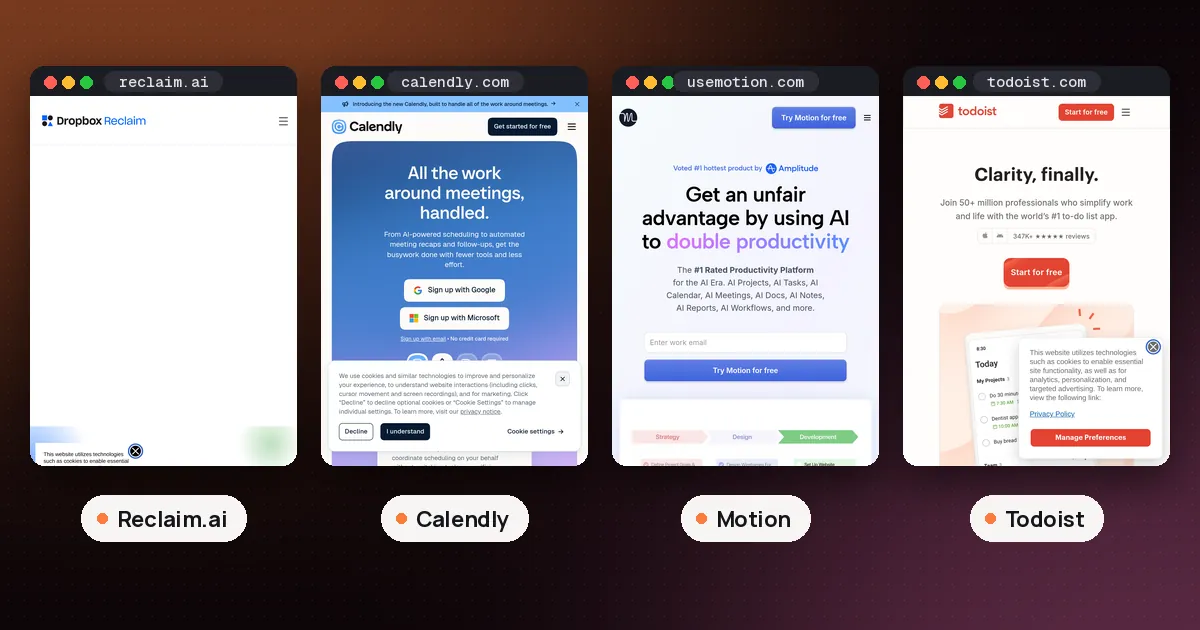
In the Reclaim AI vs Calendly choice, pick Calendly if most of your scheduling is other people booking time with you, such as clients, candidates or sales leads, and you want polished booking pages, payments and routing. Pick Reclaim if your bigger problem is your own week: meetings crowding out focus time, habits and tasks. Reclaim also has booking links, but they are one part of an AI calendar, while booking is the whole point of Calendly. Both have free plans, so you can try either one without paying.
The two get compared because both give you a link that people use to grab a slot on your calendar. Underneath, they solve different problems. This guide walks through what each one does, the free plans, paid prices, the AI features and a simple test for your own calendar. Every plan detail below comes from Reclaim's pricing page, Calendly's pricing page and Calendly's help center, all checked on November 4, 2026. We did not test either app first hand for this guide.
Reclaim AI vs Calendly at a glance
| Item | Reclaim | Calendly |
|---|---|---|
| Core job | AI agents that defend time on your existing calendar | Booking pages that let other people schedule with you |
| Free plan | Lite, free forever for one user | Free plan, after a two week trial of Teams Plus |
| Booking links on free plan | 1 Scheduling Link | 1 active event type, unlimited meetings |
| Calendars | Google Calendar and Outlook | Google, Outlook and Office 365, up to 6 on paid plans |
| Paid from | Starter: $10 per seat per month billed yearly, $12 monthly | Standard: $10 per seat per month billed yearly |
| Next tier | Business: $15 billed yearly, $18 monthly | Teams: $16 per seat per month billed yearly |
| AI | Focus Time, Habits, Buffer Time, Smart Meetings, AI chat | Callie scheduling assistant and Notetaker on Plus plans |
| Payments at booking | Not listed | Stripe and PayPal on paid plans |
| Best for | Protecting your own time | Clients, interviews and sales calls |
What Reclaim does
Reclaim sits on top of the Google Calendar or Outlook calendar you already use. You give it goals, and its AI agents hold space for them. Focus Time defends a weekly target of deep work hours around your meetings. Habits find the best slot for recurring things like lunch or a weekly review. Buffer Time adds breaks after video calls and travel time around events. Smart Meetings watch your recurring meetings and suggest new times when conflicts appear.
Reclaim also pulls tasks from Google Tasks, Todoist, Asana, ClickUp, Jira and Linear and books time for them before they're due. Its pricing page lists an AI assistant you can chat with to analyze your schedule and fix conflicts, plus connections to ChatGPT, Claude and Microsoft Copilot.
Booking links are called Scheduling Links. What makes them different from a plain booking link is priority. A high priority link can offer up your lower priority Reclaim blocks, such as a flexible habit, as open slots, so an important meeting can land sooner and the habit moves somewhere else. Links can offer up to three meeting lengths, be grouped on a booking page and be embedded on a website or in an email. Team links, round robin links, screening questions and one off links are also listed on the pricing page.
What Calendly does
Calendly is built around the event type: a reusable template for a meeting, with its length, location, buffers and how far ahead people can book. You share the link, people pick a time that is free on your connected calendar, and Calendly sends the invite and confirmation. Invitees don't need an account or a seat, which matters when most of your meetings are with people outside your company.
Paid plans add the features that make Calendly the default for client work. Standard covers unlimited event types, up to six calendars checked for conflicts, group and collective events, automated reminders and follow ups, and payments through Stripe and PayPal. Teams adds round robin scheduling, lead routing from forms, centrally managed event types and Salesforce. Calendly's plan guide lays out how each plan builds on the one before it.
Calendly free plan limits vs Reclaim Lite
Both free plans work for one person, but they stop in different places.
According to Calendly's plan guide, the Free plan lets you create one event type and schedule unlimited meetings with it, connect one calendar, customize your booking page, send confirmation emails, embed your calendar on a website and use the mobile app and browser extension. Calendly's free plan blog post adds that only one event type can be active at a time and that meeting polls are unlimited. New accounts start with a two week trial of Teams Plus and drop to Free automatically when it ends, as Calendly's billing overview explains. Paid features like Automations switch off at that point.
Reclaim's Lite plan is free forever for one user. It includes 5 AI agents, Focus Time, Habits, Buffer Time and Smart Meetings, a one week scheduling range for automatic planning, one Calendar Sync and one Scheduling Link. Starter raises that to 3 Scheduling Links and an 8 week range, and Business has unlimited links and a 12 week range.
So if you need several kinds of meetings (a 15 minute intro and a 60 minute session, say), Calendly Free runs out first, because only one event type can be active. Reclaim Lite also gives you only one link, though that link can offer up to three meeting lengths. If you only need one link for everything, both free plans cover it.
Prices compared
On yearly billing the entry prices match: Reclaim Starter and Calendly Standard are both $10 per seat per month. Reclaim lists Starter at $12 on monthly billing; Calendly's pricing page shows yearly prices by default, so check the monthly toggle there before you buy.
At the next tier, Reclaim Business is $15 per seat billed yearly ($18 monthly), and Calendly Teams is $16 per seat billed yearly. Reclaim also lists Enterprise at $22 per seat on yearly billing for over 100 seats. Calendly Enterprise starts at 50 seats and is quoted per year.
Calendly's AI features cost extra. Notetaker (recordings, transcripts and meeting recaps) and the Callie assistant come with the Standard Plus and Teams Plus plans, which Calendly's pricing page presents as an add on to Standard or Teams. The page says both work only in English for now, and it marks Callie as beta.
Discounts differ too. Reclaim lists 50% off for 12 months for students, educators and faculty, 20% off for 3 years for qualified startups, and 20% off for 6 months if you switch from Clockwise, Motion or Calendly. Calendly's FAQ mentions special pricing for nonprofits.
The AI in each one
The word AI means different things in these two products.
In Reclaim, the AI is the core product. It decides where focus blocks, habits and task time go, moves them when your week changes and marks them busy or free depending on how close you are to missing a goal. You don't ask it each time; it keeps working in the background.
In Calendly, the AI sits around the booking. Callie works by email: you copy callie@calendly.com on a thread and ask it to find a time, and Calendly's Callie overview says it won't book outside your availability and that you approve changes before they happen. Notetaker joins Zoom, Google Meet and Microsoft Teams calls and writes recaps. Neither one plans your own work time.
If you want the AI to run your week, Calendly isn't built for that. If you want AI help with the email back and forth before a meeting, Reclaim isn't built for that either. Our guide on how to use AI to schedule meetings covers the email based options in Gmail, Outlook and Calendly step by step.
Can you use Reclaim and Calendly together?
Yes, and plenty of people do. Calendly checks your connected calendar for conflicts before someone books, and Reclaim writes its blocks onto that same calendar. Reclaim's pricing page says you can set Habits to show as always free or always busy, so you decide whether a Calendly booking can take that slot. Focus Time blocks change between free and busy based on your goal.
The catch is that Calendly doesn't know which of those blocks are flexible. It sees busy or free and nothing else. Reclaim's own Scheduling Links can use priorities to move a flexible block out of the way, which is the main reason to consider dropping Calendly if you already pay for Reclaim. If you rely on Calendly for payments, routing forms or a branded booking page your clients already know, keep it and let Reclaim handle the rest of your calendar.
Which one should you pick?
Pick Calendly if:
- People outside your company book most of your meetings.
- You need payments at booking, intake forms or lead routing.
- You want a booking page clients recognize, with no account needed on their side.
- You need team scheduling with round robin and central admin control.
Pick Reclaim if:
- Meetings keep eating your focus time and you want it defended automatically.
- You want habits, tasks and breaks placed around your meetings.
- Your booking needs are simple and you would rather have one tool than two.
- You also want calendar sync between a work and a personal calendar.
If what you really want is an app that plans all your tasks for you, look at Motion vs Reclaim. For a wider list of planners, see our best AI calendar planner roundup, and if you live in Outlook, our guide on how to use AI in Outlook calendar shows what Copilot can already do.
A one week test
You can settle this with both free plans in a week.
- Write down how many meetings people booked with you last week and how many hours of focused work you actually got.
- Set up Calendly Free with your most common meeting as the one event type, and send that link instead of trading emails.
- Set up Reclaim Lite with one Focus Time goal and one Habit, and leave its Scheduling Link off for now.
- At the end of the week, compare. If the booking link saved you the most time, Calendly is your tool. If protected focus time made the bigger difference, Reclaim is.
- If both helped, try Reclaim's Scheduling Link for a week in place of Calendly and see whether the priority feature matters to you.
FAQ
Is Reclaim AI a Calendly alternative?
Partly. Reclaim's Scheduling Links let people book time with you, offer up to three meeting lengths and can be embedded on a website, so they can replace Calendly for simple booking. Reclaim doesn't list payments at booking on its pricing page, so if you take payment through your booking page, Calendly fits better.
Which is cheaper, Reclaim or Calendly?
At the first paid tier they cost the same on yearly billing: $10 per seat per month for Reclaim Starter and Calendly Standard. Reclaim Business is $15 yearly and Calendly Teams is $16 yearly. Calendly's AI assistant and Notetaker need a Plus plan on top of Standard or Teams. Check both pricing pages before you buy, since prices change.
Does Calendly have an AI scheduling assistant?
Yes. Callie handles scheduling over email when you copy it on a thread, and Ask Callie answers questions inside Calendly. It comes with the Standard Plus and Teams Plus plans, works only in English for now and is labeled beta on Calendly's pricing page.
Can Reclaim and Calendly see each other's events?
They both work through your calendar. Calendly checks your connected calendar for conflicts, and Reclaim's blocks sit on that calendar as busy or free. Calendly can't tell which Reclaim blocks are flexible, so it treats a busy block as taken.
Does Reclaim work with Outlook?
Yes. Reclaim's pricing page lists support for both Google Calendar and Outlook calendar, and the free Lite plan lets you connect two calendars across Google and Outlook accounts. Calendly also connects to Google, Outlook and Office 365 calendars.
What happens when the Calendly trial ends?
Calendly's billing overview says new users start with a two week trial of Teams Plus and move to the Free plan automatically afterward, with no charge. Paid features such as adding users or Automations switch off until you upgrade.