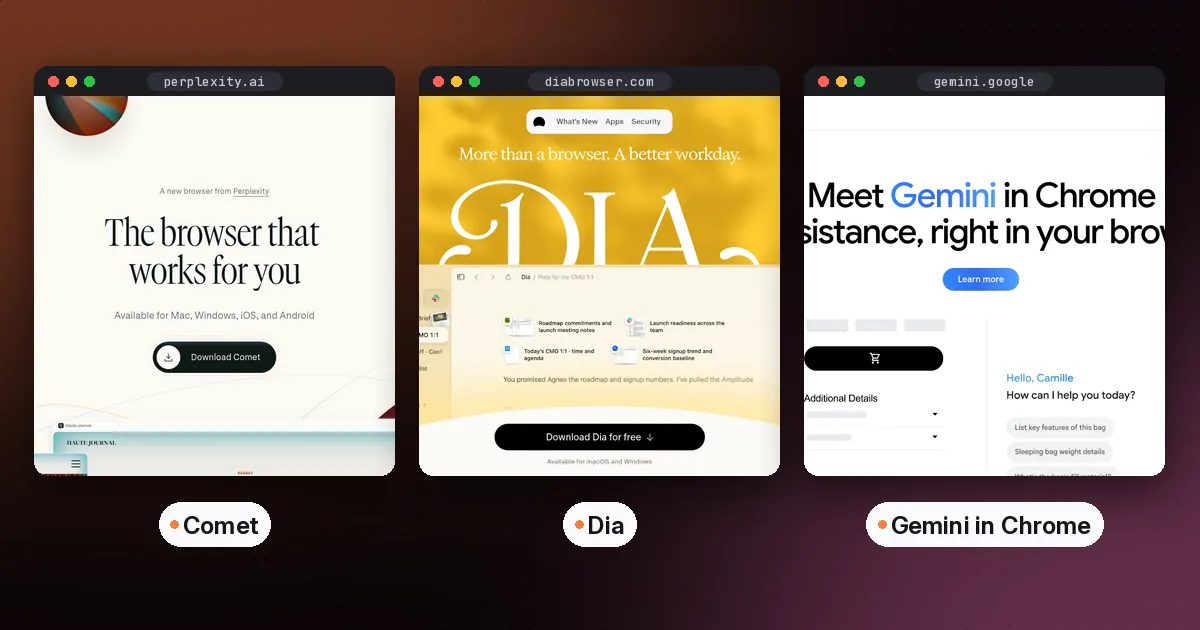
The best AI browser for most people in 2026 is the one you already use, with its built-in assistant switched on: Gemini in Chrome or Copilot in Edge. If you want a browser designed around AI from the start, Perplexity's Comet is the strongest free choice, and it runs on Mac, Windows, iPhone and Android. Dia is the most polished option for work on a Mac, if you're willing to pay for its AI plans.
One name is missing from that list on purpose. ChatGPT Atlas stopped working on August 9, 2026, and OpenAI moved its features into the ChatGPT desktop app and Chrome extension. This guide covers what each AI browser does, what it costs, where it runs, and how to use one without handing it more trust than it has earned. Everything was checked against official pages on October 5, 2026.
The best AI browser options compared
| Browser | Platforms | AI price | Can it do tasks for you? | Best for |
|---|---|---|---|---|
| Comet (Perplexity) | Mac, Windows, iOS, Android | Free; Comet Plus is $5 a month, included with Perplexity Pro and Max | Yes, through its assistant | A free AI-first browser on every device |
| Dia (The Browser Company) | Mac; Windows in beta | Browser free without AI; Better Answers $20 a month; Better Days $100 a month | Chat across tabs and tools; reports and recaps on Better Days | Knowledge work on a Mac |
| Chrome with Gemini | Windows, Mac, Chromebook Plus; Android in the US | Gemini in Chrome at no cost for eligible US users; auto browse needs Google AI Pro or Ultra | Auto browse, US only, 18 and over | Staying in Chrome |
| Edge with Copilot | Windows, Mac, iOS, Android | Built in; Browse with Copilot needs Microsoft 365 Premium in the US | Browse with Copilot, US only | Students and Windows users |
| ChatGPT Atlas | Discontinued | Not available | Replaced by the ChatGPT desktop app | Nobody; export your data |
How to choose an AI browser
Start with what you want the AI to do. There are three common jobs, and each browser handles them differently.
- Answer questions about the page you're on. Every option here can summarize an article, explain a chart or pull key points from a long document. You don't need to switch browsers for this.
- Work across many tabs and your history. Comparing products, trips or research papers across a dozen tabs is where AI browsers save real time. Edge, Comet and Dia all lean into this.
- Carry out tasks for you. Filling carts, booking tables and stepping through forms is the newest and least reliable job. It's also the riskiest, so read the safety section before you turn it on.
Then check two practical things: whether it runs on every device you use, and whether the features you want are available in your country. Several of the agent features below are US only.
The best AI browsers in detail
Comet: best free AI browser
Comet is Perplexity's browser, with Perplexity's assistant built into every page. According to Perplexity's Comet page, it's free to download on Mac, Windows, iOS and Android. You can ask the assistant about the page you're reading, compare information across tabs, and hand it multi-step tasks. Comet Plus is an optional $5 monthly subscription that adds content from partner publishers to answers. It's included with Perplexity Pro and Max.
- Pros: free, available on all four major platforms, and strong at research with cited answers.
- Cons: you're moving your daily browsing to a newer company's product, and agent tasks still need close supervision.
- Who it's for: anyone who wants to try a full AI browser without paying, especially on Windows or a phone.
Dia: best for work on a Mac
Dia comes from The Browser Company, the team behind Arc, which is now part of Atlassian. Dia's plans page lists three tiers. Better Browser is free and has no AI, but includes profiles, tab groups, split view, a built-in ad and tracker blocker, and sync across devices. Better Answers costs $20 a month and lets you ask Dia about any page and chat with context from your tools. Better Days costs $100 a month and adds six times the usage, a daily Morning Brief, meeting prep and follow-up, and ready-to-send reports, decks and recaps.
Usage is measured in Tasks, Dia's unit of effort, and the allowance resets each billing cycle. If you run out, AI features pause rather than charging you more, unless you buy a $20 top-up or turn on auto-reload. Every new user gets a 14-day trial of Better Days, with no credit card required.
- Pros: the most refined design here, a useful free browser even without AI, and clear rules about usage and overage.
- Cons: the AI plans are expensive next to free alternatives, and Windows is still in beta.
- Who it's for: Mac users whose day is meetings, documents and research, and who'll use the AI often enough to justify the price.
Gemini in Chrome: best if you don't want to switch
If Chrome is your browser, Gemini in Chrome is already there for eligible users. You can ask about the current page or several tabs at once. The newest feature is auto browse, which lets Gemini carry out multi-step tasks such as comparing products, finding accommodation or booking appointments. Google's auto browse help page lists the requirements. You need to be 18 or over and in the US, with your device language set to English, signed in with a personal Google account, and subscribed to Google AI Pro or Ultra. It doesn't work in Incognito mode or with school accounts.
Before it starts, Gemini shows you its plan, and you can take over, pause or stop the task at any time. Google's page also notes that Gemini chooses which sites to use and may share your personal information with them. That's worth knowing before you ask it to book anything.
- Pros: nothing new to install, your bookmarks and extensions stay put, and a clear plan review step.
- Cons: auto browse is US only and needs a paid Google AI plan.
- Who it's for: Chrome users who want AI help without changing their habits.
Copilot in Edge: best for students and Windows users
Microsoft folded its experimental Copilot Mode into Edge itself on May 13, 2026, according to the Microsoft Edge team's announcement. With your permission, Copilot can reason across your open tabs and use your browsing history to give better answers. Journeys groups your past browsing into topic cards so you can pick up old projects, and it's free in all English-speaking markets. Vision and Voice lets you share your screen and talk through what you're looking at.
Students get the most out of it. Study and Learn mode breaks a topic into guided sessions, and Copilot can make quizzes and flashcards from whatever page you're reading. The writing assistant drafts and rewrites wherever you type, but it's US only. The agent feature, Browse with Copilot, needs Microsoft 365 Premium in the US.
- Pros: free, built into Windows, and the best study features of any browser here.
- Cons: several features are US only, and the agent sits behind a Microsoft 365 subscription.
- Who it's for: students, and anyone already in Microsoft's ecosystem. Pair it with our guide on how to use NotebookLM for studying for a full revision setup.
What happened to ChatGPT Atlas?
OpenAI launched Atlas for macOS in October 2025. Its help center article on evolving Atlas says Atlas was scheduled to stop working on August 9, 2026, with its browser features moving into the new ChatGPT desktop app and the ChatGPT Chrome extension or sidebar. Bookmarks, open tabs and history don't transfer automatically. If you still have Atlas installed and it opens, export your bookmarks as an HTML file and import them into another browser.
If you want the closest replacement, use the ChatGPT desktop app for agent tasks and add the ChatGPT extension to Chrome for help while you browse. If you'd rather have a full AI browser, Comet is the nearest match on features.
Are AI browsers safe?
They're useful, but treat them like a capable new assistant on their first day. The biggest open problem is prompt injection, where hidden text on a web page tries to give the AI its own instructions. No vendor claims to have fully solved it.
- Keep the agent away from passwords and payment details. Sign in to sensitive sites yourself.
- Watch every checkout. Don't leave an agent unattended while it fills a cart or books something.
- Review the plan before it runs. Chrome shows one, and it's a good habit with any browser.
- Use a separate profile for agent tasks, so it doesn't see your banking or work accounts.
- Read what the browser can access. Edge, for example, asks permission before using your tabs and history.
You may not need a new browser at all
Much of the value comes from AI extensions you can add to the browser you already have. Grammarly checks your writing in web apps, the Readwise Reader extension lets you highlight and save articles, and the Speechify Chrome and Edge extensions read pages aloud. If those cover what you want, keep your browser and skip the switch. For saving articles to read later, see our guide to the best read-it-later app.
For email specifically, your inbox may already have the AI you need. See our guide to the best AI email assistant.
How to try an AI browser in 20 minutes
- Pick one based on your device. Comet on Windows or a phone, Dia on a Mac, or simply switch on the assistant in Chrome or Edge.
- Import bookmarks only. Leave saved passwords behind for now.
- Give it three real jobs. Summarize a long article, compare three products across tabs, and ask a question about a PDF.
- Try one small task with the agent, such as building a shopping list, and stop before any payment.
- Decide after a week. If you didn't open the AI features on most days, go back to your old browser and keep the extensions.
Which AI browser should you pick?
- You want the best free AI browser: Comet.
- You work on a Mac and live in documents and meetings: Dia, starting with the free trial.
- You don't want to switch: Gemini in Chrome or Copilot in Edge.
- You're a student: Edge, for Study and Learn mode and quizzes. Our list of the best AI tools for students covers the rest of your toolkit.
- You used ChatGPT Atlas: the ChatGPT desktop app plus the Chrome extension, or Comet.
FAQ
What is the best AI browser?
For most people, the best AI browser is Chrome with Gemini or Edge with Copilot, because they add AI without making you switch. If you want an AI-first browser, Comet is the best free option, and Dia is the best paid option on a Mac.
Is ChatGPT Atlas still available?
No. OpenAI says Atlas was scheduled to stop working on August 9, 2026. Its browsing features moved into the ChatGPT desktop app and the ChatGPT Chrome extension or sidebar.
Is the Comet browser free?
Yes. Comet is free to download and use on Mac, Windows, iOS and Android. Comet Plus is an optional $5 monthly add-on for partner publisher content, and it's included with Perplexity Pro and Max.
Is Dia browser free?
The browser itself is free, but without AI features. AI needs Better Answers at $20 a month or Better Days at $100 a month. New users get a 14-day Better Days trial with no credit card.
Is there a good AI browser for Windows?
Yes. Comet runs on Windows, Edge has Copilot built in, and Chrome includes Gemini for eligible users. Dia's Windows version is still in beta.
Are AI browsers safe to use?
They're safe for reading, summarizing and research if you use them sensibly. Be cautious with agent features. Keep passwords and payments in your own hands, review each plan, and supervise any task that involves buying or booking.