The best Wispr Flow alternatives depend on why you're leaving. For offline dictation with custom AI modes, pick Superwhisper. For unlimited free dictation, Fireflies Talk is included on every Fireflies plan, and Handy is free, open source and offline. Willow is the closest like-for-like swap on Mac, Windows and iPhone. If you only need occasional voice typing, the dictation built into macOS, Windows and Android costs nothing.
Prices and features below come from each vendor's own pages, checked on October 6, 2026. Plans in this category change often, so confirm before you buy.
Why people look for a Wispr Flow alternative
Wispr Flow is still one of the most polished dictation apps. It types into any app on Mac, Windows, iPhone and Android, removes filler words and learns your names and jargon. People usually switch for one of four reasons:
- The free cap. Wispr Flow's pricing page lists 2,000 words a week on desktop and 1,000 a week on mobile for free users. Pro is $15 per user per month, or $12 a month billed annually. Students and educators get 50% off Pro.
- Cloud processing. Wispr Flow's help center says an internet connection is required for transcription. Some people can't, or don't want to, send client or patient details that way.
- Subscription fatigue. Its plans are monthly or annual subscriptions, with no one-time purchase.
- Platform gaps. Wispr Flow lists Mac, Windows, iPhone and Android, but not Linux.
The autumn of 2026 brought more choice. Fireflies added dictation to its desktop apps on September 29 (TechCrunch), and Hacker News threads such as "Anyone using a Wispr Flow alternative that is non-cloud?" show steady interest in offline and open-source options.
Wispr Flow alternatives at a glance
| App | Platforms | Runs offline | Free option | Paid price | Best for |
|---|---|---|---|---|---|
| Superwhisper | Mac, Windows, iOS, Android | Yes (local models) | Free tier that doesn't expire | $8.49/mo, $84.99/yr or $249.99 once | Custom modes, privacy |
| Willow | Mac, Windows, iPhone | Offline mode | Unlimited basic model | $15/mo or $12/mo yearly | Closest like-for-like swap |
| Fireflies Talk | Mac, Windows | Not stated | Unlimited on the free plan | Included in Fireflies plans | Free unlimited dictation |
| Monologue | Mac, iPhone, iPad, Apple Watch | Offline transcription | Trial (1,000 words) | $15/mo or $144/yr | Apple users who want notes too |
| VoiceInk | Apple silicon Macs | Yes | Free trial; source code on GitHub | One-time purchase | Mac users who hate subscriptions |
| Handy | Windows, Mac, Linux | Yes | Free and open source | None | Linux, zero cost |
| Built-in dictation | macOS, Windows, Android | Varies | Free | None | Light use |
The best Wispr Flow alternatives in detail
1. Superwhisper: best for offline use and custom modes
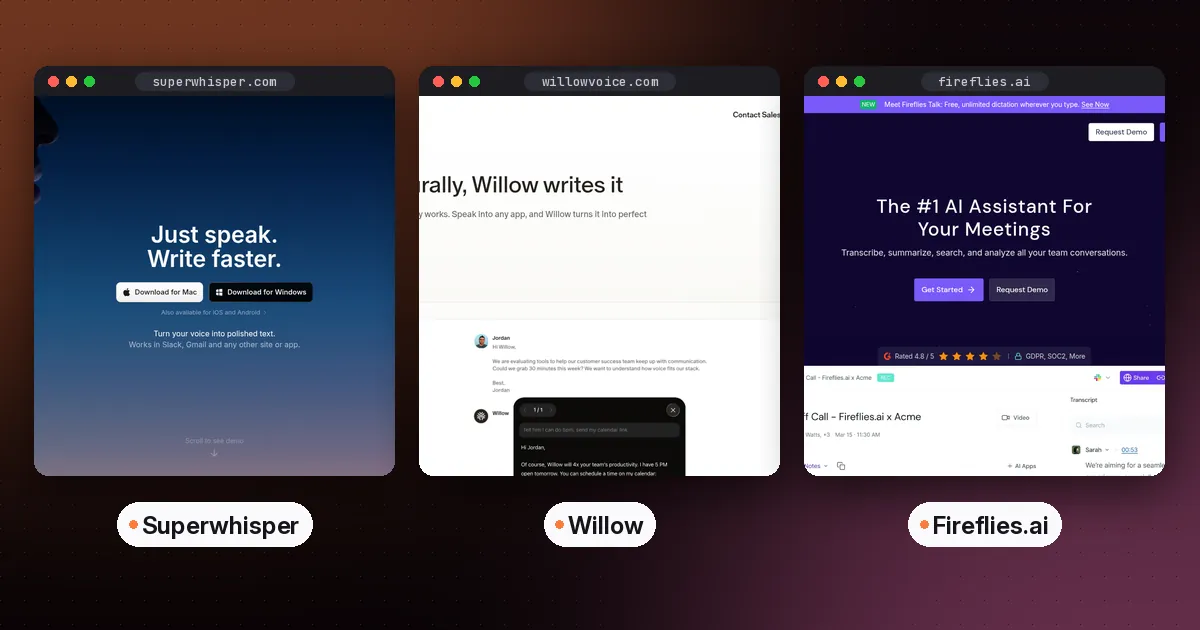
Superwhisper is the alternative people mention most. You can run speech models locally, so audio never leaves your device, or switch to cloud models. Its modes split plain transcription from AI rewriting. There are built-in modes for voice, messages and email, and you can write your own with a custom prompt. It also transcribes audio and video files.
According to Superwhisper's pricing comparison, Pro costs $8.49 a month or $84.99 a year, and a lifetime license is $249.99. The free tier never expires, and new users can try Pro features for their first 3,000 words. Its site notes that offline models run best on Apple silicon Macs. For a full head-to-head, read Wispr Flow vs Superwhisper.
- Pros: offline option, deep customization, file transcription, one-time license.
- Cons: more settings to learn, and local speed depends on your hardware.
2. Willow: the closest like-for-like swap
Willow works the way Wispr Flow does. You hold a hotkey in any text field, speak, and formatted text appears. It removes filler words, learns your writing style and keeps a dictionary that learns new words automatically. It also offers an offline mode that runs on your device. Willow lists apps for Mac, Windows and iPhone.
Willow's pricing page shows a free Basic plan with unlimited use of a lighter speech model and 20 uses of its Scribe writing feature a week. Pro is $15 a month, or $12 a month billed annually, and adds its best model plus unlimited Scribe. It offers discounts for students, educators, nonprofits and veterans.
- Pros: familiar workflow, a free plan without a word cap, an offline mode.
- Cons: Pro costs the same as Wispr Flow, and there's no Android app listed yet.
3. Fireflies Talk: best free unlimited option
Fireflies is better known as a meeting note taker, but Fireflies Talk adds system-wide dictation to its Mac and Windows desktop apps. You hold Fn on a Mac, or Ctrl plus the Windows key on a PC, and speak. Talk removes false starts, adds punctuation and formats for the app you're in. In Slack, saying a teammate's name turns it into an @mention.
Fireflies says Talk is unlimited on every plan, including Free, and supports more than 90 languages. Dictations are stored on your device, Fireflies doesn't keep a copy, and they aren't used to train models. Fireflies doesn't say whether Talk works offline. If you already use Fireflies for calls, you get dictation at no extra cost. Our guide to the best AI note taker for meetings covers its meeting side.
- Pros: genuinely unlimited for free, no separate subscription.
- Cons: desktop only, and it lives inside a bigger meeting app you may not want.
4. Monologue: best for Apple users who also want voice notes
Monologue combines dictation in any app, longer recorded voice notes with transcripts and summaries, and bot-free meeting notes. It runs only on Apple devices: Mac, iPhone, iPad and Apple Watch.
Monologue's pricing page lists Pro at $15 a month or $144 a year. The free trial includes 1,000 dictation words, 10 recorded notes and offline transcription. Pro is also included with a subscription to Every, the company behind it.
- Pros: one subscription across all your Apple devices, notes and meetings included.
- Cons: Apple only, and the trial is small.
5. VoiceInk: best one-time purchase on a Mac
VoiceInk transcribes with local models on your Mac, so your voice stays on the device. It switches modes depending on the app or website you're in, uses a personal dictionary and can rewrite selected text by voice. An optional cloud enhancement step sends only the transcribed text, not audio.
Its source code is published under the GPL v3 on GitHub. The ready-made app is a one-time purchase, with tiers for one, two or three Macs, lifetime updates and a 14-day money-back guarantee. See VoiceInk's site for current prices. It needs an Apple silicon Mac.
- Pros: no subscription, offline by default, open code you can audit.
- Cons: Mac only, and no Intel support.
6. Handy: best free, open-source and Linux option
Handy is a free, MIT-licensed desktop app for Windows, macOS and Linux. Press a shortcut, speak, release, and the text is pasted where you're typing. Everything runs locally with your choice of Whisper models or the CPU-friendly Parakeet V3 model, according to the Handy repository.
Handy's own motto is "one tool, one job". It transcribes what you say, and it doesn't rewrite your words into polished prose the way Wispr Flow does.
- Pros: free, private, cross-platform including Linux.
- Cons: no AI cleanup, and you choose and download models yourself.
7. Kivi: worth a look for Indian languages
Sarvam AI launched Kivi for Mac on October 5, 2026. According to the Kivi FAQ, it handles more than 22 Indian languages, including Hindi and English mixed in one sentence. Hold Fn to dictate, or use its "Hey Kivi" mode to draft and reformat text by voice. It's Mac only for now.
Free built-in dictation: try this first
- Mac: Apple Dictation works anywhere you can type and adds commas, periods and question marks for you in supported languages. Keyboard settings show whether general dictation is processed on your device.
- Windows: press Windows key + H for voice typing. It normally needs an internet connection. On Copilot+ PCs, Fluid dictation uses on-device language models to fix grammar, punctuation and filler words in English.
- Android: tap the microphone in Gboard to talk to type in most apps. Some Pixel phones offer Advanced voice typing.
Built-in tools mostly type what you say. If you spend more time fixing text than speaking it, a dedicated app is worth testing.
How to choose in five minutes
- Need offline or strict privacy? Superwhisper, VoiceInk or Handy.
- Want to pay nothing? Fireflies Talk for cleaned-up text, Handy for raw transcripts, or your built-in dictation.
- On Linux? Handy.
- Hate subscriptions? VoiceInk on a Mac, or Superwhisper's lifetime license.
- Want the same feel as Wispr Flow? Willow.
Then run one test. Dictate the same email, Slack update and jargon-heavy paragraph in two finalists, and keep the one that needs fewer fixes. If dictation is part of a bigger study or work setup, our best AI tools for students and AI note taker device guides cover the capture side. Launchers such as Raycast are adding voice features too, as covered in Raycast vs Alfred.
FAQ
Is there a free alternative to Wispr Flow?
Yes. Fireflies Talk offers unlimited dictation on the free Fireflies plan for Mac and Windows. Handy is free and open source on Windows, Mac and Linux. Willow's free plan has unlimited use of its basic model. Built-in dictation on macOS, Windows and Android is also free.
What is the best Wispr Flow alternative for Windows?
Superwhisper, Willow, Fireflies Talk and Handy all run on Windows. Choose Superwhisper for local models and custom modes, Willow for a similar feel, Fireflies Talk for free unlimited use, or Handy for free offline transcription.
Is there an open-source Wispr Flow alternative?
Handy is MIT-licensed and works on Windows, Mac and Linux. VoiceInk publishes its Mac app's source code under the GPL v3, though the ready-made app is a paid one-time purchase.
Which Wispr Flow alternative works offline?
Superwhisper, VoiceInk and Handy can run speech models entirely on your device. Willow advertises an offline mode, and Monologue includes offline transcription. Wispr Flow itself needs an internet connection for transcription.
Is there a Wispr Flow alternative for Android?
Superwhisper lists an Android app, and Gboard's built-in voice typing is free on Android. Wispr Flow also has its own Android app if the free word cap is enough for your phone use.