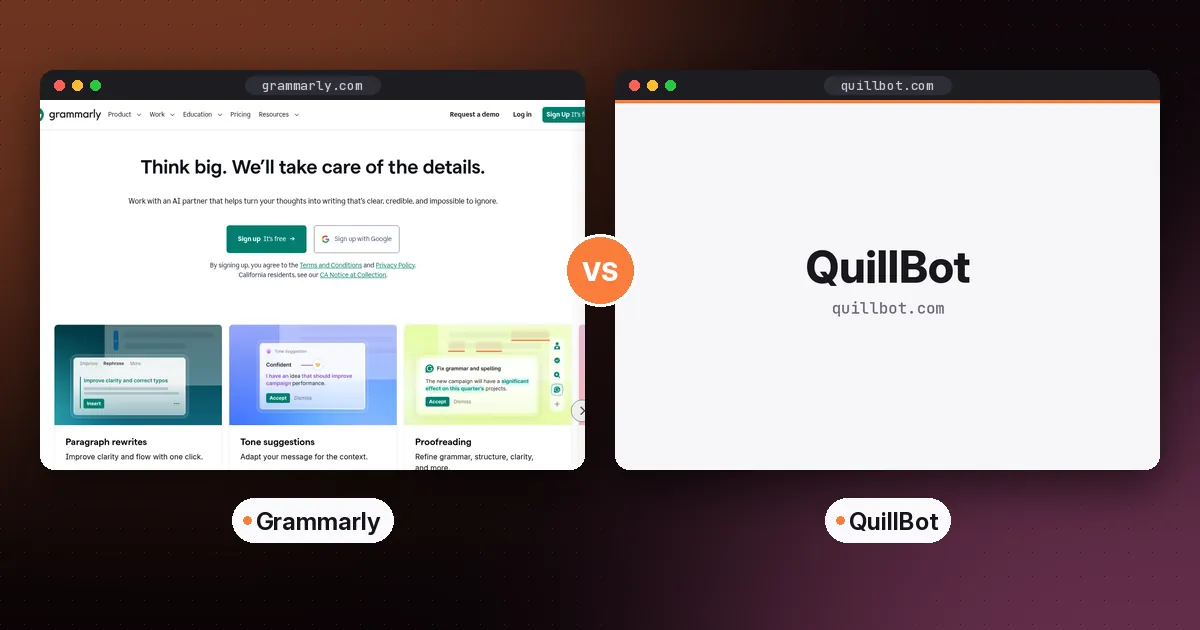
In Grammarly vs QuillBot, pick Grammarly if you want a writing assistant that checks grammar, clarity and tone as you type, in nearly every app. Pick QuillBot if your main need is rephrasing and summarizing text, at a lower price. Many students use QuillBot to rework drafts and Grammarly for the final polish. If you can pay for only one, Grammarly is the better all-rounder and QuillBot is the better budget pick.
Below is a side-by-side comparison of features, free plans and pricing, checked on each vendor's site on October 5, 2026, plus guidance on using either tool without crossing academic-integrity lines.
Grammarly vs QuillBot at a glance
| Item | Grammarly | QuillBot |
|---|---|---|
| Core strength | Real-time grammar, clarity and tone suggestions | Paraphrasing and summarizing |
| Free plan | Spelling and grammar fixes, tone detection, 100 AI prompts a month | Paraphrase up to 100 words in 2 modes, basic grammar fixes, basic summaries |
| Paid plan | Pro, listed at $12 per month | Premium, $8.33 per month billed annually |
| Free trial | 7-day free trial of Pro | Free plan to try |
| Rewriting | Full-sentence rewrites and tone adjustment on Pro | 10+ paraphrasing modes, unlimited on Premium |
| Plagiarism check | Pro | Premium |
| Where it works | Browser, desktop, mobile and documents | Web app, browser extensions and apps |
| Teams | Enterprise through Superhuman Go | Team plan |
What changed with Grammarly in 2025 and 2026
On October 29, 2025, Grammarly renamed its company to Superhuman and launched Superhuman Go, an assistant that works across apps, according to Grammarly's help center. The Grammarly writing product kept its name, and individuals still buy Grammarly Free or Pro from grammarly.com. Grammarly for large organizations is now sold through Superhuman Go. If you see "Superhuman" on an invoice or login screen, that's why.
The same help article says nearly all existing Grammarly features are unchanged. Browser extension users can choose to switch to the new Superhuman Go experience. If you do, the familiar underlines stay, but Grammarly's generative AI features are replaced by Go, and the plagiarism and AI detection tools move into a sidebar. Your saved documents and subscription aren't affected.
Grammarly in detail
Grammarly works where you type: in browsers, email, documents and chat apps. The free plan fixes spelling and grammar, shows how your tone comes across, and includes 100 AI prompts a month for generating or rewriting text.
Pro is listed at $12 per month on the plans page; check there for monthly versus annual billing. It adds:
- one-click full-sentence rewrites and tone adjustment
- fluency suggestions for writers whose first language isn't English
- citation consistency and accidental-plagiarism checks
- unlimited personalized suggestions and 2,000 AI prompts a month
Best at: catching mistakes and tightening sentences in the flow of writing, especially in email and work documents.
QuillBot in detail
QuillBot is built around its Paraphraser. You paste text and it rewrites it in modes such as Academic or Simple. It also includes a grammar checker, summarizer, translator, citation generator and AI chat. The free plan paraphrases up to 100 words at a time in 2 modes, fixes basic grammar errors and creates basic summaries.
Premium costs $8.33 per month billed annually, according to QuillBot's Premium page. It unlocks full paraphrasing in all modes, advanced grammar recommendations, custom summaries and plagiarism checking. QuillBot also links to separate student plans from its premium page.
Best at: reworking clunky paragraphs, simplifying dense text and summarizing long readings.
Feature-by-feature verdict
- Grammar and spelling: Grammarly. Its real-time suggestions are its core product, and the free tier is strong.
- Paraphrasing: QuillBot. It has more modes and a cheaper way to unlock them.
- Tone and clarity for work email: Grammarly.
- Summarizing readings: QuillBot's Summarizer is built for it. For a whole course, a source-grounded tool like Gemini Notebook is stronger. See our NotebookLM study guide.
- Price: QuillBot Premium costs less than Grammarly Pro.
- Works everywhere you type: Grammarly.
Both vendors also offer AI-detection and "humanizer" tools. Those raise their own accuracy and integrity questions, and this guide doesn't evaluate them.
Pros and cons
Grammarly
- Pros: excellent real-time checking, works across apps, useful free plan, tone tools.
- Cons: Pro costs more, and AI prompts are capped on Free and Pro.
QuillBot
- Pros: flexible paraphrasing, low Premium price, handy summarizer and citation tools.
- Cons: the free word limit is small, and paraphrasing is easy to misuse in academic work.
Using either tool responsibly as a student
- Read your syllabus AI policy first. Many courses allow grammar checking but restrict AI rewriting.
- Paraphrase to understand, then write in your own words. Running a source through a paraphraser and submitting the result is still plagiarism if you don't cite it.
- Always cite ideas you got from a source, even if the wording is now yours.
- Keep your drafts. Version history shows your process if anyone asks.
- Use suggestions selectively. Accepting every change can flatten your voice.
Alternatives worth knowing
- Wordtune for rewriting single sentences with several options.
- DeepL Write for polishing text, especially if you also translate.
- Hemingway Editor for spotting long, hard-to-read sentences.
A 10-minute test to decide for yourself
Free plans make this easy to test before you pay.
- Pick two real pieces of writing: a work email and a paragraph from an essay or report you wrote recently.
- Run both through Grammarly Free in your browser. Note how many suggestions are true errors and how many are style preferences.
- Paste the paragraph into QuillBot's Paraphraser in its free modes, then try the free grammar checker on the email.
- Ask yourself which output you would actually send or submit with the fewest further edits.
- Look at your habits. If you mostly wanted help while typing, Grammarly fits. If you kept copying text into a box to rework it, QuillBot fits.
What a year costs
QuillBot Premium at $8.33 per month billed annually comes to about $100 a year. Grammarly Pro is listed at $12 a month, so check whether that's the annual rate before you compare. Either way, QuillBot is the cheaper subscription. Grammarly's 7-day Pro trial is a low-risk way to see whether the extra rewriting features earn the difference.
Who should choose which
- Professionals writing email and reports all day: Grammarly.
- Students on a budget who rework drafts: QuillBot Premium, plus Grammarly's free plan for final checks. Our roundup of the best AI tools for students covers the rest of a study toolkit.
- Non-native English speakers: Grammarly Pro, for fluency suggestions.
- Researchers summarizing many papers: QuillBot for single texts, and a source-grounded notebook for whole collections.
For email-specific tools, see our guide to the best AI email assistant.
FAQ
Is Grammarly or QuillBot better?
Grammarly is better for real-time grammar, clarity and tone checking across apps. QuillBot is better and cheaper for paraphrasing and summarizing. The best choice depends on whether you mostly fix text or rewrite it.
Is QuillBot free?
Yes. QuillBot's free plan lets you paraphrase up to 100 words at a time in 2 modes, fix basic grammar errors and generate basic summaries. Premium removes those limits.
Is Grammarly free?
Yes. Grammarly Free corrects spelling and grammar, detects tone and includes 100 AI prompts a month. Pro adds full-sentence rewrites, tone adjustment and plagiarism checks.
Can I use Grammarly and QuillBot together?
Yes. A common workflow is to rework a rough paragraph in QuillBot, rewrite it in your own voice, then run Grammarly as a final check. Follow your school or employer's AI policy.
Is Grammarly now called Superhuman?
The company is. Grammarly renamed itself Superhuman in October 2025, but the Grammarly writing product kept its name. Individuals still sign up for Grammarly Free or Pro.