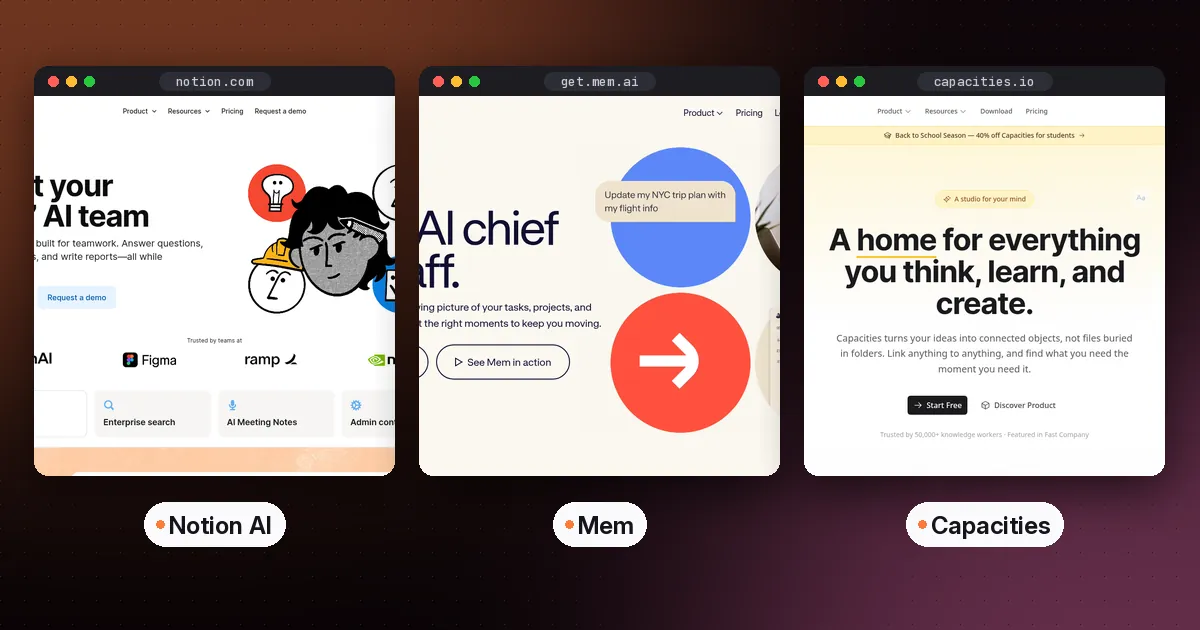
The best AI note-taking app for most people is Notion AI if your team already works in Notion. Mem is the pick if you want an assistant that files and resurfaces notes for you, and Capacities if you want a free plan with structured notes. Choose Heptabase if you think visually and study from PDFs, and Reflect Open if you want free, local Markdown files with your own AI key. Tana now focuses on meetings, so pick it if most of your notes start in calls.
2026 changed this category a lot. Reflect went open source, Tana rebuilt itself around meetings, and Notion moved its full AI features to the Business plan. This guide reflects those changes, with prices checked on each vendor's pricing page on October 5, 2026.
Quick comparison
| App | Best for | AI on the free plan | Paid from | Where notes live |
|---|---|---|---|---|
| Notion AI | Teams and shared workspaces | Trial only | Business, $20 per member per month for full AI | Notion cloud |
| Mem | Hands-off capture and recall | Yes, limited (25 messages a month) | Plus, $9 per month | Mem cloud |
| Capacities | Structured personal knowledge | No (AI is on Pro) | Pro, $9.99 per month | Capacities cloud, offline support |
| Heptabase | Visual learning and research | No free plan listed | Pro, $8.99 per month billed yearly | Heptabase cloud |
| Tana | Notes that start in meetings | Yes, 50 AI queries | Pro, $20 per user per month (early-bird price) | Tana cloud |
| Reflect Open | Local Markdown with your own AI | Yes, bring your own key | Mac app free and open source | Your own files |
How to choose an AI note-taking app
Ask three questions before comparing features.
- Who else reads your notes? If it's a team, a shared workspace like Notion matters more than clever AI.
- Where should your notes live? Cloud apps make syncing and AI easy. Local Markdown files are yours forever and work with any editor.
- What do you want the AI to do? Common jobs are answering questions across your notes, organizing them automatically, turning meetings into notes, and summarizing what you read.
The best AI note-taking apps in detail
Notion AI: best for teams
Notion AI now comes with Notion's Business plan, listed at $20 per member per month. According to Notion's pricing page, the Free and Plus plans include only a trial of Notion AI. Business adds Notion Agent, which completes multi-step tasks using your workspace, connected apps and the web. It also adds AI Meeting Notes without a bot, and Enterprise Search across connected apps like Slack and GitHub (in beta).
- Pros: one place for docs, databases, wikis and AI. Excellent for teams.
- Cons: full AI requires the Business plan, and it's more structure than a solo note-taker needs.
Mem: best for automatic organization
Mem is built around an agent that learns from what you save, tracks tasks and projects in your notes, and checks in when something needs you. Features include Push-to-Remember, Voice Mode for capturing meetings or thinking out loud, a calendar, a web clipper and chat. The free plan includes 25 messages to Mem and 25 new notes a month, plus 3 hours of Voice Mode. Plus is $9 a month and roughly doubles those limits, according to Mem's pricing page.
- Pros: almost no filing required, and voice capture turns into structured notes.
- Cons: monthly caps on notes and messages, even on Plus.
Capacities: best free plan for structured notes
Capacities organizes notes as objects such as people, books, ideas and meetings, instead of folders. Its free Basic plan includes unlimited objects and spaces, sync across devices, offline support and full import and export. Pro is $9.99 a month on monthly billing, with a discount on yearly billing, per Capacities' pricing page. It adds the AI assistant, task management, calendar integrations and smart queries. Capacities was running a 40% back-to-school discount for students at the time of writing.
- Pros: a generous free plan, a clear structure, and a promise to keep the core product free.
- Cons: AI features are on Pro only.
Heptabase: best for visual thinkers and students
Heptabase combines notes with whiteboards, so you can lay out ideas spatially. It also handles PDF highlights and YouTube transcripts. Heptabase's pricing page lists Pro at $8.99 a month billed yearly, which includes an AI agent using Gemini models and 100 AI credits. Premium ($17.99 billed yearly) adds unlimited PDF parsing, an AI tutor and agents using GPT, Claude and Gemini models. Apps cover Mac, Windows, Linux, iOS and Android.
- Pros: excellent for research projects and exam prep with many sources.
- Cons: no free plan listed, and the AI tutor needs Premium.
Tana: best if your notes start in meetings
Tana has repositioned itself around meetings. Its homepage now describes Tana as an agentic meeting platform, and the original outliner with supertags lives on as a separate product called Tana Outliner. Its pricing page leads with "perfect meeting memory". The free plan hosts 5 meetings a month with AI transcripts and summaries, connects 1 calendar and includes 50 AI queries. Pro is listed at an early-bird price of $20 per user per month, with $30 shown as the regular price. It adds unlimited hosted meetings, a botless meeting agent for Zoom, Teams and Google Meet, and full MCP integration. There's a 30-day free trial with no credit card required.
- Pros: meetings turn straight into structured, connected notes, with powerful integrations.
- Cons: less suited to personal journaling, and a steep learning curve.
Reflect Open: best for local, private notes
On July 14, 2026, Reflect released Reflect Open, according to its announcement. It's an open-source, local-first rebuild that stores notes as plain Markdown files on your Mac. The Mac app is free. AI chat with citations uses your own OpenAI, Anthropic, Google or OpenRouter key, and notes marked private are never sent to AI. Sync works through iCloud Drive or Git. An iPhone and iPad app is now on the App Store as a free download, with a Reflect Pro subscription ($9.99 a month or $99 a year) offered in the app. The code is MIT-licensed on GitHub, and there's no Windows or Android version yet. The original Reflect app remains available for subscribers.
- Pros: your notes are ordinary files, free on Mac, and AI only when you choose.
- Cons: young software, Apple-only for now, a paid subscription on iPhone and iPad, and you pay your AI provider directly.
Don't forget your reading notes
A lot of note-taking starts with reading. Readwise Reader saves articles, PDFs and newsletters, lets you highlight them, and includes an AI reading assistant called Ghostreader. Our best read-it-later app guide compares it with Instapaper, Matter and other Pocket alternatives. For course readings or research papers, a source-grounded notebook like Gemini Notebook is also useful. See our guide on how to use NotebookLM for studying.
Who should choose which
- Teams and companies: Notion AI.
- Busy professionals who never file anything: Mem.
- Students on a budget: Capacities Basic, plus Gemini Notebook for courses. See our best AI tools for students.
- Researchers and visual learners: Heptabase.
- Meeting-heavy roles: Tana, or a dedicated tool from our guide to the best AI note taker for meetings. If you're torn between the two most popular meeting tools, read Granola vs Otter.
- Privacy-first Mac users: Reflect Open.
How to switch without losing your notes
- Export everything first, as Markdown where possible.
- Import into the new app, then spot-check links, images and tags.
- Run both apps for two weeks, and stop writing in the old one after the first week.
- Set up one AI habit, such as a weekly "what did I learn" question, before adding more.
FAQ
What is the best free AI note-taking app?
Reflect Open is free on Mac if you bring your own AI key. Mem's free plan includes limited AI, and Tana's free plan includes 50 AI queries. Capacities has a strong free plan for notes, though its AI is on Pro.
Is Notion AI free?
Not fully. Notion's Free and Plus plans include a trial of Notion AI. Full AI features, including Notion Agent and AI Meeting Notes, come with the Business plan.
What is the best AI note-taking app for students?
Capacities, for its free plan and student discount, or Heptabase for visual study from PDFs. Pair either with Gemini Notebook, which turns course materials into flashcards and quizzes.
Can an AI note app replace a meeting note taker?
Some can. Tana and Notion Business both capture meetings without a bot. If you need transcripts across many platforms, a dedicated meeting tool may still work better.
Are my notes used to train AI?
Policies differ by vendor and plan. Check each app's privacy or trust page. With Reflect Open, notes go only to the AI provider you configure, and notes marked private are never sent.