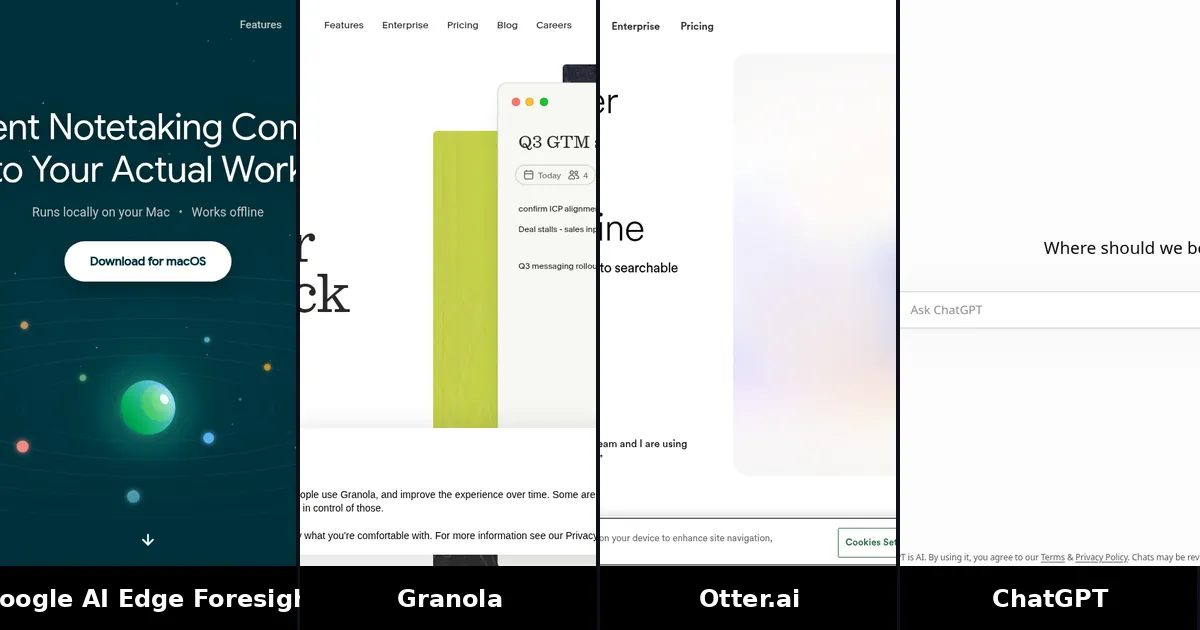
In the Google AI Edge Foresight vs Granola matchup, pick Foresight if you want free, fully offline meeting notes on an Apple Silicon Mac and you care that audio never leaves your computer. Pick Granola if you need polished notes across desktop and mobile, team sharing, CRM integrations or a product that is past the experimental stage.
Foresight is Google's new experimental Mac note taker, announced with EmbeddingGemma 2 on October 6, 2026. Granola is the established bot-free AI notepad it is being compared to. This guide explains what Foresight does, how it differs from Granola and other note takers, who should try it now, and the limits that matter before you switch.
What is Google AI Edge Foresight?
Google AI Edge Foresight is a free Mac app from Google's AI Edge team. According to the Google Developers Blog post on EmbeddingGemma 2, it is an experimental context-aware meeting companion that runs note-taking, indexing and recall entirely on your device.
It listens through your Mac's microphone and system audio, so it works with Zoom, Google Meet, Microsoft Teams or an in-person conversation without joining the call as a participant. You scribble shorthand during the meeting; Foresight expands those bullets into polished notes using the live transcript. Google also lists live question detection, chat over your notes and retrieval across local files you point it at.
The app is listed on Google's AI Edge Foresight page. Coverage from The Verge and TechCrunch on October 8, 2026 describes it as free, Apple Silicon–optimized and designed so files, meeting audio and notes stay on the computer.
Foresight vs Granola at a glance
| Item | Google AI Edge Foresight | Granola |
|---|---|---|
| Core idea | Offline Mac companion that expands shorthand from a local transcript | AI notepad that improves your rough notes using the transcript |
| Capture | Device audio (mic + system audio), no bot | Device audio, no bot |
| Platforms | macOS, Apple Silicon | Desktop, iOS, Android, Apple Watch |
| Cloud processing | On-device; Google says data never leaves your Mac | Cloud processing after capture; audio deleted after transcription |
| Price | Free (experimental) | Free Basic (30-day history); Business $14 per user per month |
| Team features | Personal knowledge base and chat | Shared folders, billing, integrations, MCP, API on paid plans |
| Maturity | Experimental showcase for EmbeddingGemma 2 | Production product with SOC 2 Type II |
Granola prices were checked on Granola's pricing page on October 9, 2026.
How Foresight captures and writes notes
Foresight's workflow is close to Granola's notepad idea, with offline models doing the work.
- Download the Mac app from Google's Foresight page and allow microphone and system-audio access when prompted.
- Start it before a call or an in-person meeting. It captures both sides of the conversation from your device.
- Type short bullets for the points you care about. You do not need to write full sentences.
- Foresight enriches those bullets with details from the transcript, using EmbeddingGemma 2 and Gemma 4 on device, as described in Google's developer blog.
- After the meeting, open the transcript, ask questions in chat or search across notes and any local files you connected.
That last piece is a real differentiator for privacy-minded users: Google positions cross-modal retrieval over your personal knowledge library (documents, notes, and related media) as a core feature, all without a cloud subscription.
Privacy and offline use
This is the reason Foresight is trending. Google's blog says sensitive information remains on device, productivity continues without a network connection, and there is no cloud subscription cost for the app. The Verge quotes Google as saying files, meeting audio and notes never leave your computer.
That is a different trust model from most AI note takers:
- Granola captures on device, then processes notes in the cloud. It is SOC 2 Type II certified, deletes audio after transcription and lets every user opt out of model training, according to its pricing page. Enterprise adds SSO and HIPAA options.
- Otter and Fathom are mainly cloud services with bot or bot-free capture, strong free plans and team features.
- ChatGPT Record mode and the Meetings plugin (Mac, paid plans) also process meeting audio through OpenAI's cloud. See our ChatGPT meeting notes guide for plan and device limits.
If your company bans cloud recording, or you take notes on a plane with no Wi-Fi, Foresight is built for that case. If you need admin controls, shared workspaces or a vendor DPA for a large team, Granola's paid tiers (or another enterprise note taker) still fit better.
Consent still matters. Even when nothing is uploaded, you are recording a conversation. Tell participants when you are using a note taker, and follow local recording laws.
Where Granola still wins
Foresight is not a full replacement for Granola today.
- Mobile and Watch. Granola has iOS, Android and Apple Watch apps. Foresight is Mac-only so far.
- Team workflow. Shared folders, centralized billing, Notion, HubSpot, Attio, Affinity, Zapier, MCP and API access live on Granola Business and Enterprise.
- History and models. Granola Basic keeps 30 days of meeting history; Business unlocks unlimited history and advanced AI models. Foresight does not publish a comparable history or team plan.
- Product maturity. Foresight is labelled experimental. Google's earlier on-device dictation experiments stayed niche. Treat Foresight as a serious privacy tryout, not as the only note taker your team depends on yet.
For a deeper Granola comparison against a transcript-first tool, see Granola vs Otter. For a wider field including Fireflies, Read AI and tl;dv, see best AI note taker for meetings.
Who should try Foresight first
Good fit
- Apple Silicon Mac users who want free offline notes
- Consultants, founders and clinicians who refuse to send call audio to a vendor
- People who already jot shorthand and want the transcript to fill in detail
- Travelers who take meetings without reliable internet
Better elsewhere
- Windows or Linux users (no Foresight app)
- Teams that need shared notes, CRM sync or SSO
- Anyone who wants a bot to attend meetings they skip (use Otter, Fathom or similar)
- Students and researchers who need searchable long-term transcripts on a free cloud plan (Otter's free tier is still a strong option)
How to get started without ripping out your stack
- Keep your current note taker for client or team calls that need sharing.
- Install Foresight on your Mac and run it on one internal meeting and one in-person conversation.
- Compare the polished note quality with Granola or ChatGPT Record on the same type of call.
- Decide whether offline privacy outweighs mobile apps and integrations for your weekly meeting load.
- If Foresight wins for private calls, use it there and keep Granola (or another tool) for collaborative work.
That split is normal. Many people already use a bot-free notepad for external calls and a CRM-connected bot for sales. Foresight simply adds a fully local option to the first bucket.
FAQ
Is Google AI Edge Foresight free?
Yes. Google presents it as a free experimental Mac app with no cloud subscription. You download it from the official Foresight page. Expect it to fetch on-device models on first launch, which needs disk space and an initial download even though inference then runs locally.
Does Foresight work offline?
Yes. Google's developer blog and product coverage say it can run completely offline on Apple Silicon Macs, including transcription and note enrichment, once the models are on your machine.
Foresight or Granola for everyday meetings?
Choose Foresight when privacy and offline use come first and you are fine with a Mac-only experimental app. Choose Granola when you want a polished product with mobile apps, shared folders and paid integrations. Many people will keep both for different kinds of meetings.
Does Foresight join Zoom or Meet as a bot?
No. Like Granola, it records from your Mac's microphone and system audio. Nothing appears as a meeting participant. You still need to start the app yourself.
Can I use Foresight on Windows?
Not today. Google says the app is optimized for Apple Silicon Macs. There is no Windows or Linux version in the October 2026 announcements. Windows users should look at Otter's desktop app, Fathom or ChatGPT audio uploads instead.
Is Foresight better than ChatGPT Record for Mac?
Different trade-offs. ChatGPT Record (Plus and up) writes notes in ChatGPT and can feed later chats; it sends audio to OpenAI. Foresight keeps audio on device and costs nothing beyond the Mac, but it is experimental and does not live inside ChatGPT. If your notes need to stay local, Foresight is the closer match. If you already live in ChatGPT and accept cloud processing, Record or the Meetings plugin may be simpler.