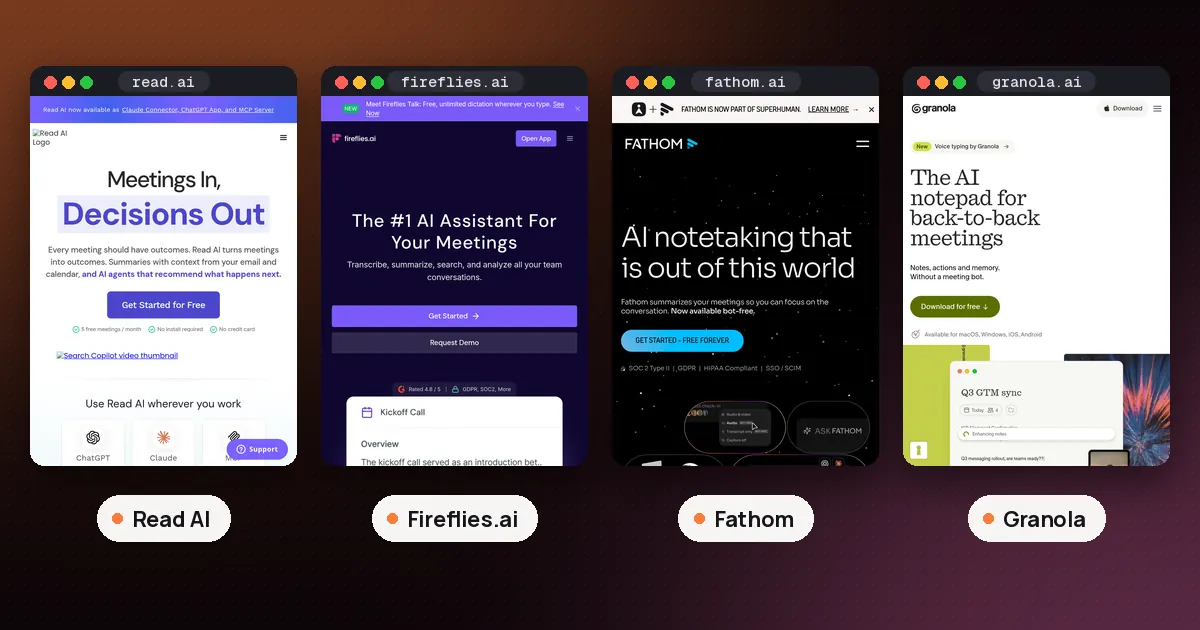
In the Read AI vs Fireflies.ai choice, pick Fireflies if you want the cheapest paid plan, a bot that can cover Zoom calls you skip, and free uploads of past recordings. Pick Read AI if you want full AI summaries on the free plan, or one search box across your meetings, email and chat. Fireflies Pro costs $10 a seat a month billed annually, against $15 for Read AI Pro, so Fireflies also wins on price for most small teams.
Both tools send a bot to Zoom, Google Meet and Microsoft Teams, and both can also take notes without one. The differences sit in the free plan rules, which platforms each bot can attend alone, and what you get back after the call. This guide compares Read AI and Fireflies using the Fireflies pricing page, the Fireflies Knowledge Base, Read AI's pricing page and the Read Help Center, all checked on October 31, 2026. We did not install either tool or record a test meeting for this guide.
Read AI vs Fireflies at a glance
| Item | Fireflies | Read AI |
|---|---|---|
| Free plan | Unlimited transcripts with Auto join on, limited AI summaries | 5 meeting reports a month with summaries |
| Meeting length cap | Bot stays 2 to 4 hours, by plan | 1 hour on Free, 4 to 8 hours paid |
| Cheapest paid plan | Pro, $10 a seat a month billed annually ($18 monthly) | Pro, $15 a user a month billed annually ($19.75 monthly) |
| Bot joins calls you skip | Yes, when the platform lets guest bots in | Teams and Google Meet yes, Zoom no |
| Bot free capture | Chrome extension for Google Meet, desktop app, mobile app | Desktop Record button, Google Meet native recording |
| Upload a recording | Yes, including Free | Paid plans only |
| Video playback | Business plan and up | Enterprise plan and up |
Prices are per user or seat. The sections below explain each row, because the conditions matter more than the headline numbers.
Fireflies free plan vs Read AI free plan
The two free plans are built in opposite ways. Fireflies gives you lots of raw transcripts but rations the AI. Read AI gives you complete reports but only a few of them.
On Fireflies, the unlimited free transcription guide says Free users who signed up on or after September 1, 2026 get unlimited transcripts only when the Auto join calendar meetings toggle is on. With it off, you get the default of 3 meeting transcriptions. Choosing the Auto join option "Only when I invite fred@fireflies.ai" doesn't count either. Older accounts that already had unlimited free meetings keep their limits.
The catch is in the summaries. Fireflies says unlimited transcripts give you the full raw text, while smart summaries, action items and analytics depend on your credits. Summarizing a meeting uses a transcription credit, and a new Free account starts with 3 credits from the website, 5 from the Chrome extension or 10 from the mobile app. The Free plan also lists 20 AI credits for extras such as AskFred, AI Skills and soundbites, and Fireflies' AI credits page says Free users can't buy more without upgrading.
Storage is the other limit. Fireflies' storage and rate limits article gives Free 400 minutes per user in total, not per month. That covers recordings, uploads and dialer calls, so you delete older files to make room.
Read AI's Free plan lists 5 meeting transcripts a month, each with a summary, transcription and search. It also includes unlimited Ask Read search, a personal meeting coach, basic integrations, Topic Readouts, more than 20 languages and apps for Windows, macOS, Android and iOS. The Help Center adds that free meetings stop at 1 hour and that uploads aren't included. When you upgrade, Read reprocesses reports from the past 30 days, which opens up reports that went over the free limit.
So for a handful of important meetings a month where you want a finished summary, Read AI's free plan is cleaner. For lots of calls where a searchable transcript is enough, Fireflies goes further. Our guide on whether Read AI is free with Teams covers how Read's 5 report quota works in practice.
Fireflies pricing vs Read AI pricing
Fireflies lists four plans on its pricing page:
- Free: $0, with the limits above.
- Pro: $10 a seat a month billed annually, or $18 monthly. Unlimited transcription and AI summaries, 8,000 minutes of storage per seat, downloads of transcripts and recordings, and unlimited integrations.
- Business: $19 a seat a month billed annually, or $29 monthly. Unlimited storage, conversation intelligence, team analytics for admins and multi language mode.
- Enterprise: $39 a seat a month, annual billing only. Adds SSO and SCIM, HIPAA compliance, private storage, custom data retention and a rules engine.
Read AI lists these plans:
- Free: $0, 5 reports a month.
- Pro: $15 a user a month billed annually, or $19.75 monthly. Unlimited reports, meetings up to 4 hours, 100 upload minutes a month, premium integrations such as Notion, Salesforce, HubSpot, Jira, Confluence and Zapier, and direct access to Claude and GPT models inside Ask Read.
- Enterprise: $22.50 billed annually, or $29.75 monthly. Adds audio and video playback, video highlights and 200 upload minutes.
- Enterprise+: $29.75 billed annually, or $39.75 monthly, with a 5 license minimum. Adds HIPAA compliance, SAML and SCIM, custom retention, 8 hour meetings and 300 upload minutes.
Fireflies is cheaper at every matching step. If you want to watch calls back, compare carefully. Fireflies' meeting FAQ says the bot records video on Business and higher, though the Pro plan card on its pricing page also lists video recording, so confirm on your account before you pay. Read AI keeps playback for Enterprise, so its Pro plan gives you text reports without replays.
Fireflies has one cost that Read AI doesn't. AI features beyond transcripts and standard summaries run on AI credits, which are a paid addon starting at $5 a month for 50 credits. Fireflies says paid accounts that run out of plan credits are moved onto that lowest tier automatically, with a banner on the dashboard.
How each bot joins your meetings
Fireflies' FAQ says its notetaker, fred@fireflies.ai, records even when you're not there, as long as you invited it and the platform lets guest bots join. You can turn on Auto join, add the address to a calendar invite or paste a link into "Add to live meeting." The bot always shows in the participant list, waits up to 10 minutes in a Google Meet lobby and 15 minutes on other platforms, and stays 2 to 4 hours depending on your plan. Fireflies connects to Google Calendar or Outlook, and only one calendar per account.
Read AI's platform support article says Read joins Teams as a participant and can join Google Meet as a participant or through Google Meet native recording. On Teams and Meet it can attend without the person who holds the license. Zoom is the exception: you have to connect your Zoom account and be in the meeting, signed in to it. Read can't join Teams calls started from the Chat tab or get past Teams CAPTCHA checks, and it doesn't join Webex, GoTo Meeting or RingCentral.
That makes Zoom the clearest split. If you're often double booked on Zoom calls, Fireflies can cover them and Read AI can't. If your company runs on Teams and doesn't allow outside bots, our Copilot meeting transcription guide covers the option built into Microsoft 365.
Recording without a bot
Both tools offer bot free capture, with different tradeoffs.
Fireflies has three routes. The Chrome extension captures Google Meet in the browser without the bot, and Fireflies says it is Google Meet only. The desktop app's Take Notes mode records your computer's system audio on Windows or Mac, including phone calls, FaceTime and in person conversations. It saves no audio or video file and gives generic speaker labels, but you still get a transcript and summary. The mobile app records in person meetings. The desktop app can also play an audio consent message, and on Mac it can post a notice in the meeting chat.
Read AI's desktop app runs on 64 bit Windows 10 and 11 and on macOS 14 or later. Its Record button captures audio from any app, which covers Slack huddles, Webex and dialer calls. Those reports skip video, coaching and detailed participant metrics. Read reminds you to get consent before each recording and offers a disclosure message with an opt out link you can paste into the chat.
If no bot at all is your main goal, Granola works that way by design. Our Granola vs Otter comparison covers it.
Uploads, search and the rest of your work
Fireflies accepts uploads on every plan. Its Free plan article lists MP3, MP4, WAV and M4A files up to 100 MB and 150 minutes each, at one transcription credit per file. Downloading the transcript needs a paid plan, and uploaded files get generic speaker labels instead of names. Read AI takes MP4 or M4A files up to 5 GB, but only on paid plans, with 100 to 300 upload minutes a month depending on the tier.
Search is where Read AI pulls ahead. Ask Read searches your meeting reports plus any apps you connect, and it's unlimited even on Free. Fireflies has AskFred and global search inside its Notebook, along with personal and email assistant features on Pro, but those draw on AI credits.
On security, Fireflies lists SOC 2 Type II and GDPR compliance, and says HIPAA and FERPA agreements are available on Enterprise with private storage. Read AI lists HIPAA compliance on Enterprise+.
Which should you pick?
- You want the cheapest paid plan: Fireflies Pro at $10 a seat billed annually.
- You're double booked on Zoom: Fireflies, because Read AI needs you in Zoom meetings.
- You want finished summaries for free: Read AI, for up to 5 meetings a month of up to an hour.
- You want one search across meetings, email and chat: Read AI and Ask Read.
- You record Google Meet in Chrome and don't want a bot: the Fireflies extension.
- You need to transcribe old recordings without paying: Fireflies, which allows uploads on Free.
If neither fits, read our Read AI vs Fathom comparison, since Fathom has a free plan with unlimited recordings. Our roundup of the best AI note taker for meetings also covers Otter and tl;dv. Whichever you pick, tell people when a note taker is listening.
FAQ
Is Read AI better than Fireflies?
It depends on how you meet. Read AI is better if you want full summaries on the free plan or a search across meetings and connected apps. Fireflies is better on price, covers Zoom calls you can't attend, and takes uploads on its free plan.
Is Fireflies really free?
Yes, there is a Free plan at $0. For accounts created on or after September 1, 2026, transcripts are unlimited only when Auto join is turned on, otherwise you get 3 meeting transcriptions. AI summaries depend on credits, and storage is capped at 400 minutes per user in total.
Which is cheaper, Read AI or Fireflies?
Fireflies. Its Pro plan is $10 a seat a month billed annually, or $18 monthly, while Read AI Pro is $15 billed annually, or $19.75 monthly. Fireflies Business is $19 billed annually, and Read AI Enterprise is $22.50.
Can Read AI or Fireflies record a meeting without me?
Fireflies can, on any platform that lets guest bots join, as long as you invited it. Read AI can join Teams and Google Meet meetings without you, but on Zoom you must be in the meeting and signed in to your connected Zoom account.
Do Read AI and Fireflies work without a bot?
Both can. Fireflies records Google Meet through its Chrome extension and any call through its desktop app's Take Notes mode, which saves no audio or video. Read AI's desktop app can record audio from any app on Windows or Mac, and on Google Meet it can use native recording instead of joining.
Can I upload a recording to Read AI or Fireflies?
Yes to both, with limits. Fireflies takes MP3, MP4, WAV and M4A files up to 100 MB and 150 minutes on every plan, including Free. Read AI takes MP4 or M4A files up to 5 GB on paid plans only, with 100 upload minutes a month on Pro.