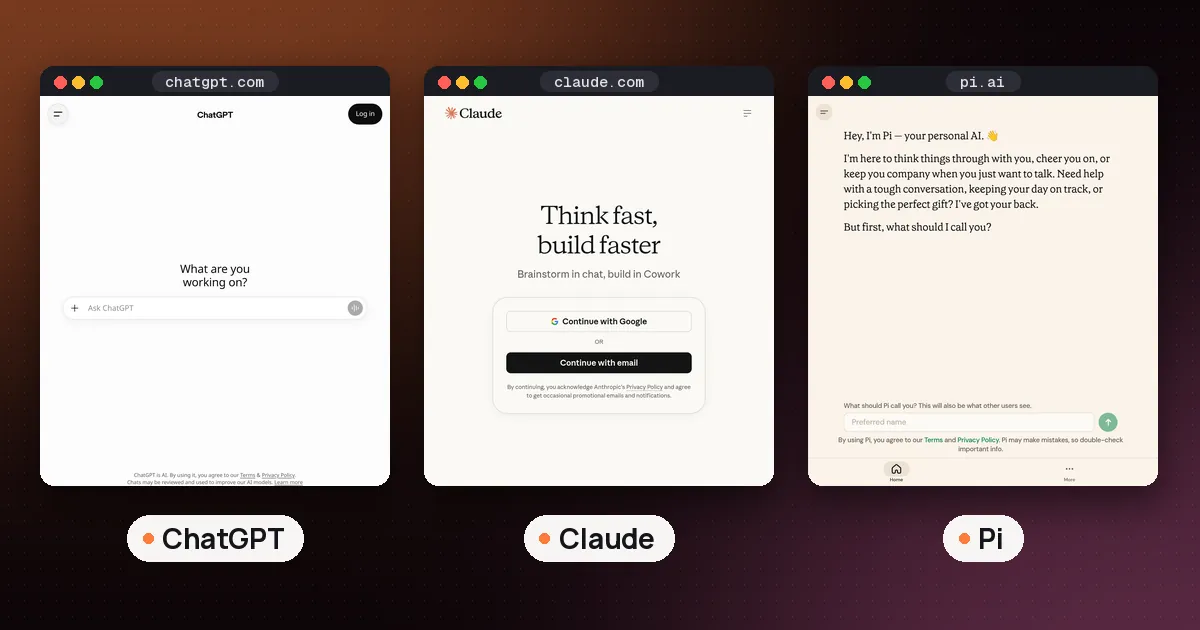
The best AI personal assistant for iPhone in 2026 depends on the job: keep Siri AI for device actions and private on device help, add ChatGPT for all round reasoning and voice, pick Claude for long writing and documents, use Gemini if you live in Google apps, try Pi for supportive voice chat, and text Lindy when you need email and calendar done from Messages. Most people should run Siri AI as the system default and one third party app for deeper work, not six apps at once.
Facts below were checked against Apple, OpenAI, Anthropic, Google, Inflection, and Lindy pages on October 11, 2026. Plan prices and limits change; confirm on each vendor’s site before you pay.
Best AI personal assistant for iPhone: quick picks
| Need | Best fit | Why |
|---|---|---|
| Control the phone, Messages, Reminders, Calendar | Siri AI (Apple Intelligence) | Systemwide actions, personal context, Private Cloud Compute |
| One app for writing, research, voice, images | ChatGPT | Free plan on iOS; Plus expands voice, memory, and tools |
| Long docs, polished drafts, coding help | Claude | Strong writing voice; Docs/Slides/Design on Free |
| Gmail, Calendar, Drive, live search | Gemini app | Native Google context and Gemini Live voice |
| Talk through decisions, reminders, companion chat | Pi | Free iOS app with voice mode and todos |
| Inbox, meetings, follow ups from the lock screen | Lindy | Works over iMessage/SMS; no dedicated chat UI required |
If you only install one paid third party assistant after Siri AI, ChatGPT Plus remains the safest general pick for most iPhone users. Writers who live in long documents should prefer Claude. Google Workspace regulars should prefer Gemini. Once you pick one, our AI virtual assistant guide shows how to set it up step by step.
Siri AI: the system assistant you should not turn off
In September 2026 Apple released the next generation of Apple Intelligence with Siri AI, described in Apple’s newsroom announcement and on the Apple Intelligence product page. Siri AI is built for personal context (messages, email, photos, notes), onscreen awareness, and systemwide app actions: drafting mail, editing photos, adding calendar events from a description, and answering questions with web backed knowledge.
On iPhone you can invoke it with “Hey Siri,” the side button, or a swipe from the Dynamic Island. A dedicated Siri app syncs conversation history privately over iCloud so you can continue on iPad, Mac, Watch, or Vision Pro. Writing Tools let Siri draft or revise text almost anywhere you type, and Apple Intelligence can proofread as you type in many third party apps. For the paid assistant inside Pages, Keynote and Numbers, see our Apple Pages AI guide.
Privacy angle: Apple emphasizes on device models plus Private Cloud Compute for heavier requests, stating personal data used for those cloud requests is not stored or made accessible to Apple. That matters if your main worry is a chat app retaining sensitive phone context.
Caveats from Apple’s own availability notes: Siri AI rolled out in English beta first; some regions (including EU on iOS/iPadOS/watchOS initially, and China pending regulatory work) may not get every feature. Certain server side features have daily usage limits, with expanded access priced later. Apple Intelligence needs a supported device (for example iPhone 16 and later, plus iPhone 15 Pro / Pro Max, among others listed on Apple’s site). Siri AI is not available for users under 13.
Siri AI wins device control. It does not replace a research heavy or multifile chat app. Keep it on; pair it with one specialist.
ChatGPT on iPhone: the all rounder
ChatGPT on iOS covers text, voice, images, file uploads, and (on higher plans) deeper research and work tools. OpenAI’s ChatGPT pricing page lists Free, Go, Plus, Pro, Business, and Enterprise. The free plan includes unlimited everyday text chats with limits on uploads, voice, images, memory, and advanced tools. Paid tiers expand those limits; Plus is positioned for advanced everyday productivity, Pro for heavy research and coding.
Why it ranks first among third party apps for most people:
- Strong default reasoning for mixed tasks (draft, plan, explain, code)
- Voice chats on Free, with expanded voice on paid plans
- Optional Apple Intelligence extension on some setups (useful when you want ChatGPT’s brain without leaving Apple’s handoff patterns, when available in your region)
- Continuity with desktop and web so phone drafts finish on a laptop
For meeting audio and notes inside ChatGPT itself, see Can ChatGPT take meeting notes?. Students comparing free tier study tools can also skim best AI tools for students.
Who should pick it: anyone who wants one assistant for “most of life” on the phone and is fine reviewing answers before acting on them.
Claude on iPhone: writing and long context
The Claude iOS app (Anthropic) requires iOS 18 or later. Anthropic’s listing highlights writing, coding help, web research with citations, photo/PDF/screenshot analysis, voice conversations, and connections to Google Drive, Gmail, and Calendar. Claude’s pricing page keeps Free chat on web, desktop, and mobile, including Artifacts plus Claude Design, Slides, and Docs. Pro adds higher usage, projects, Claude Code, and more models; Max is for all day heavy use.
Claude is the better AI personal assistant app when the output must read carefully: emails you will send, policies, essays, specs, or multifile reasoning. Voice mode and free Artifacts/docs tools make the phone more than a chat window. For a walkthrough of Free Docs/Slides/Design, see How to use Claude Docs, Slides and Design free.
Who should pick it: writers, students finishing long drafts, and professionals who care more about prose quality than gadget control.
Gemini on iPhone: best if you live in Google
The Google Gemini app for iPhone is the right third party pick when your day already runs through Gmail, Google Calendar, Drive, Photos, and Search. Gemini Live supports natural back and forth voice (you can interrupt), and Google’s help docs cover Live on iPhone and iPad. Multimodal uploads (images, documents) and Google account context are the product’s edge on iOS.
Gemini will not replace Siri for deep Apple app actions. Use it when the question starts in Google data or needs fresh web grounded answers.
Who should pick it: Workspace users and people who already ask Google for everything.
Pi: the conversational companion
Pi from Inflection is built as an emotionally intelligent personal AI (venting, decision coaching, learning, brainstorming, reminders, and voice) rather than as a system controller. The product site at hey.pi.ai and the App Store listing describe free iPhone/iPad use (iOS 16+), voice modes, and todos. It is a strong free AI personal assistant for talk first workflows, not for rewriting your Mail app.
Who should pick it: people who want a supportive sounding board and voice chat without wiring inbox permissions on day one.
Lindy over iMessage: work assistant without another chat tab
Lindy is the pick when “personal assistant” means do the work: triage email, prep meetings, draft replies, schedule, and follow up. Lindy’s iMessage and SMS docs explain the iPhone-native path: verify your phone number, then text Lindy like a colleague. No separate chat UI is required. You can schedule meetings, ask what was decided last week, brief a 2pm, search the inbox, send voice notes for transcription and action, and set morning briefings.
Lindy’s pricing page starts with free credits (no card required for the trial window), then paid seats with monthly credits (from $29.99 per active user per month for 3,000 credits on Team, per Lindy’s published copy). Outside impact actions wait for approval. Lindy’s FAQ says sends and ticket updates need your OK.
That makes Lindy the strongest best AI personal assistant for work option on iPhone if your pain is inbox and calendar load, not essay writing. Pair it with Siri AI for device tasks; do not expect Lindy to rearrange Home Screen widgets.
For a dedicated email assistant comparison (Gmail/Outlook clients), see best AI email assistant. For writing agents inside Grammarly’s suite, see How to use Superhuman Go.
Free AI personal assistant options on iPhone
If you want an AI personal assistant free stack that still feels useful:
- Siri AI / Apple Intelligence on a supported iPhone (included with eligible devices; some advanced features may later charge for expanded limits. Check Apple’s page).
- ChatGPT Free for unlimited everyday text chats with capped voice/uploads.
- Claude Free for chat, voice, Artifacts, and Docs/Slides/Design.
- Gemini free tier via Google account (paid Google AI plans expand limits. Confirm in Google AI settings).
- Pi free companion app.
Upgrade only when you hit a concrete wall: voice minutes, document length, connectors, or inbox automation. Avoid paying for three Plus tier chat apps that all do the same draft and summarize job.
Best AI personal assistant for work (and business)
For work on the phone, prioritize assistants that touch email + calendar + approvals:
- Lindy for delegated inbox/meeting workflows over iMessage
- ChatGPT or Claude (with connected Drive/Gmail/Calendar where you enable them) for analysis and drafting you still send yourself
- Gemini when the company’s stack is Google
- Siri AI for quick Calendar/Reminders/Mail actions without leaving iOS
Business and Enterprise plans (OpenAI, Anthropic, Lindy Enterprise, Google Workspace AI) add admin controls. Use those when the phone holds client data. Personal Free/Plus accounts are fine for individual productivity; they are not a compliance strategy.
AI personal assistant for PC (when you leave the iPhone)
Related searches often include AI personal assistant for PC. On Mac and Windows the category splits:
- ChatGPT / Claude / Gemini desktop or web apps for the same brains you use on iPhone
- Raycast as a keyboard first launcher with AI commands on Mac (and Raycast’s Windows presence for launcher style workflows). See Raycast vs Alfred
- Siri AI on Mac via Spotlight and context menus when you are on Apple Intelligence enabled hardware
Keep one identity across phone and PC so memory and projects stay coherent. Do not expect Raycast to be an iPhone personal assistant; it is the PC-side power user tool.
How to choose in five minutes
- Update to a supported iOS and confirm Apple Intelligence / Siri AI is available in your region and language.
- Install one third party app that matches your primary pain: ChatGPT (general), Claude (writing), Gemini (Google), Pi (talk), or Lindy (email/calendar).
- Use free tiers for a week. Pay only for the app you opened every day.
- Leave Siri AI as the default for “set a reminder,” “text Mom,” and onscreen questions.
- Never auto send AI drafts from work accounts without review.
On a laptop, the same assistants show up inside your browser; our guide to the best AI browsers compares Comet, Dia, Chrome and Edge.
FAQ
What is the best AI personal assistant for iPhone overall?
For most people: Siri AI for the phone, plus ChatGPT as the main third party app. Switch the third party pick to Claude for writing heavy work, Gemini for Google centric work, Pi for companion voice chat, or Lindy for inbox and meeting delegation.
Is there a good free AI personal assistant for iPhone?
Yes. Siri AI on supported devices, ChatGPT Free, Claude Free, Gemini’s free access via a Google account, and Pi’s free app cover most daily needs. Paid plans mainly buy higher limits, connectors, and automation, not a different species of assistant.
Which AI personal assistant app is best for students?
Claude and ChatGPT are the usual study pair (explainers, drafts, practice questions). Keep school policies in mind: summarizers and detectors do not replace citation rules. See best AI tools for students for a broader toolkit.
Can Lindy replace ChatGPT on iPhone?
Not for open ended reasoning and creative chat. Lindy replaces a human ops assistant for email, calendar, and follow ups over iMessage. Many professionals keep both: Lindy for actions, ChatGPT or Claude for thinking.
Does Raycast work as an AI personal assistant on iPhone?
Raycast is a Mac (and Windows) launcher with AI features, not an iPhone system assistant. Use it on PC; use Siri AI plus a chat or Lindy workflow on the phone.
Should I turn off Siri if I use ChatGPT?
No. Siri AI is the only option with deep system and personal context control on iPhone. Use ChatGPT (or Claude/Gemini) for harder questions and drafts; keep Siri for device work.